Dates
The Asset Details > Dates tab shows you the assets date information all in one place, and it is where you can edit the asset dates.
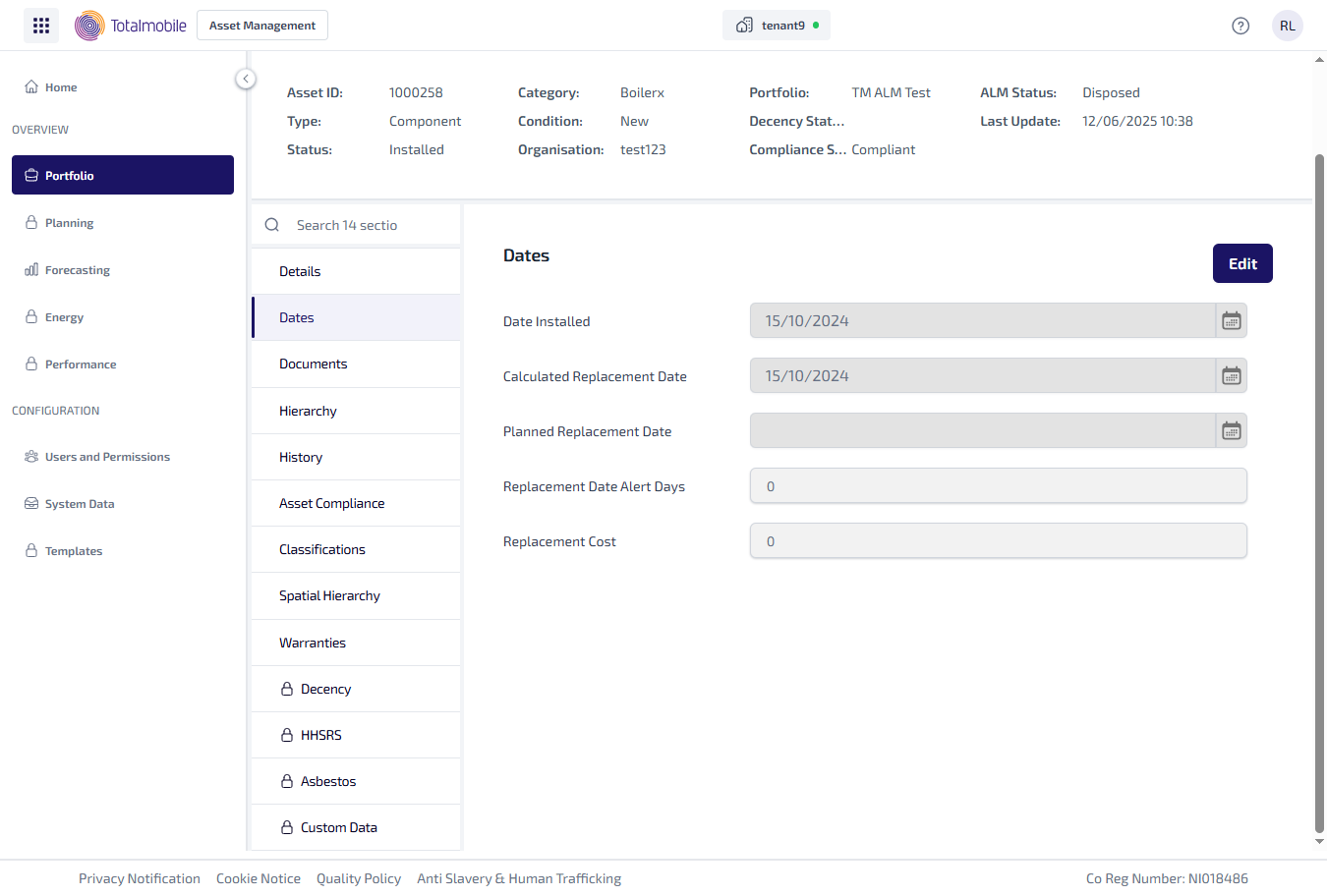
The Dates tab shows the following information:
-
Date Installed - the date the asset was physically installed at the property.
-
Calculated Replacement Date - the estimated date the asset should be replaced. The calculation is based on assets installation date and lifespan, and is set against the Asset Category in Job Management (Connect).
-
Planned Replacement Date - the date you intend to book an appointment to replace the asset.
-
Replacement Date Alert Days - the number of days before you are alerted to the replacement date being due. This is set against Asset Category in Job Management (Connect) and alerts to when the asset is due for replacement.
-
Replacement Cost - the cost of replacing the asset.
To edit the asset Dates:
-
From the Portfolio page, select the asset in the Asset Register.
-
Select View Asset.
-
The Asset Details page is shown, select the Dates tab.
-
Select Edit.
-
The fields on the Dates tab can be updated.
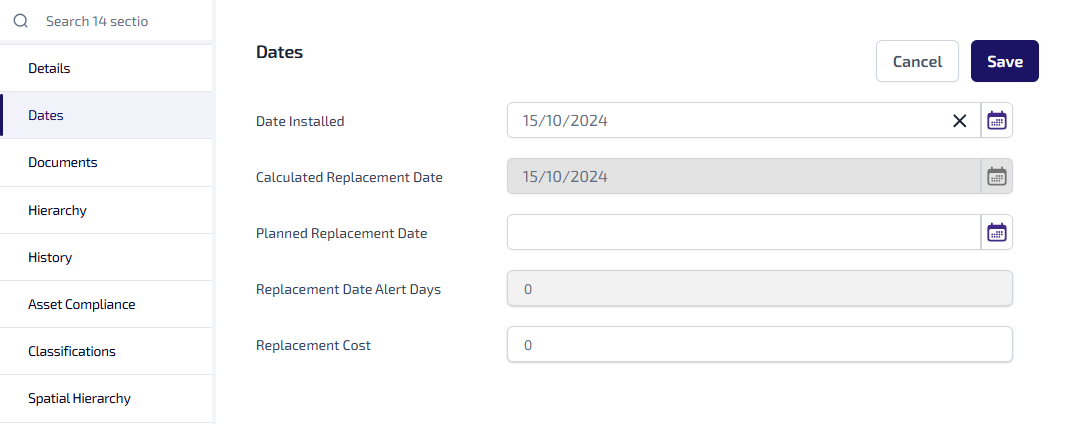
Make the necessary changes.
-
Select Save.
-
When prompted select Confirm to save the changes.
The following fields cannot be updated in Asset Management:
-
Calculated Replacement Date
-
Replacement Date Alert Days
This information is calculated based on information from Job Management (Connect) and passed to Asset Management during the synchronisation process, which takes place overnight. However, when any of the other information is updated in the Dates sub-tab in Asset Management, a synchronisation is automatically trigger back to Job Management (Connect) to update the calculations used.