Decency
The Asset Details > Decency tab shows you up to date information from Job Management (Connect), about the condition of assets marked as a property.
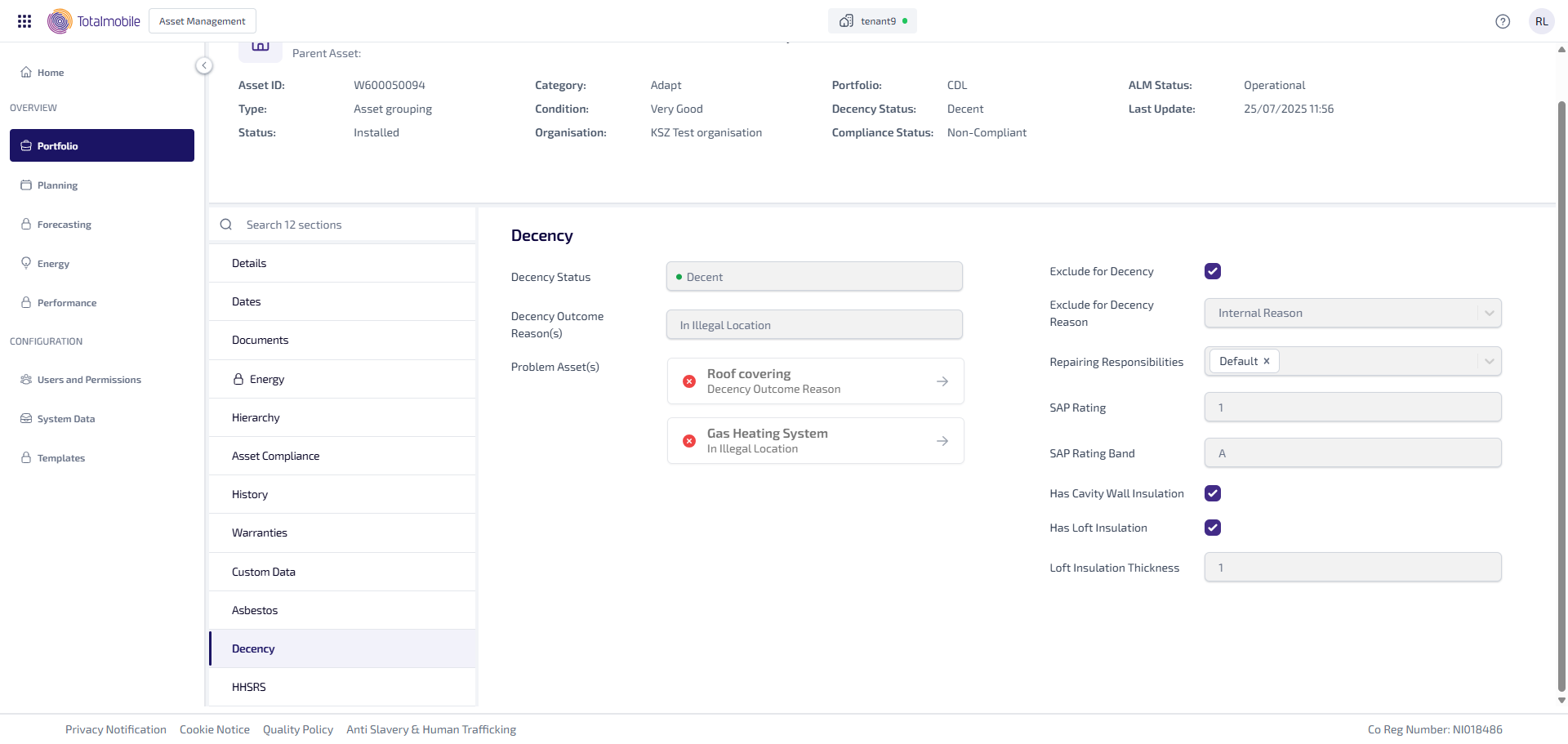
The Decency tab shows the following information:
-
Decency Status - the decency status, which is either going to be Decent or Not Decent.
-
Decency Outcome Reason(s) - the reason, or reasons, for the decency outcome, such as In Illegal Location.
-
Problem Asset(s) - this shows all assets which are causing a problem at the property, and if provided, the assets Decency Outcome Reason. Selecting an asset redirects you to the Asset Details of the selected asset.
-
Exclude for Decency - this indicates whether the property is excluded for decency, when ticked it is excluded, when unticked it is not excluded.
-
Exclude for Decency Reason - the reason why the property has been excluded, such as No access to property.
-
Repairing Responsibilities - this shows who responsible for repairing the property.
-
SAP Rating - the numerical SAP rating.
-
SAP Rating Band - the band the numerical SAP Rating falls into, which is going to be either A, B, C, D, E, F or G.
-
Has Cavity Wall Insulation - this indicated whether the property has cavity wall insulation. Ticked shows the property has cavity wall insulation, unticked shows the property has not got cavity wall insulation.
-
Has Loft Insulation - this indicated whether the property has loft insulation. Ticked shows the property has loft insulation, unticked shows the property has not got loft insulation.
-
Loft Insulation Thickness - the thickness of the loft insulation in mm.