Details
When the Asset Details page opens the Details tab is shown by default, this shows you details specific to the asset you selected and is where you can edit the asset details.
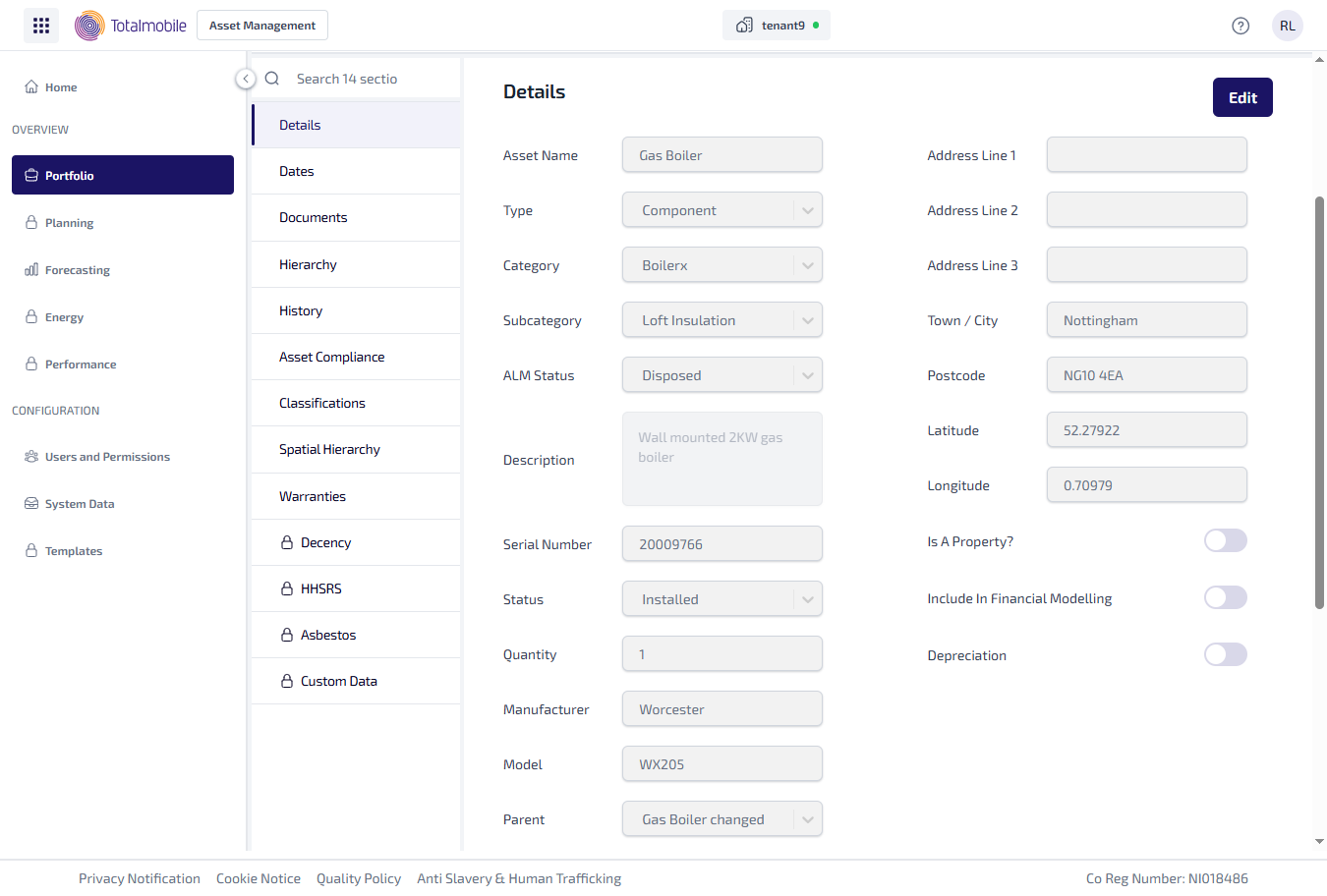
The information shown in the Details tab depends on whether the asset is marked as a property or not. The following example shows the type of information shown:
-
Details section
-
Asset Name - the name given to the asset.
-
Type - the type of asset. This will be one of 5 options:
-
Component
-
Sub-Component
-
Asset Grouping
-
Compliance Item
-
Third Party Owned
-
-
Category - the category assigned to the asset in Job Management (Connect).
-
Subcategory - the subcategory assigned to the asset in Job Management (Connect).
-
Quantity - the number of these assets.
-
Unit Cost - the cost of the asset.
-
ALM Status - the asset lifecycle status, which is going to be one of the following:
-
Pending
-
Commissioned
-
Operational
-
Under Maintenance
-
Decommissioned
-
Disposed
-
-
Description - a description of the asset.
-
Serial Number - the asset serial number.
-
Manufacturer - the assets manufacturer's name.
-
Model - the assets manufacturer's model.
-
Parent - the name of the parent asset assigned to this asset.
-
Address Line 1, 2, and 3 - the first 3 lines of the address where the asset is located.
-
Town / City - the town where the asset is located.
-
Postcode - the postcode where the asset is located.
-
Latitude - the assets geographical latitude.
-
Longitude - the assets geographical longitude.
-
Is A Property? - indicates whether the asset is a property or not.
-
Include In Financial Modelling - indicates whether the asset is included in the financial reports.
-
Depreciation - shows whether the asset should be included in the depreciation calculations.
-
-
Parent Details section - the address details of the parent asset assigned to this asset.
-
Financial Data section
-
Fixed Asset ID - the unique identifier assigned to the fixed asset for tracking and accounting purposes.
-
General Ledger Account - the account in the organisation's chart of accounts where transactions related to the asset are recorded.
-
Cost Centre - the department or unit within the organisation where the asset’s cost is allocated.
-
Depreciation Method - the method used to calculate the decrease in value of an asset over time.
-
Profit Centre - the segment of the organisation responsible for its own revenue and expenses.
-
Project ID - the unique identifier used to associate the asset with a specific project.
-
To edit the asset Details:
-
From the Portfolio page, select the asset in the Asset Register.
-
Select View Asset.
-
The Asset Details page is shown, select the Details tab.
-
Select Edit.
-
On the Details tab update the required fields.
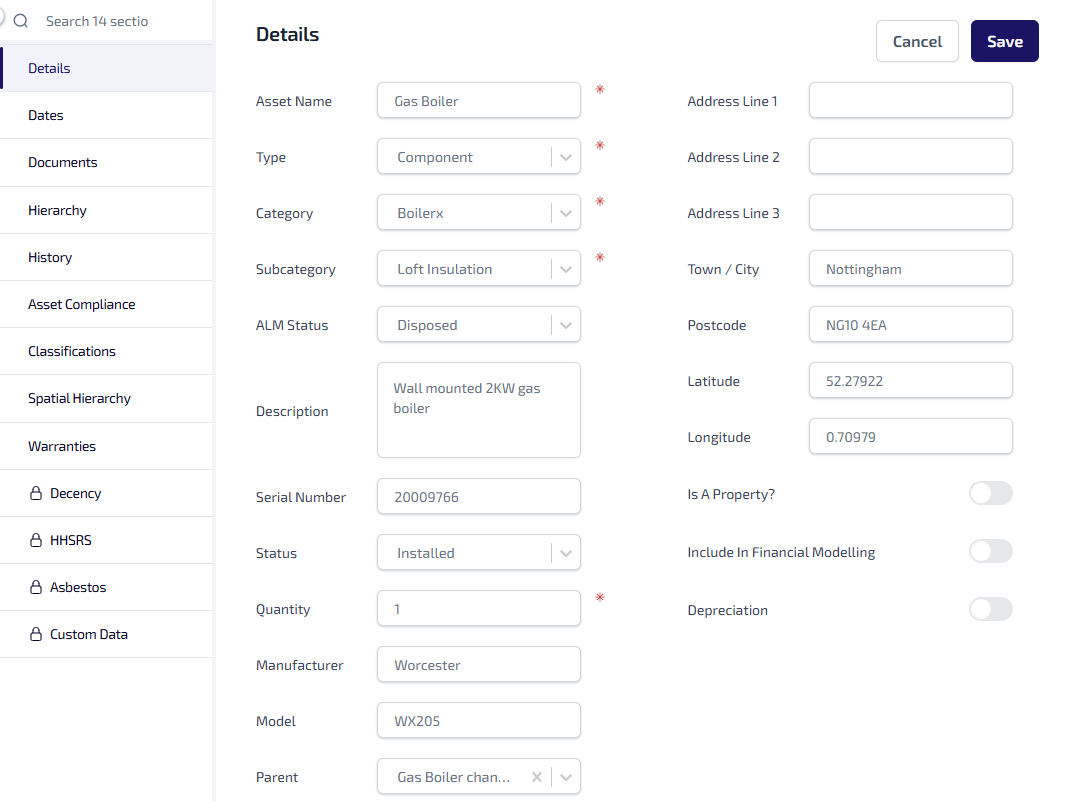
Make the necessary changes.
-
Select Save.
-
When prompted select Confirm to save the changes.
When an asset is marked as a property the UPRN (Unique Property Reference Number) becomes available. Asset Management checks to see if the UPRN is already associated with another property, if the UPRN is already in use it cannot assigned to the asset currently being updated.
The designation of an asset as a property affects the tabs shown in the Asset Details, for example the Energy tab is only visible for assets marked as property.