Energy Source
The Energy Source section allows you to record the primary and secondary energy sources used in the property such as renewables, electricity, gas.
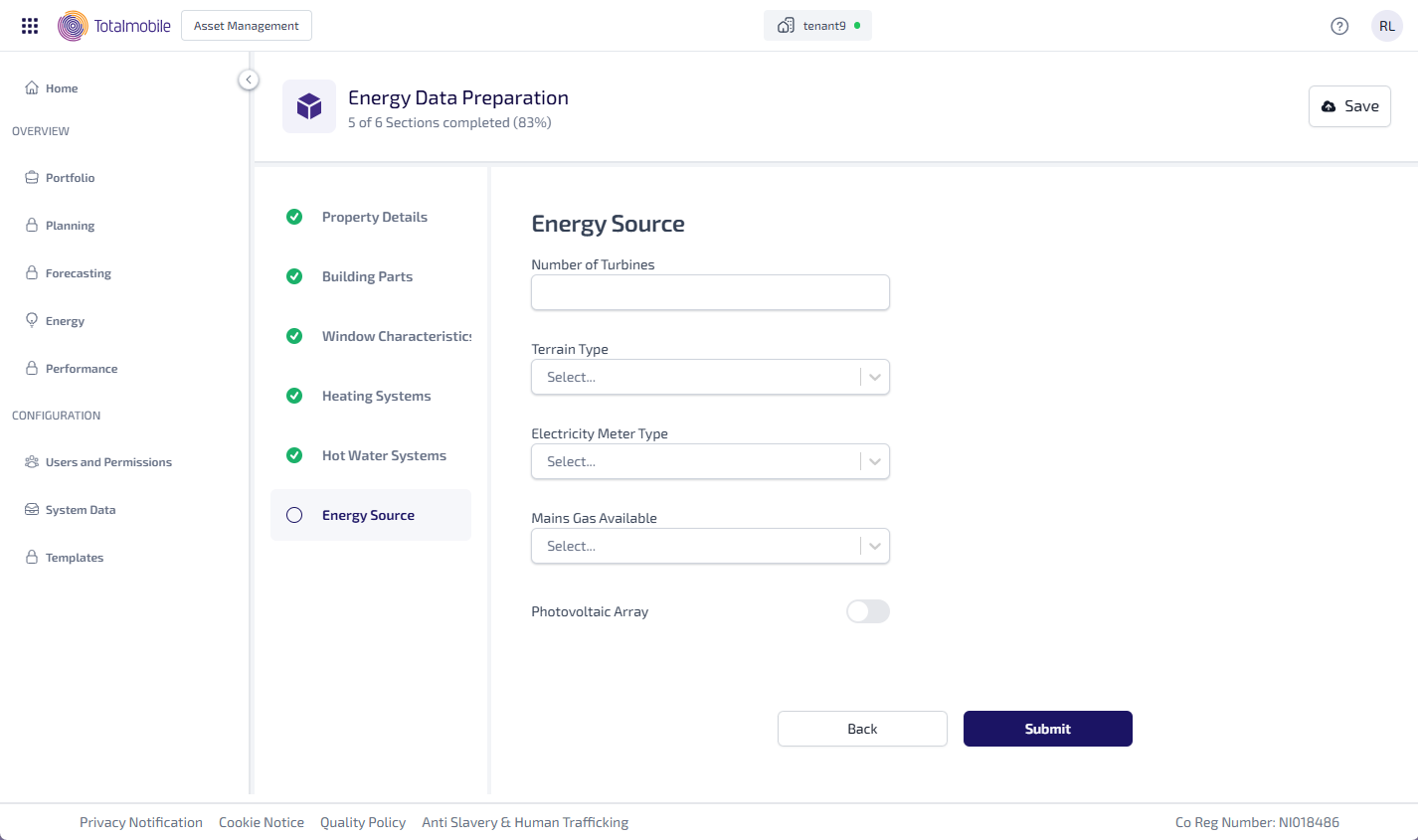
Enter the following information:
-
Enter the Number of Turbines.
-
Select the Terrain Type dropdown, then select the type of terrain such as, Urban or Rural.
-
Select the Electricity Meter Type dropdown, then select the type of electricity meter such as, Dual or Single.
-
Select the Mains Gas Available dropdown, then select Yes or No to state whether mains gas is available.
-
Select the Photovoltaic Array toggle to state whether there is a photovoltaic array. When active this shows the fields available to add the information needed.
-
Under Photovoltalc:
-
Enter the Area with PV Panels*.
-
Enter the Peak Power*.
-
Select the Orientation* dropdown, then select the photovoltaic orientation such as, South and East.
-
Select the Pitch dropdown, then select the photovoltaic pitch such as, Horizontal or 30º.
-
Select the Overshading dropdown, then select the photovoltaic overshading such as, Very Little or Modest.
-
Select the Connection to the Electricity Meter dropdown, then select the type of connection to the electricity meter such as, Connected to Dwelling Electricity Meter or Not Recorded.
-
*These are required fields.