Export Programme
To export programme details:
-
In the Navigation menu, in the Overview section, select Planning.
-
In the Overview tab, select View against the relevant programme.
-
In the programme details select Export, and select Start Export from the context menu.
-
The export is started and progresses in the background. Select Export, and select Your Exports from the context menu.
-
The Your Exports dialog appears.
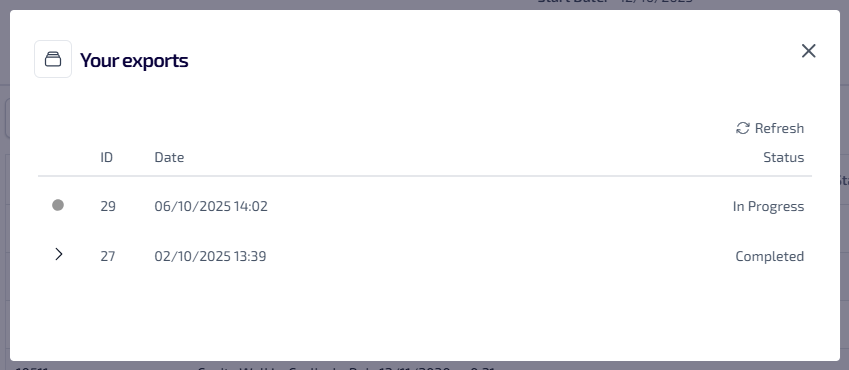
This lists all of your exports which are in progress or completed. The following information is shown:
-
ID - the system generated identification number.
-
Date - the date and time the export started.
-
Status - the status of the export, which could be one of the following:
-
In Progress
-
Completed
-
-
-
Once the export is complete select the
 , the export URL is shown.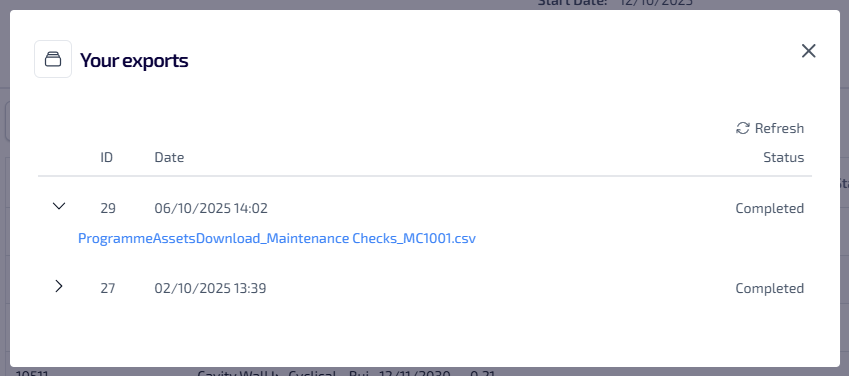
-
Select the URL to download the programme details to your browser download folder.
Once the export is downloaded to your browsers download folder, it is removed from the Your Exports dialog.