Hierarchy
The Asset Details > Hierarchy tab shows you the other assets which are assigned to the same parent asset.
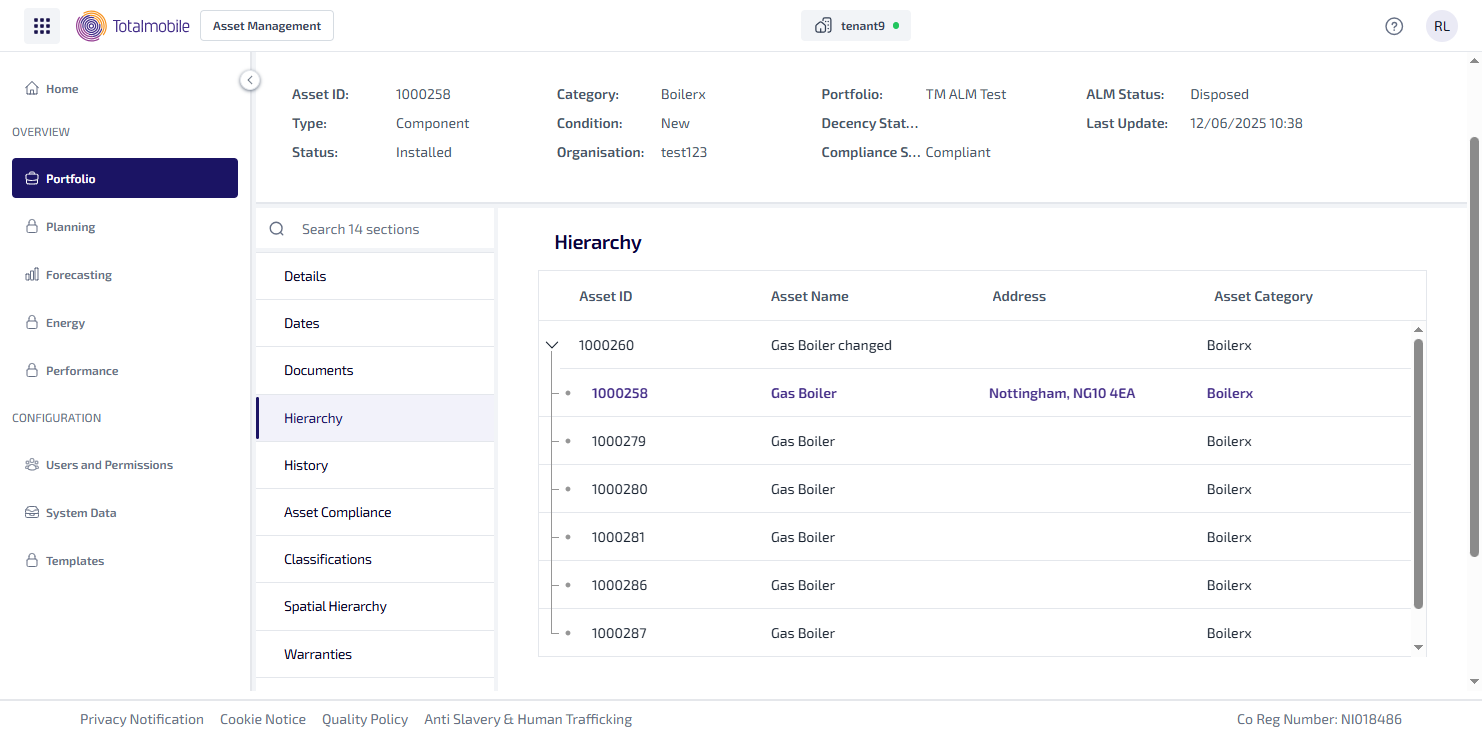
The Dates tab shows parent asset expanded by default. For each asset you are shown the following information:
-
Asset ID - the identification number given to the asset.
-
Asset Name - the name given to the asset.
-
Address - the address where the asset is located.
-
Asset Category - the category assigned to the asset in Job Management (Connect).
To collapse the parent asset select the down arrow, all the child assets are then hidden.
To expand the parent asset select the side arrow next to it.
The asset selected in the Asset Register is highlighted in bold at the top of the child assets. You can select a different asset, which updates the Asset Details page with the selected assets details.