Portfolio - Overview
The Overview tab currently shows a preview of what the page will look like, for demonstration purposes.
The Overview tab is shown by default when you select the Portfolio page. There are a selection of metrics providing an overview based on the data from the assets in your Asset Register, which is also shown in the Overview tab, click to see more information on the Asset Register.
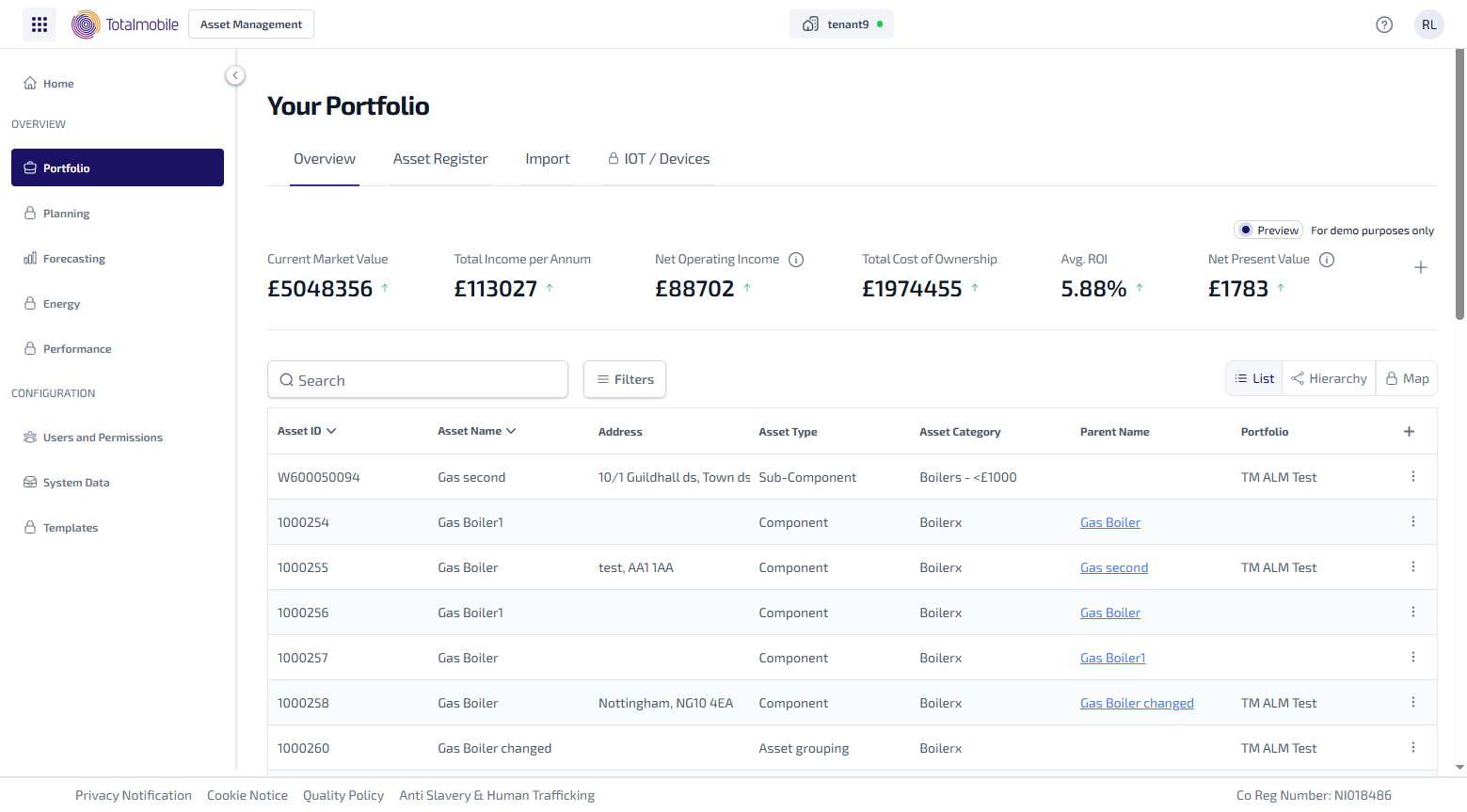
The following metrics are available to view:
-
Current Market Value
-
Total Income Per Annum
-
Net Operating Income*
-
Total Cost Of Ownership
-
Average ROI (Return on Investment)
-
Net Present Value*
-
Average Capitalisation Rate*
-
Purchase Price
-
Maintenance Cost
-
Social Value
-
SROI (Social Return on Investment)
*Select the  to update elements of the metric, such as the time frame.
Next to each of the metrics shown will either be a  or
or  , which indicate whether the value is up or down compared to the previous period.
To change which metrics display:
-
In the Portfolio page > Overview tab > select
 .
. -
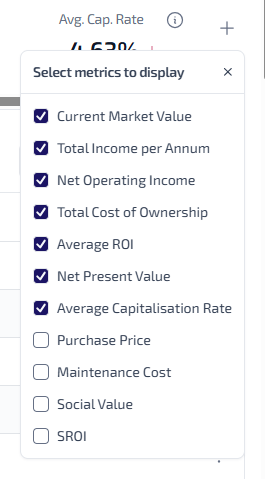
The Select metrics to display menu appears.
-
Select the checkbox next to the metric you want to display.
-
Clear the checkbox next to the metric you do not want to display.
-
Once you have selected all the required metrics, click X to close the menu and return to the Portfolio Overview page.
The current values are for demonstration purposes only, this will be updated in a future release to use your asset data.