Quality - Condition
The Condition sub-tab shows you an overview of the of the assets conditions, so you can easily see such things as the percentage of assets which might be in danger of becoming non-compliant.
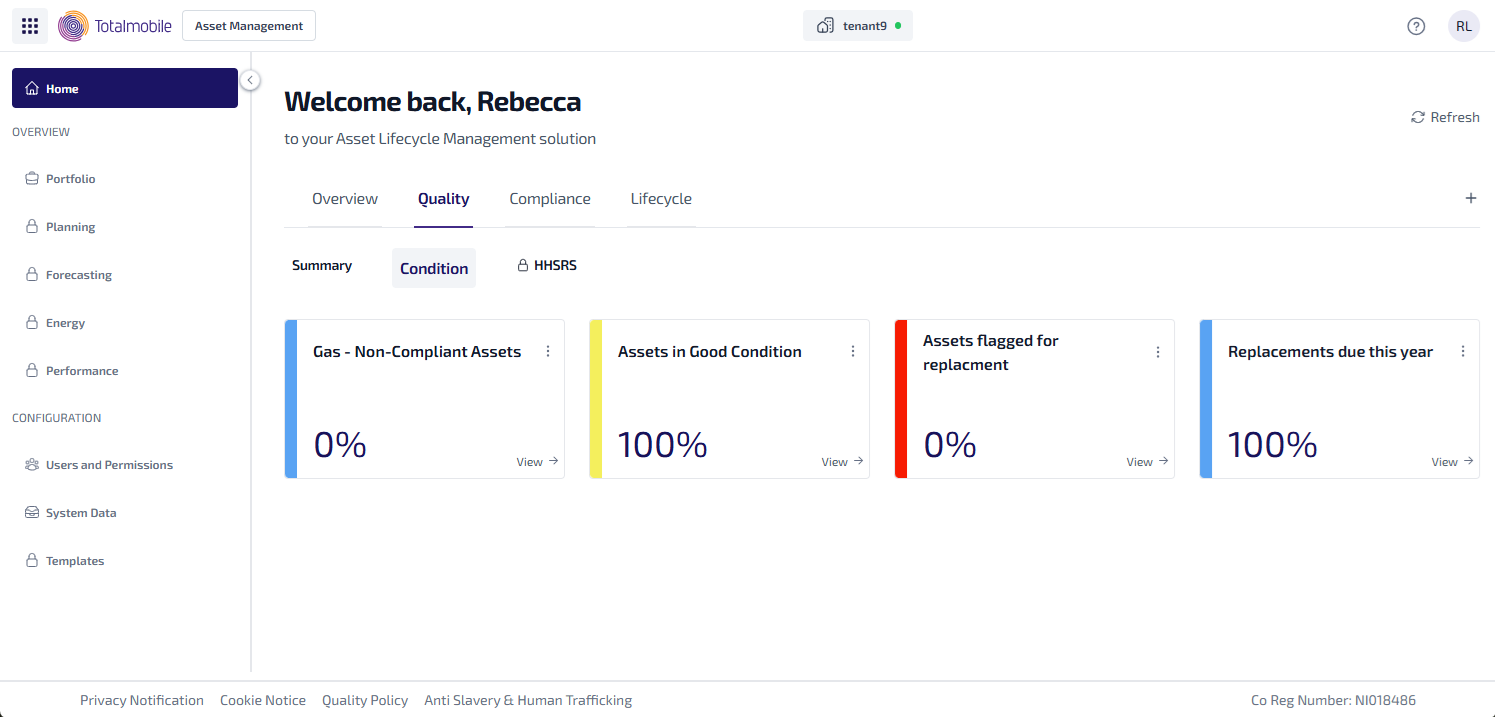
Here is an example of the types of widgets which could be used on the Condition sub-tab:
-
Gas - Non-Compliant Assets - the percentage of gas assets which are non-compliant.
-
Assets in Good Condition - the percentage of asset in good condition.
-
Assets Flagged for Replacement - the percentage of asset which need to be replaced.
-
Replacements Due This Year - the percentage of assets which are due to be replaced this year.
To see the assets related to each widget, select View. The Asset Register is shown, with the filters used to configure the widget applied, and listing all the matching results for the widget.