Remove Widget
Once a widget has been removed it cannot be reinstated, please be certain before deleting a widget, and ensure you have selected the correct widget.
If the widget being removed has been shared, removing the widget removes it for all users.
If necessary a new widget with the same configuration can be created again, for example if the widget was removed in error.
To remove a widget:
-
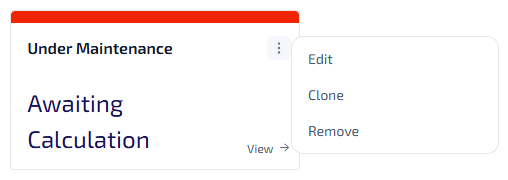
On the widget you want to remove, select
 .
. 
-
From the widget menu, select Remove.
-
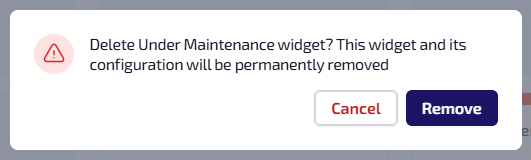
A confirmation message displays.
-
To continue with the widget removal, select Remove.
-
The widget is removed from the Home page tab.