System Data - Connect Integration Error Logs
The System Data > Connect Integration Error Logs tab shows when there are error with the synchronisation between Job Management (Connect) and Asset Management.
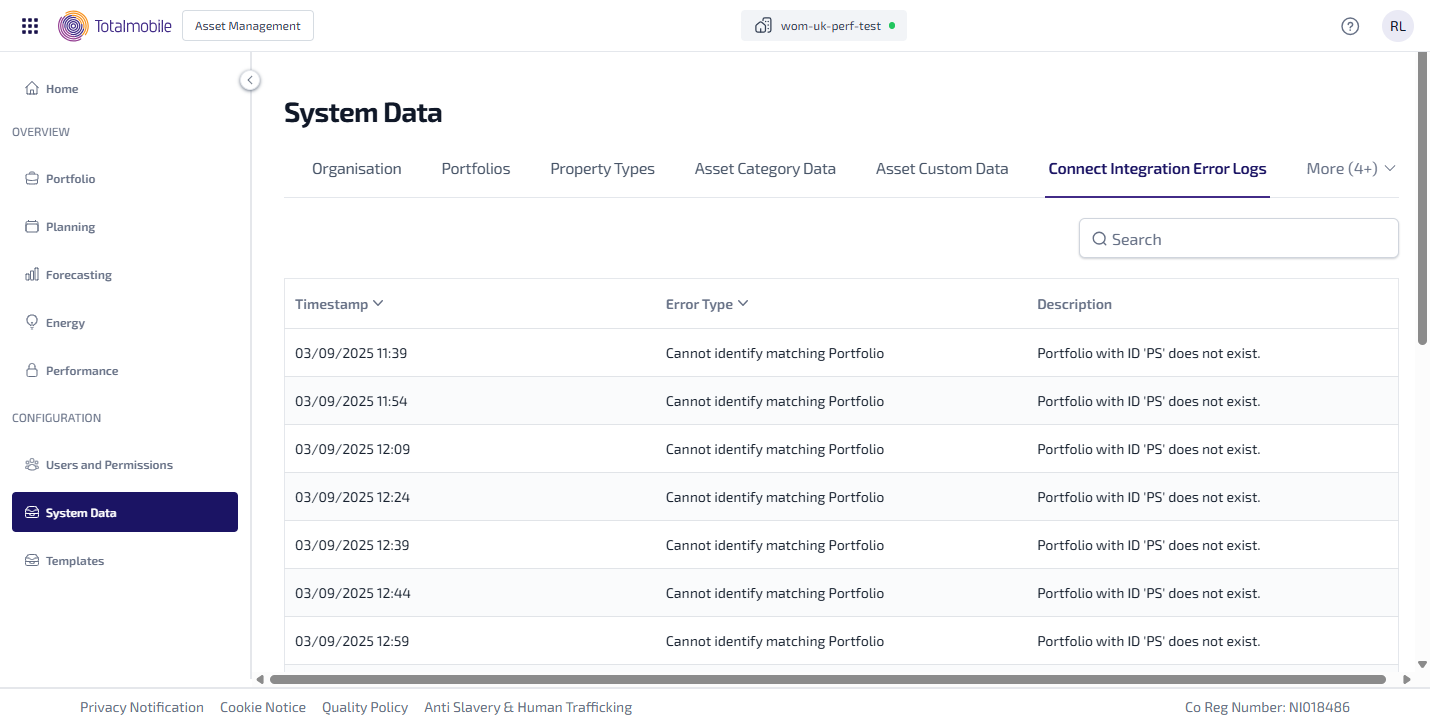
The following information is shown:
-
Timestamp - the date and time the error occurred.
-
Error Type - the type of error which occurred. The error types are as follows:
-
Cannot identify matching Asset
-
Cannot identify matching Portfolio
-
Cannot identify matching target Records
-
Cannot identify matching Notification Update
-
Cannot identify matching target data
-
Could not create target record
-
The EntityType field is required
-
The PortfolioId field is required
-
The PropertyUPRN field is required
-
The EntityType field is not recognized
-
Unrecognized
-
-
Description - this shows what the error is related to and any other information or message describing the error. Hover your mouse over the description to see a tooltip showing the full description.
You can also do the following in Connect Integration Error Logs:
-
Search - enter the full, or partial, Description into the Search field and press Enter on the keyboard to display all matching results in Connect Integration Error Logs.
The Search field is a ‘begins with’ search, therefore ensure the text entered is always the beginning word/s of what you are searching for.