Background Job Settings
You can configure your Background Job Settings for Worlds to customise how your Jobs are dispatched, how Appointment Slot Capacity is calculated and define how often the Mendel Plan Applier Background Process runs.
-
In WebAdmin click Optimise Admin.

-
The Optimise Admin window appears. Click a World.

-
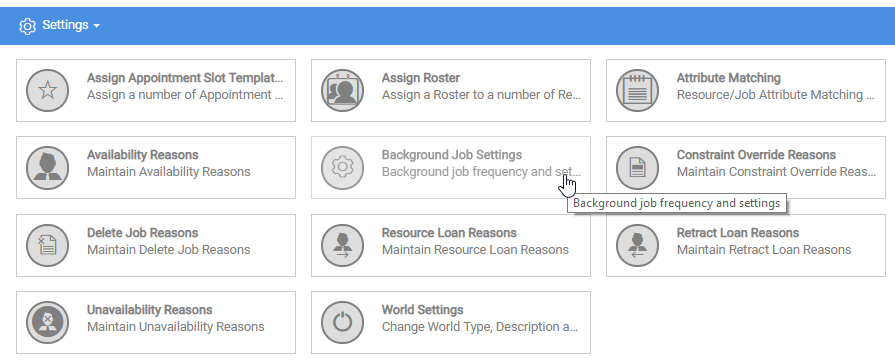
The World Settings and Permissions window appears. Navigate to the Settings section and click Background Job Settings.
-
The Background Job Settings window appears. Click Edit Settings
 .
. -
Amend and configure the Background Job Settings. The table below details the Background Job Settings.
Setting Category
Setting
Description
Job Dispatch
Background Process
Enables the Job Dispatch Background Process, which dispatches scheduled Jobs to Resources as Visits.
Job Dispatch
Interval
Defines how often the Job Dispatch Background Process runs. Enter a value (minutes).
Job Dispatch
Hours in Advance
Defines how many hours in advance a Job is dispatched before its start time. Enter a value (hours).
Job Dispatch
Batch Size
The maximum number of Jobs the Job Dispatch Background Process will process when it runs.
Mendel Plan Applier
Interval
Defines how often the Mendel Plan Applier Background Process runs, which publishes the schedule. Enter a value (minutes).
Mendel Plan Applier
Throttle
Defines the minimum period of time (in minutes) between plans being applied. If Mendel publishes a plan within the specified Throttle time, the plan will not be applied. Access this setting in Background Job settings.
Resource Capacity Calculation
Background Process
Enables the Resource capacity Calculation Background Process, which is used foe the Resource Capacity Utilisation widget.
Resource Capacity Calculation
Interval
Defines how often the Resource Capacity Background Process runs. Enter a value (minutes).
Resource Capacity Calculation
Number of Days
The number of days the Slot Capacity is calculated for. Enter a value (days).
Automatic Appointment Booking
Background Process
Enables the Automatic Appointment Booking Background Process, which applies Appointments to Jobs. Refer to the Schedule Options section of the Optimise Schedule user guide for more information.
Automatic Appointment Booking
Time
Defines the time of day when the Appointment Booking Background Process runs.
-
Click Save.