General
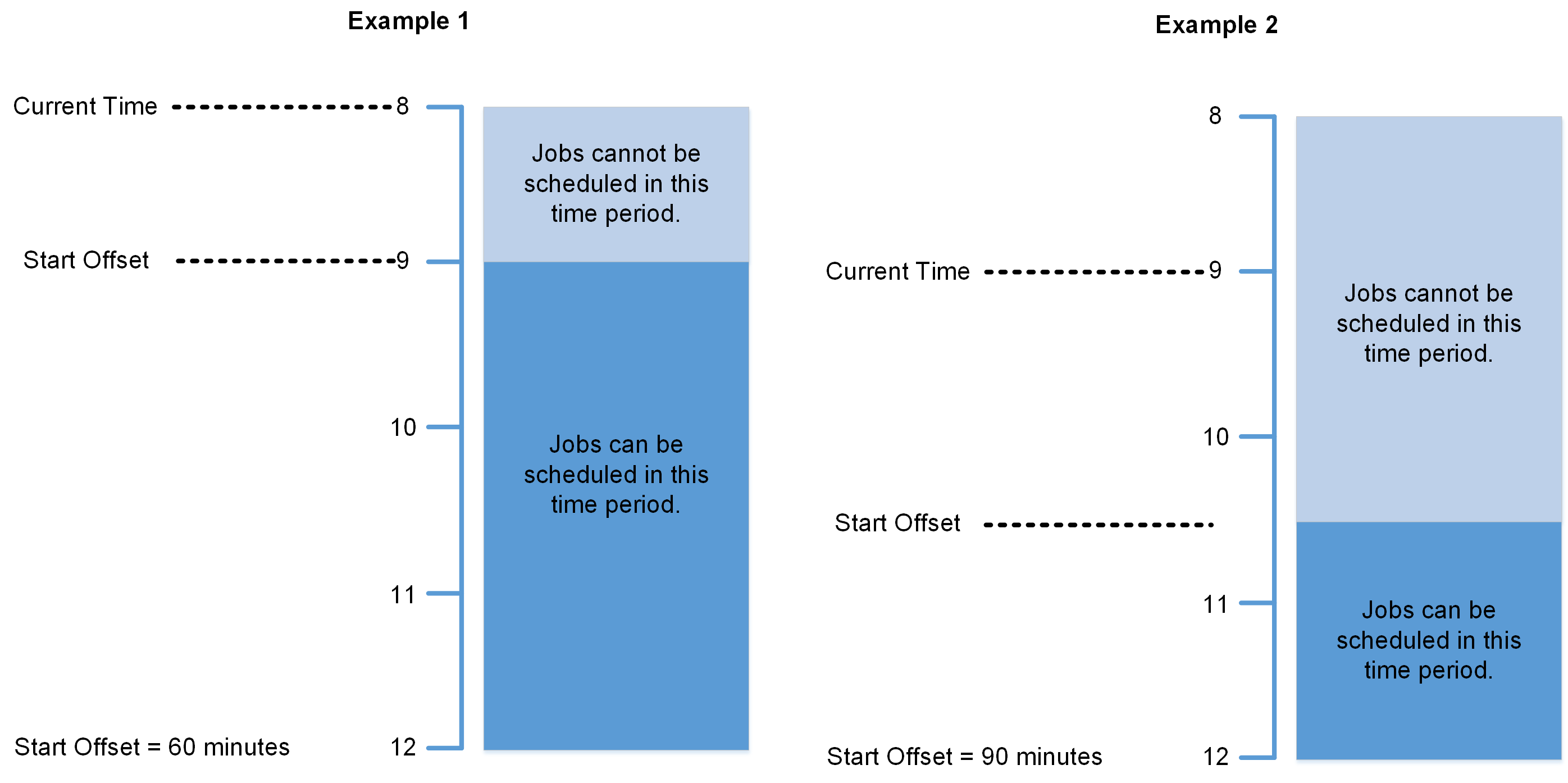
Start Offset
Defines the earliest amount of time (in minutes) from the current time Mendel can schedule Jobs to Resources. For example, if the current time is 09:00 and the Start Offset is set to 90 minutes, Mendel can only schedule Jobs to Resources from 10:30 onwards.
The default Start Offset value is 60 minutes.
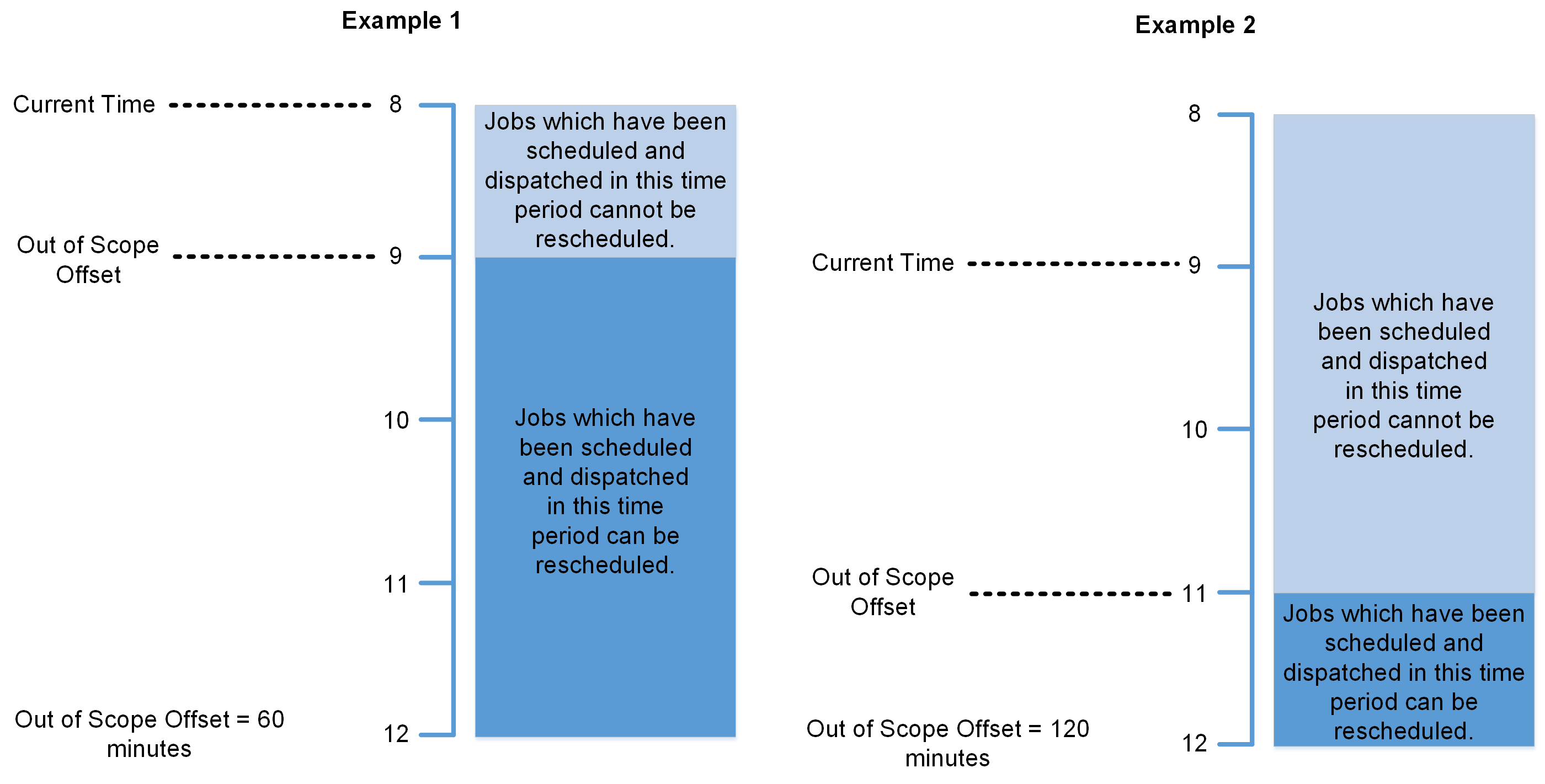
Out of Scope Offset
Defines the amount of time (in minutes) from the current time in which Mendel cannot reschedule dispatched Jobs. For example, if the current time is 09:00 and the Out of Scope Offset is set to 120 minutes, Mendel cannot reschedule Jobs which have been scheduled and dispatched between 09:00 and 11:00.
The default Out of Scope value is 120 minutes.
To prevent Mendel recalling Jobs, Totalmobile advises that the value assigned to the Hours in Advance background Job setting matches the value assigned to the Out of Scope Offset Mendel setting. The reason being if different values are entered for these settings, it's possible that a Job that has been dispatched and worked on by an operative, can be recalled and rescheduled by Mendel and then allocated back to the same operative.
Going forward if the below CompleteVisitRequest error occurs, resolve it by changing the work item status in the RM_WORK_ITEM table in the Scheduler database to the status stated in the error message. For example - the work item status is ‘COM’ in the below error message. To resolve this, amend the work item status in the RM_WORK_ITEM to ‘COM’.
Failed to process message with exception.
System.Exception: Adapter TotalMobile.MessageAdapters.Optimise.OptimiseAdapter,TotalMobile.MessageAdapters.Optimise failed - TotalMobile.Optimise.Proxy.Base.ApiProxyException: api/Optimise/RMWorkItemApi/PLAY_P606_OI_130819_19569/complete?status=COM InternalServerError- Internal Server Error expected NoContent: