Shift Settings
Free Time Window
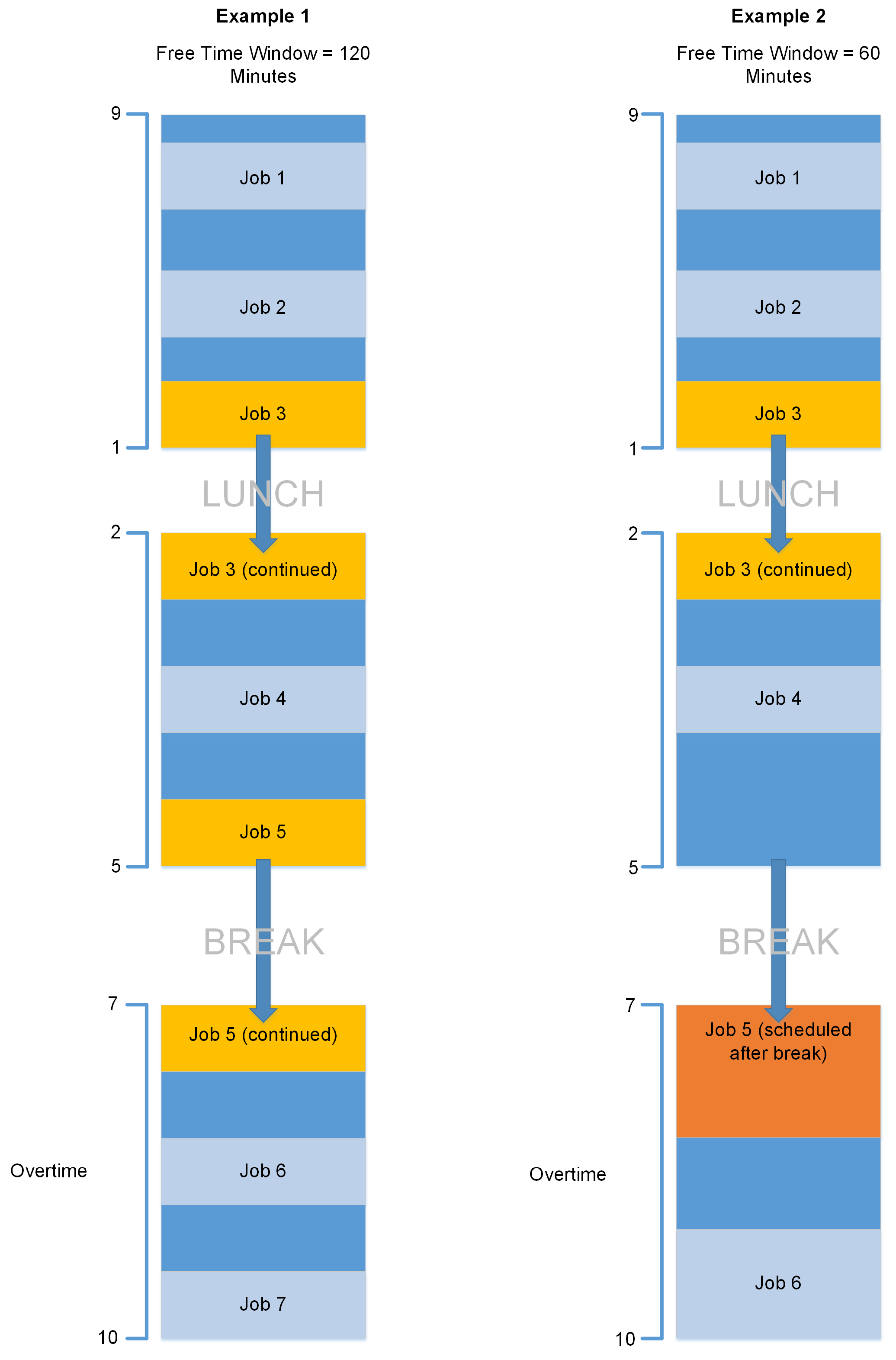
Defines the minimum amount of free time (in minutes) between two periods of added Availability that Jobs can then be scheduled over. For example, your Roster has two slots on a day of 09:00 to 13:00 and 14:00 to 17:00. You record additional Availability e.g. to work overtime between 19:00 and 22:00, which leaves a 2 hour break between 17:00 and 19:00. If the Free Time Window is set to 120 minutes, then the scheduled start and end time of a Job can run across two Availability Slots (starting before the end of the afternoon and ending after the start of additional added Availability) because the time between both Availability Slots is equal to or less than 120 minutes. If set to less than 120 minutes, Mendel would try and schedule within the periods and not across them.
End of Shift Tolerance
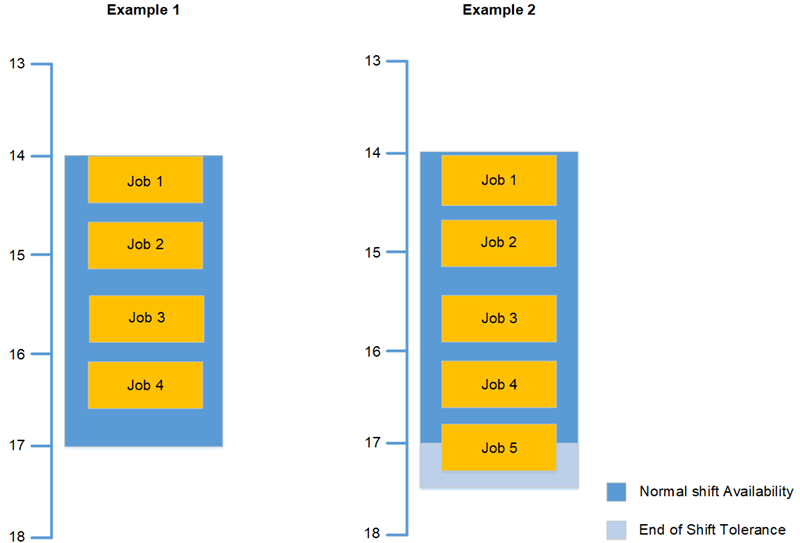
Defines the amount by which a shift may be extended in order to include a Job that has time to start but would ordinarily not have time to finish, allowing a scheduled piece of work to end outside the shifts end time. The current default is 0 minutes. Example would be set to 30 minutes to allow Mendel to schedule a one hour job starting at 5pm for a resource who finishes at 5.30pm.
Include Shift Start Travel / Include Shift End Travel
Users have the option to enable the 'Include Shift Start Travel' and/or 'Include Shift End Travel' settings. When both settings are enabled, all aspects of travelling to and from jobs will be calculated in Mendel's plan.
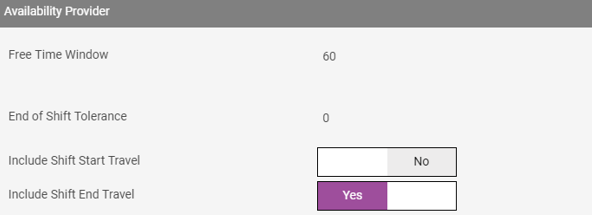
If only the 'Include Shift Start Travel' setting is enabled, Mendel will schedule a plan that only includes the travel time from the first job of a shift in its calculation.
If only the 'Include Shift End Travel' setting is enabled, Mendel will schedule a plan that only includes the travel time from the last job of a shift in its calculation.
Scenario
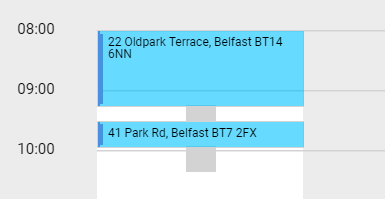
For example, Mendel schedules two jobs planned for 08:00-09:00 and 09:45-10:00. Mendel calculates that it takes approximately 30 mins to get from the Resources home/depot location to the first job location. It also calculates that it takes approximately 15 mins to get from the first jobs location to the last jobs location. Lastly it calculates that it takes approximately 30 mins to get back to the Resource's home/depot location.
With both sets of travel activated, the resulting plan will look as follows:

If the Include Shift Start Travel is enabled and the Include Shift End Travel setting is disabled, the resulting plan will look as follows:

If the Include Shift End Travel is enabled and the Include Shift Start Travel setting is disabled, the resulting plan will look as follows: