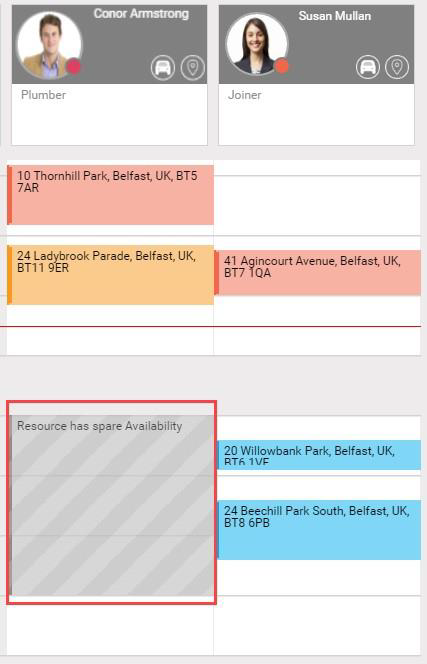
Updating Loan of Resources to Other Worlds
The following example shows a WebAdmin administrator of a North Belfast World updating the loan description and times of a Resource loaned to a South Belfast World.
You cannot update the World of a loaned Resource.
-
In WebAdmin, select Optimise Schedule.

-
The Worlds window appears. Select a World from which you loaned a Resource to.

-
The Optimise Schedule window appears. Select Edit on a period of Unavailability for a loaned Resource.
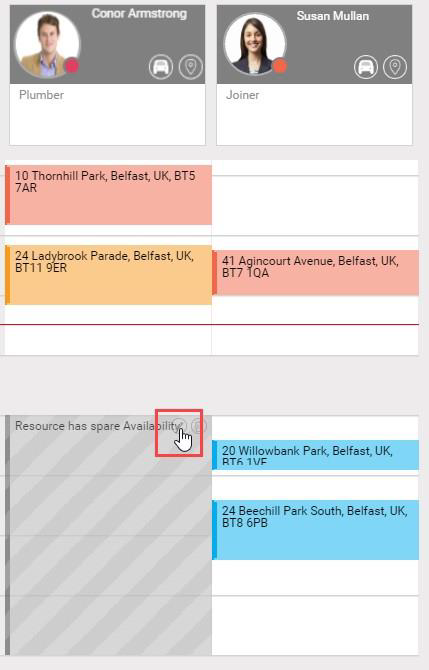
You cannot update the World of a loaned Resource.
-
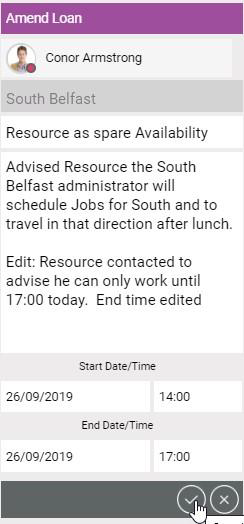
The Update Loan Details window appears:
-
To update the Reason, select the Reason field and select a Reason from the dropdown.
-
To update the Description, select the Description field and type.
-
To update the Start Date/Time, select the fields and type.
-
To update the End Date/Time, select the fields and type.
-
Select Save Loan Details.
-
The North Belfast World Optimise Schedule window updates and shows the changed Unavailability of the Resource within the World: