Add User
To add individual users:
-
In the Navigation menu, in the Configuration section, select Users.
-
On the Your Users page select Add User.
-
The Add User dialog appears.
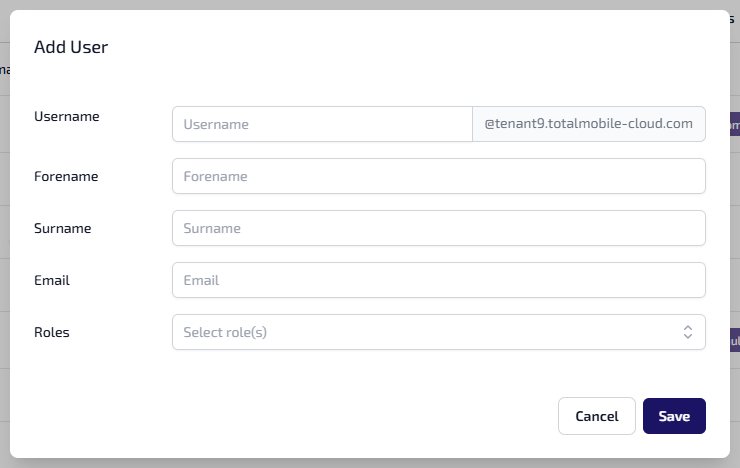
Enter the following details for the user:
-
Username* - the username entered must be unique, can be alphanumeric, contain symbols and have a maximum 200 character limit. The tenant information, for example @tenant9.totalmobile-cloud.com, is automatically applied and unique to your organisation.
-
Forename*
-
Surname*
-
Email* - the email entered must be unique.
-
Roles - if applicable. The default role is used if no role is assigned.
-
-
Select Save.
*These are required fields.