Field First Hub
Once you have logged into Field First via Single Sign-On (SSO) you interact with Field First through the Field First Hub, which is the central gateway to all of your Totalmobile capabilities.
Once logged in the Home page displays.
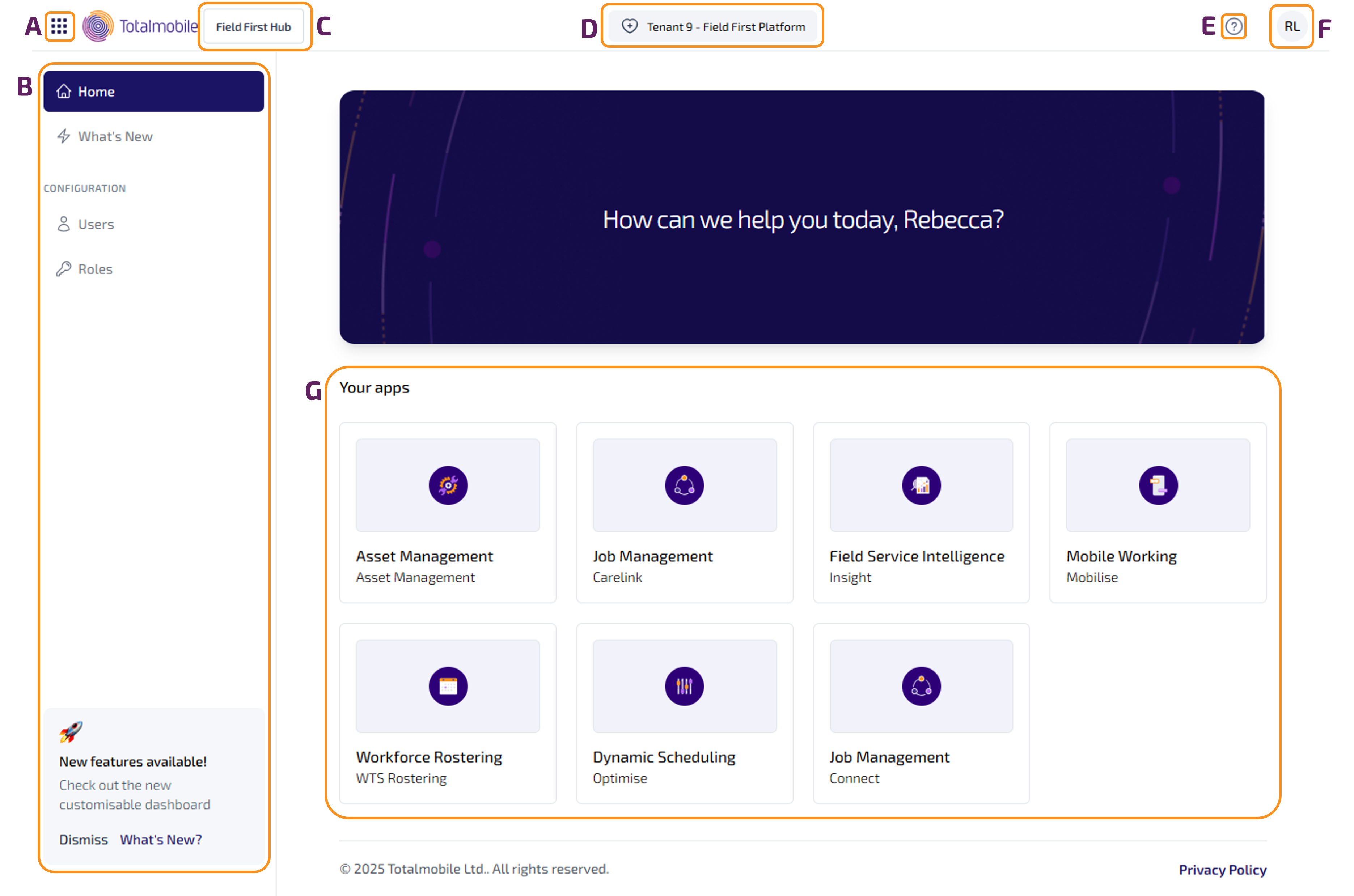
The Home page contains the following:
-
 - select to open the Platform menu, which provides access to all the capabilities assigned to you, along with access to Shortcuts and Recommendations.
 -
Navigation menu - displays to the left of the screen and provides access to the Home page, What’s New, and Configuration (if applicable).
-
Capability - the capability you are currently logged onto.
-
Tenant - the environment you are currently logged onto.
-
 - select to open the Help & Support menu, which provides access to the Product Documentation, Release Notes, Customer Support, and Privacy Policy.
 -
 - User menu - displays initials of the current user. Select to display the Sign Out option.
 -
Your apps - displays all the applications assigned to you. Select a capability tile to open the application, which opens in a new tab.
Platform Menu
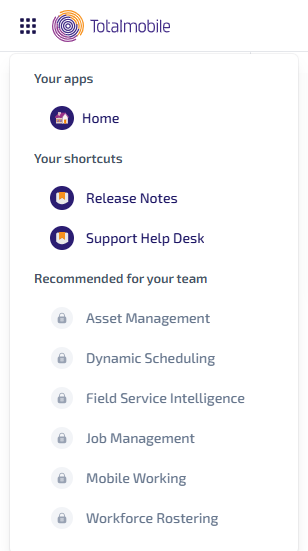
The Platform menu provides consistent navigation and seamless logon to all the capabilities available to you. Click on the icon to open the Platform menu:
Your apps
A list of all assigned capabilities. Select to open the application, which opens in a new tab.
Your shortcuts
Provides links to other resources, such as Release Notes and Support.
Recommended for your team
Displays a list of the capabilities which your company has not purchased, or you do not have permission to access.
If your company hasn’t purchased the capability but they would like to, they need to contact their Customer Success Manager.
If your company has purchased the capability, but you don’t have access to it, contact your IT department or administrator.
Navigation Menu
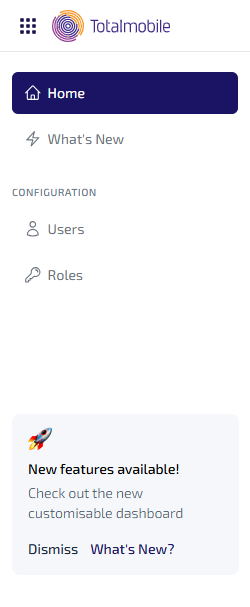
The Navigation menu contains the following options:
Home
This directs you to the Home page, which contains all the applications assigned to you. Select a capability icon to open the application, which opens in a new tab.
What’s New
News articles about newly released or upcoming features. You’ll see a brief description of the new features with a link to the full articles.
Configuration*
Provides options to set up Users and Roles. To learn more see Configuration.
*Configuration is only available to those with the relevant permissions.