Import Users
The import file must contain the following columns:
-
Username
-
Forename
-
Surname
-
Email
-
Roles
Each user within the file must have a forename, surname and email entered, the role can be left blank.
To import multiple new users or to do a bulk edit, do the following:
-
In the Navigation menu, in the Configuration section, select Users.
-
On the Your Users page select Import Users.
-
The Import Users dialog appears.
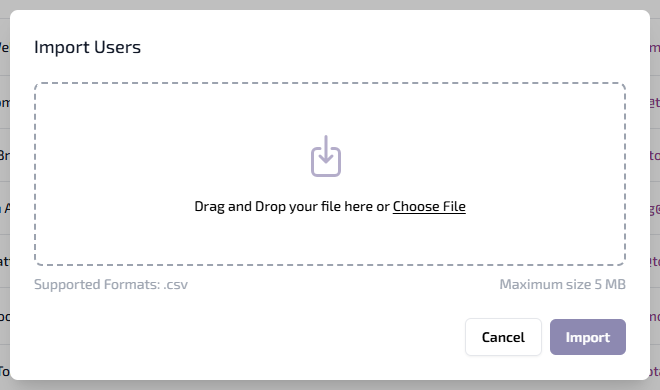
You can either:
-
Drag and drop the file into the dialog.
-
Select Choose File, browse and select the required file, select Open.
-
-
Select Import. The .csv file is validated. If all mandatory data is present the users are created or updated.
If the validation returns any errors, an error message detailing the errors appears in red at the bottom of the Import Users dialog. Correct the errors and retry the import.
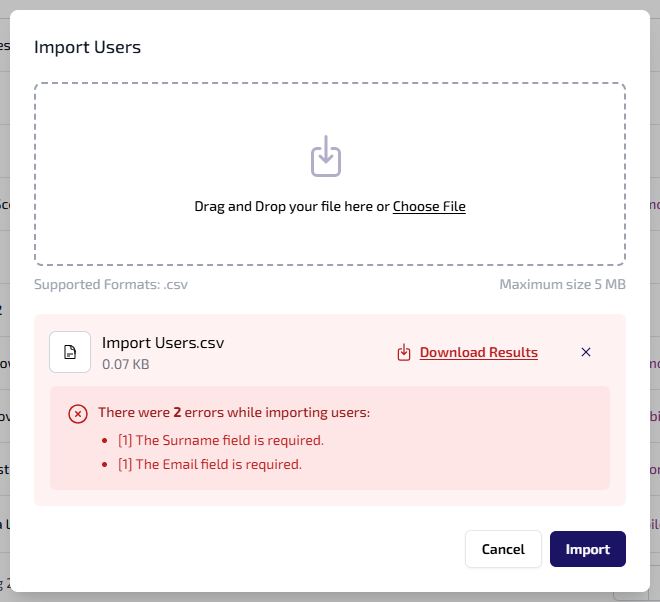
To download a .csv file of the import results, select Download Results. The file shows whether each user was imported. Failed imports are listed with the reason, such as Surname is required.