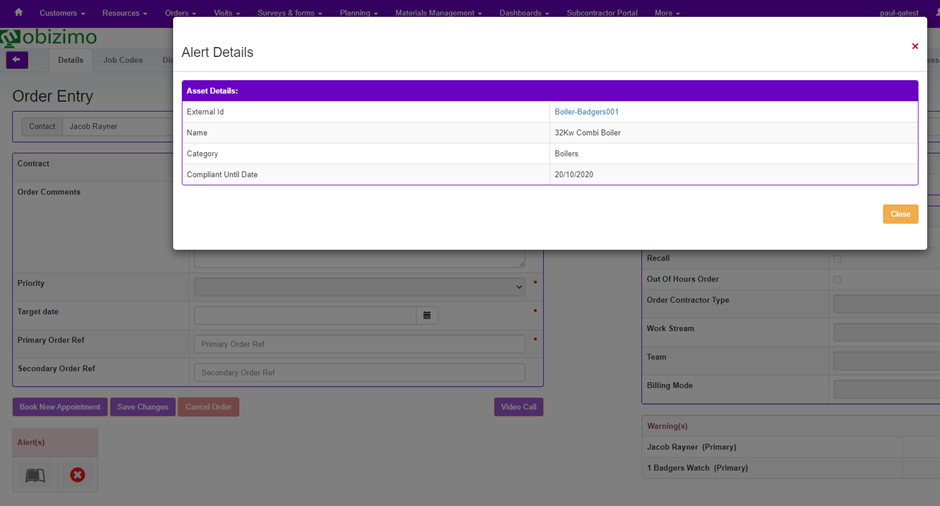
Asset Compliance Alerts
The Alert options in Connect include an Asset Compliance Alert. This Alert is displayed when an asset uses a date-based compliance schedule and the Compliant Until Date is in the past. The Alert is configured per Asset Category, so only relevant Assets trigger the Alert.
This alert applies to date-based compliance schedules. Asset using the number-based compliance, for example, mileage or usage, are not evaluated using the Compliant Until Date.
Alerts are set up in Config > Order Management > Alerts.
You can then select Add Alert.
The Alert Type Asset Compliance will be available:
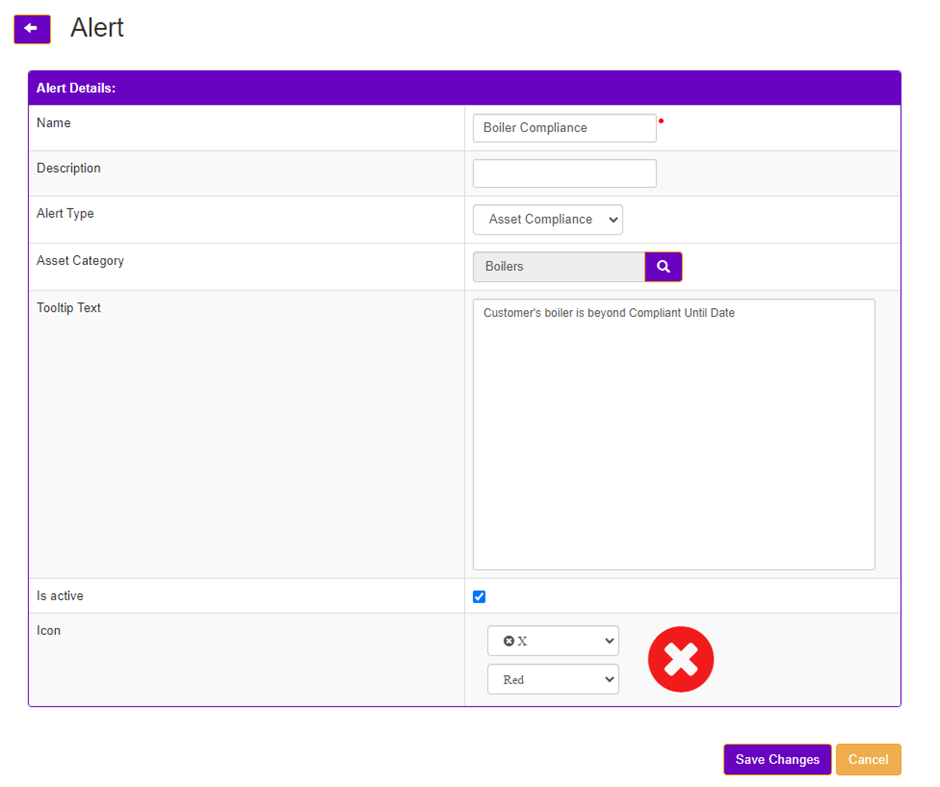
Once Asset Compliance is picked you can then choose an Asset Category for this Alert.
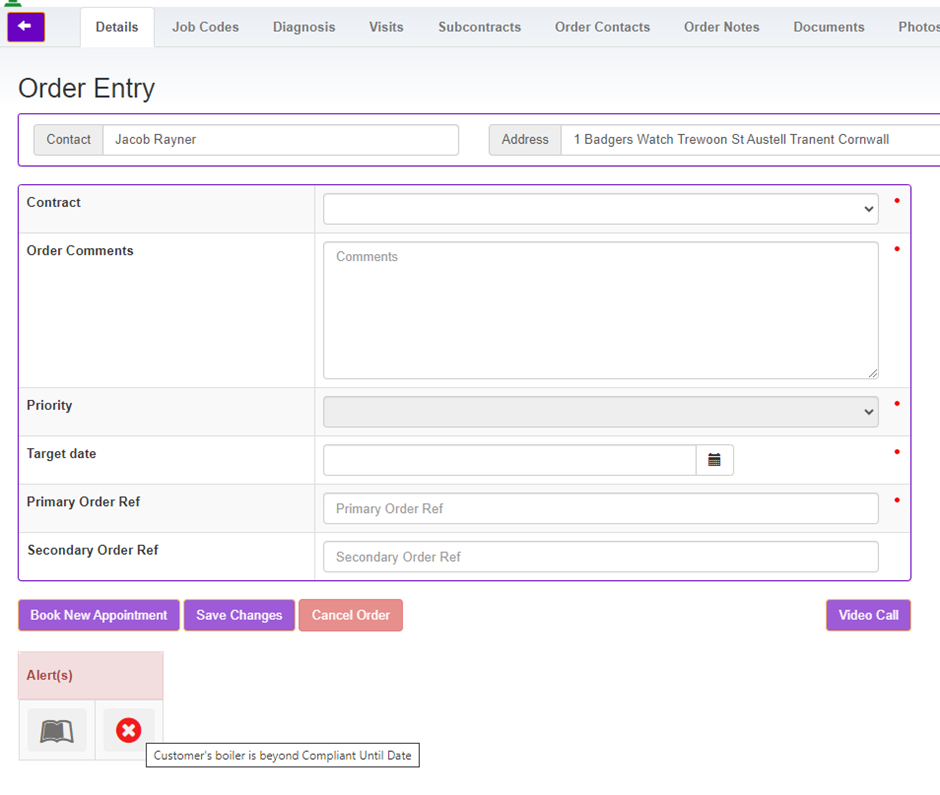
The Tooltip Text is configurable and will be shown when hovering over the Alert.
An Icon and Colour for the Icon can be configured per Alert.
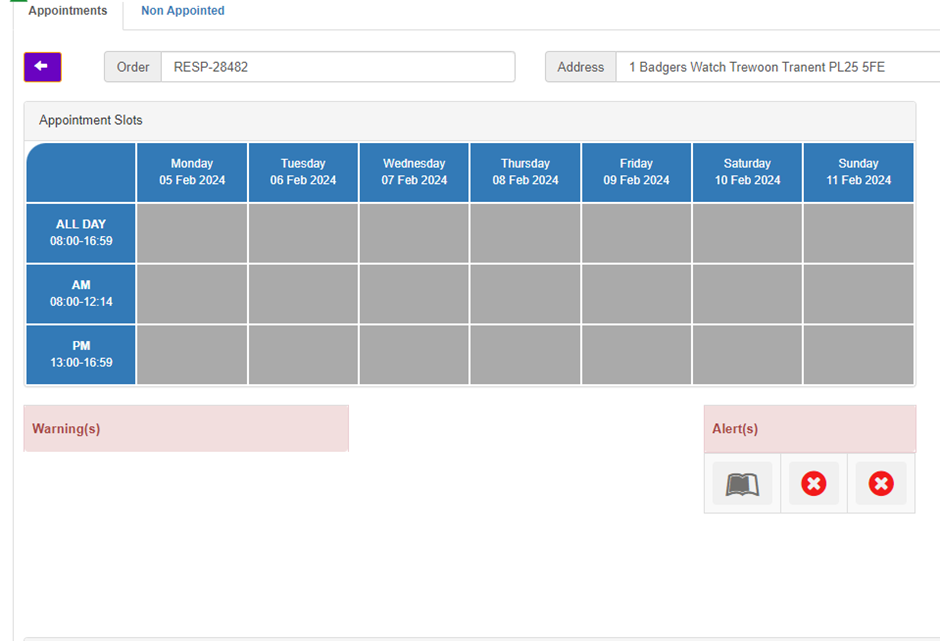
Once configured, when either raising an order through Order Entry or Diagnosis, or booking an appointment in the Appointment Booking screen, the Alert will be presented in the Alerts section when triggered.
When more than one Asset triggers the same Alert, or multiple separate Alerts are triggered, they all appear in the Alerts section:
Clicking the Alert will popup the details of the Asset and the Compliant Until Date for date-based compliance schedules, with a link to view the full Asset details: