Add a List
-
In WebAdmin select Lists.
The Lists page appears.
-
Select Add New List
 .
-
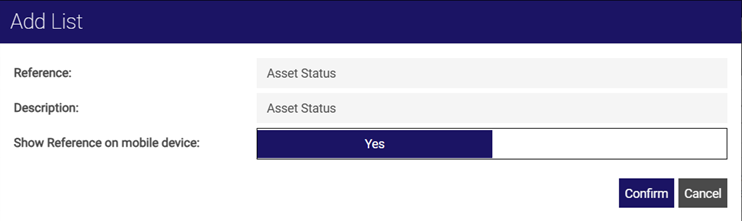
In the Add List dialog, define the following:
-
Reference* - enter a name for the list, for example Asset Status. This cannot be edited later.
-
Description* - enter a description for the list.
-
Show Reference on mobile device - toggle to either Yes or No to define whether the list reference should be displayed on a user's device.
-
-
Select Confirm.
* Required field