Add Subscriber Queues
Subscriber message queues group together related messages or Totalmobile features, and contain reactive adapters which action messages to do something in Totalmobile. For example, if you want to send and receive bulletins, it is best practice to create a queue which groups together CreateBulletinRequest and DeleteBulletinRequest messages.
Add a Queue
-
In WebAdmin select Integration.
-
Under Integration Instances, select an instance.
Use the Search field to filter the list of instances.
The Integration Instance Configuration page appears, with the current subscriber queues displayed by default.
If this page displays the publisher queues, select Subscribers
 .
. -
Select Add Queue
 .
. -
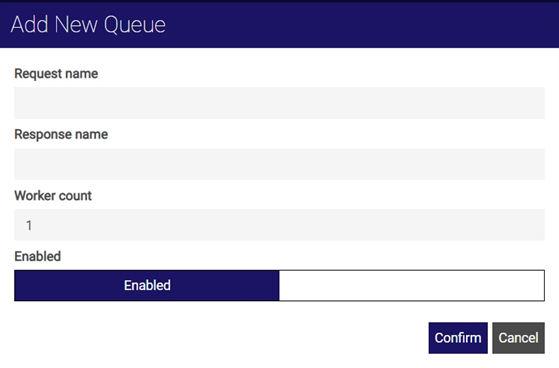
In the Add new queue dialog:
-
Enter a Request name.
-
Enter a Response name.
-
Leave the Worker count set to 1.
-
By default, the queue is enabled. If required, toggle the Enabled setting to disable it.
-
Select Confirm.
The Request name and Response name are both required for subscriber queues, but the Request name is the name used for input. You can enter anything for your Subscriber Queue Request and Response Queue names but the format \function\DirectionOfMessages is recommended, for example \Bulletin\Input.
The subscriber queue is added to the integration instance.
-