Completion of One Coded Task
This feature is only available for Android devices.
The Completion of One Coded Task feature provides a way to enforce that a visit has at least one completed coded task before it can be completed by the mobile user.
This affects the following Workflow statuses:
-
Complete - the mobile user can use this status as long as the visit has at least one completed coded task.
-
Complete With Omit - the mobile user is unable to use this status to close a visit. If they try they are redirected to complete at least one coded task.
The completion of one coded task is triggered anywhere the mobile user can perform a status change, which includes:
-
Status Tasks - this is specific to Job Management (Connect) integrations.
-
Form Actions - this is specific to Job Management (Connect) integrations.
-
Status Changes in Visit Details or Menu Task.
Enable Completion of One Coded Task
This feature is disabled by default, and must be enabled in WebAdmin for each applicable solution.
To enable the feature:
-
In WebAdmin select Solutions.

-
Select the solution to update.
The Solution Details page appears.
-
Select Edit
 .
.
-
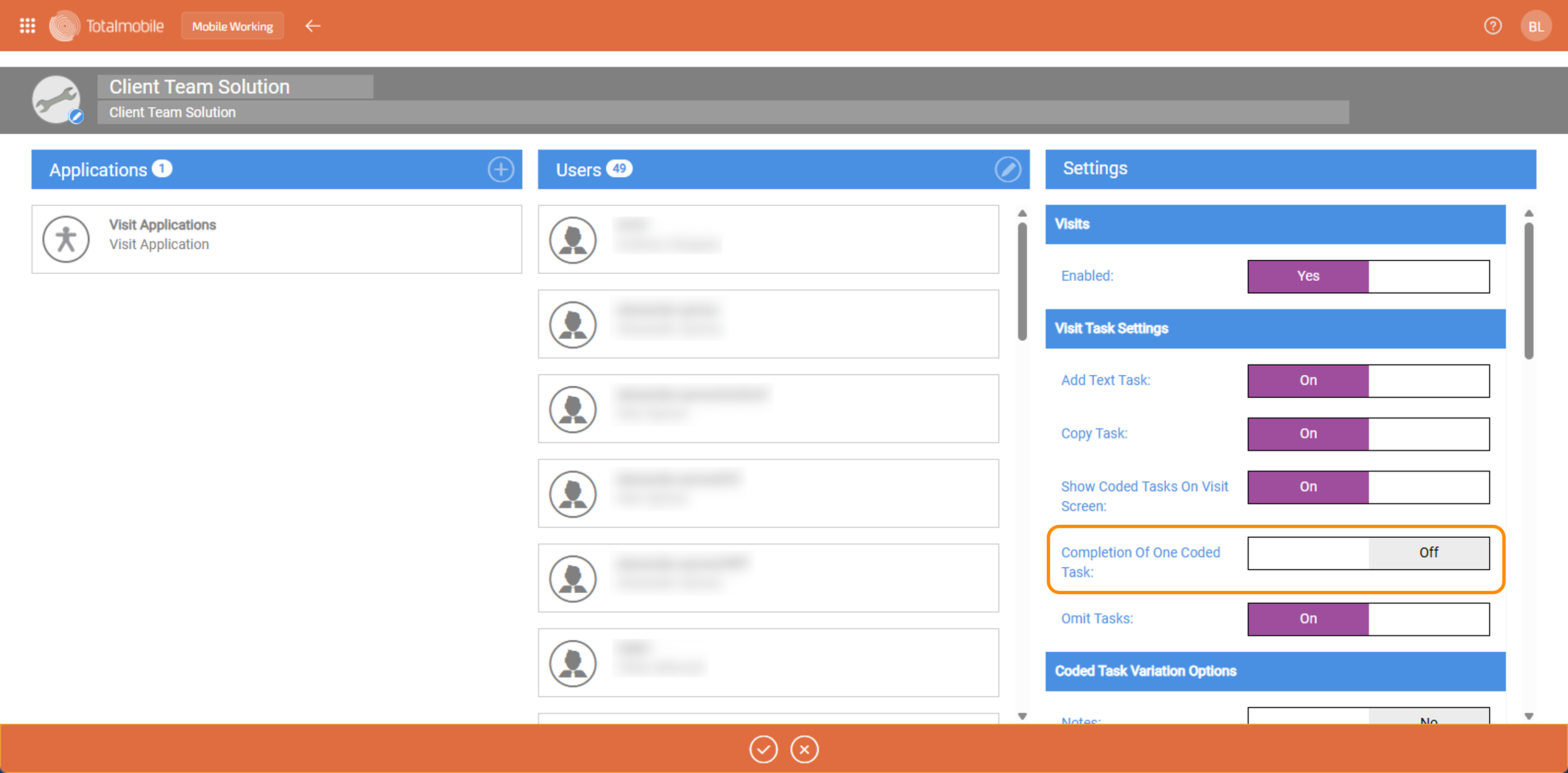
Under Settings > Visit Task Settings, select the Completion Of One Coded Task toggle to change it from Off to On.
-
Select OK
 .
.
Completion of One Coded Task on Mobile Working (Mobilise)
With Completion Of One Coded Task enabled, mobile users are prevented from completing any visits without at least one completed coded task. If the visit does not already contain any coded tasks, the mobile user must add at least one and complete it.
Status Tasks and Changes
When mobile users try to close a visit using either a Status Task or a Status Changein the Visit Details or Menu Task, with a status of Complete With Omit, or Complete without completing a coded task, a snackbar appears:
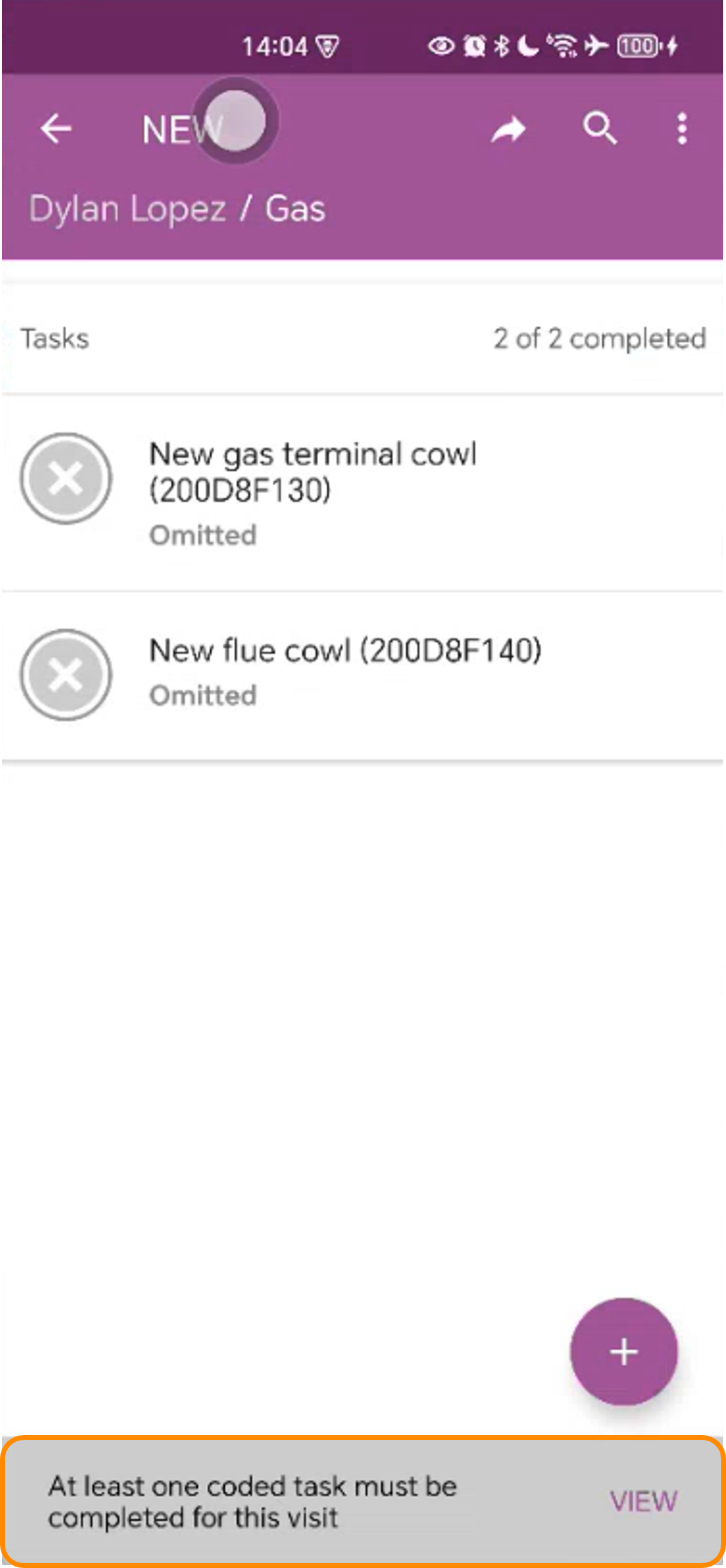
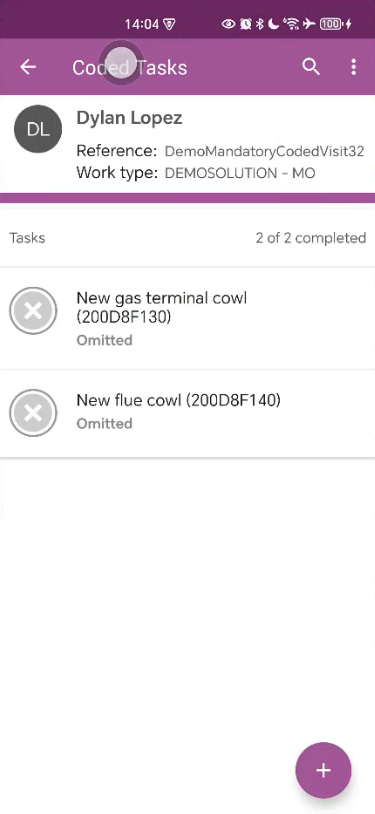
The mobile user selects View, which redirects them to the Coded Tasks screen, where they must add and complete the necessary coded tasks:
Form Actions
When mobile users try to close a Visit using a Form Action, with a status of Complete With Omit, or Complete without completing a coded task, a toast appears:
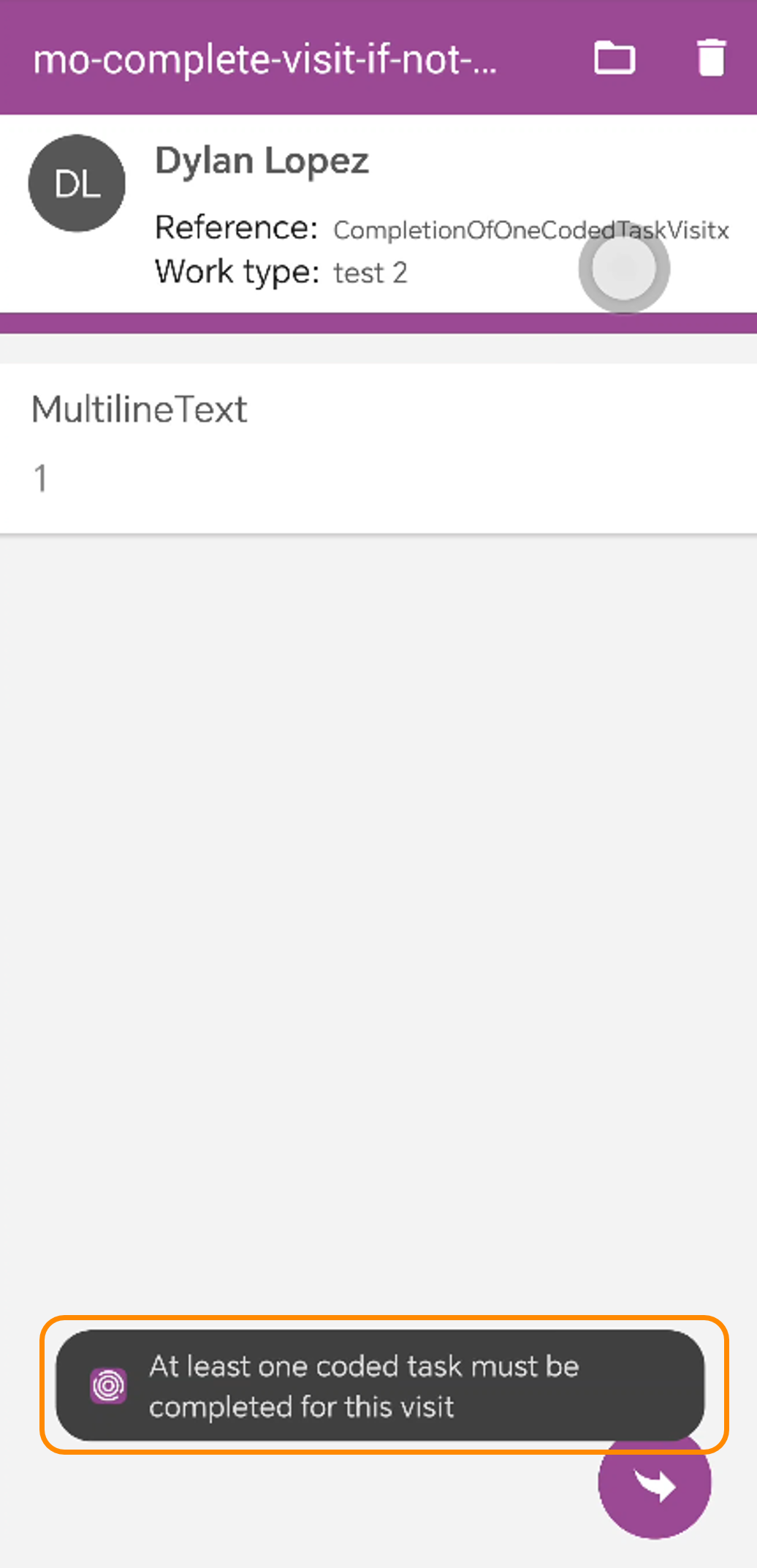
The toast informs the mobile user that at least one coded task must be completed. The mobile user must then navigate back to the visit details and either find the outstanding coded tasks to complete or add the appropriate new coded task, before being able to complete the visit.
The only way for the mobile user to close a visit without adding any completed coded tasks is to cancel it.