Hierarchy and People Filters
Many report pages in the Management Portal provide filter options to enable you to narrow down the dataset, such as returning results within a specific date range. Hierarchy and people filters are also among the available options.
Hierarchy filters
Hierarchy categories relate to people within hierarchy structures. The categories available to portal users, such as in report pages, depend on the configuration settings for your organisation. However, a typical example of using this feature is to specify different teams and the people within them.
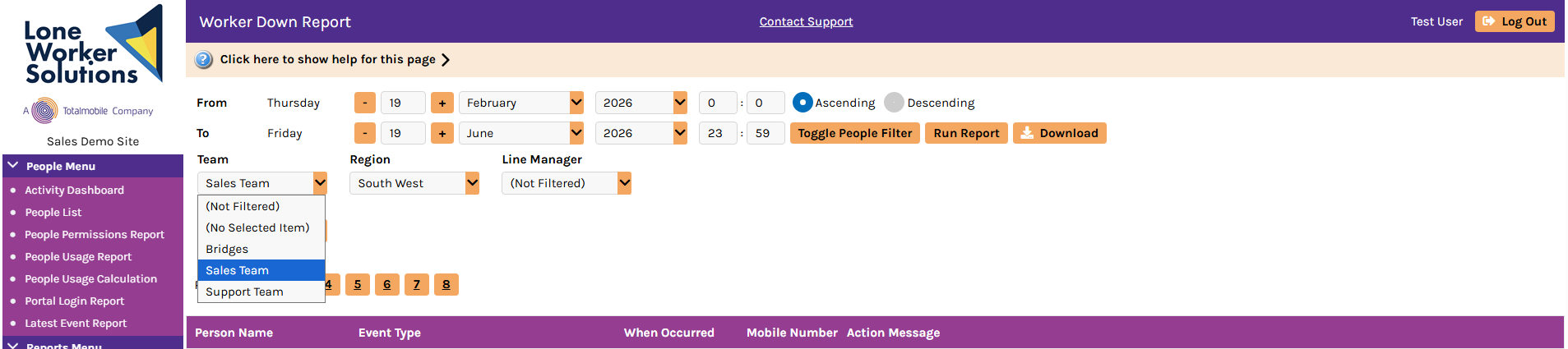
The hierarchy categories and items in the drop-down lists are displayed at the top of report pages. Portal users can use them to filter reports to return data only for the people that match their selections.
If you want to run a report and filter the data according to hierarchy category, select the option you require from each drop-down list as necessary, and then select either Run Report or Search to display data only for that group.
People filters
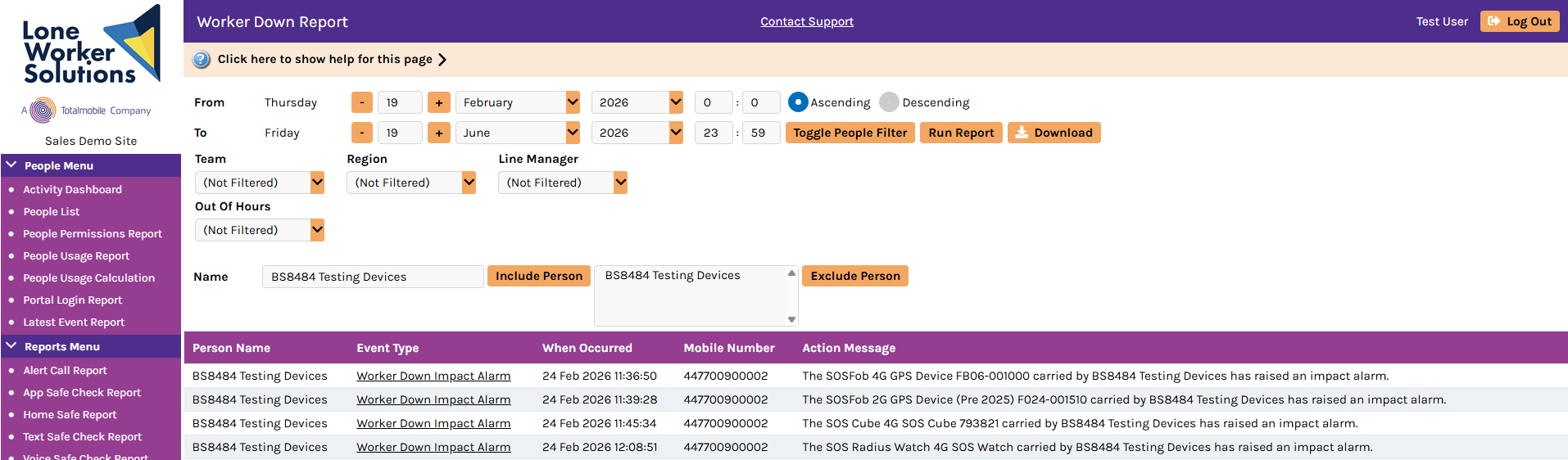
The Toggle People Filter option allows you to filter the report data to include only the people that you specify in the search box. You can specify multiple people or only one person.
To do this, select Toggle People Filter, enter the name of the person you want data for in the search box that appears, and then select Include Person. You can add more people if necessary by repeating this step. If you want to remove a person that you have added, select their name and then select Exclude Person.
When you have specified the people to include and checked the other filter options, select Run Report. The system then returns the report data for only the specified people, date range, and any other filter settings.