View a Referral Summary
On the Referrals tab, select a referral to open the Referral Summary panel.
On this panel, you can:
-
View service user details, such as address, NHS/CHI number, and gender.
-
View the type of service (for example, Care at Home) and the referral reason.
-
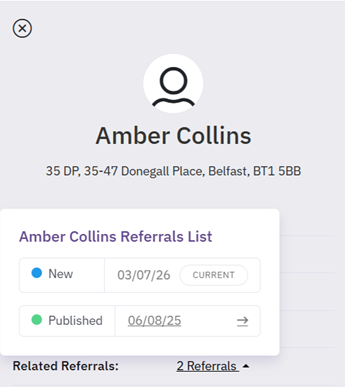
Select the Related Referrals link to access any related referrals for the service user.
-
Select Edit to edit the referral details. For more details refer to Manage Service User Details.