Add Resources
The following resources can be added to a job:
Add Mandatory Resources
-
On the Job Details dialog, select Add Mandatory Resource.
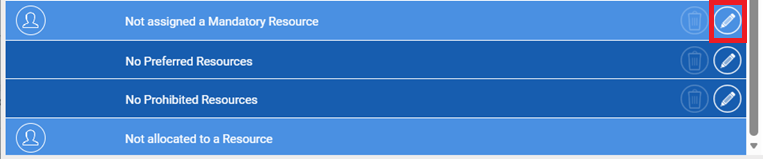
-
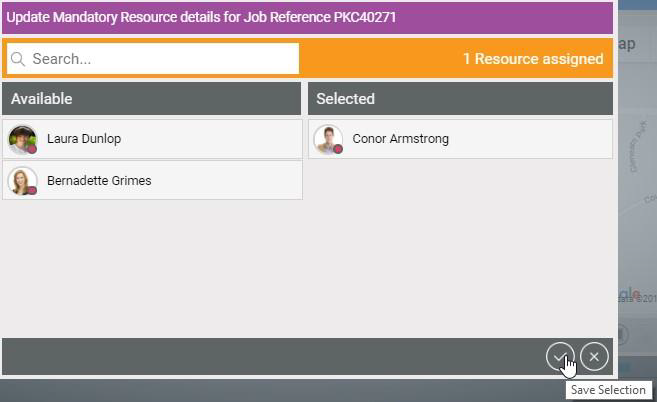
In the Update Mandatory Resource Details for Job dialog, select one or more resources from the list.
-
Select Save Selection.
The Job Details dialog updates with the mandatory resource(s).
Add Preferred Resources
-
On the Job Details dialog, Add Preferred Resources.
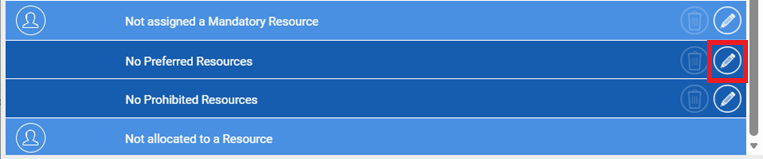
-
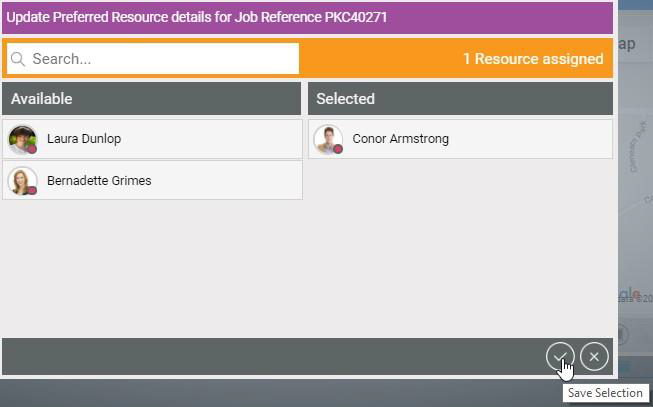
In the Update Preferred Resource Details for Job dialog, select one or more resources from the list.
-
Select Save selection.
The Job Details dialog updates with the preferred resource(s).
Add Prohibited Resources
-
On the Job Details dialog, Add Prohibited Resources.
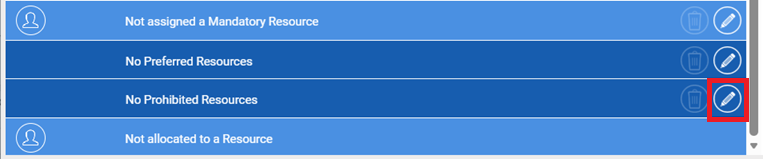
-
In the Update Prohibited Resource Details for Job dialog, select one or more resources from the list.
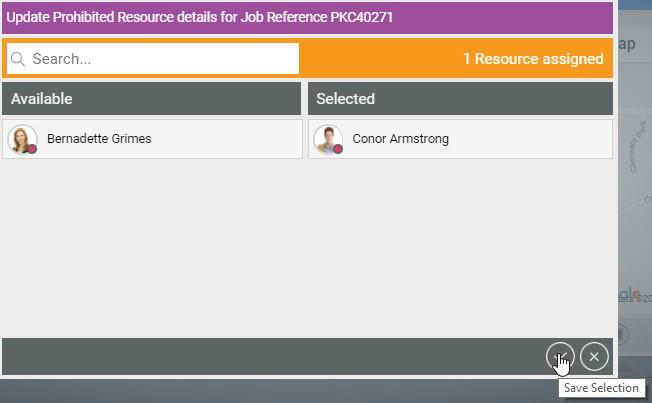
-
Select Save selection.
The Job Details dialog updates with the prohibited resource(s). If Mendel reschedules this job, it will not reschedule it to any prohibited resource(s).