Commit Jobs to Resources in Bulk
You can commit jobs in bulk in Optimise Schedule within a time range of your choice, rather than manually committing jobs one by one.
For example, Mendel is dynamically scheduling jobs as usual to your team of workers. However, as the scheduler for a specific World, you want to ensure the job schedule for the following day will not change because you do not want anything to affect the planning and visibility users have of their current working day. At the end of your working day you commit all jobs between 9am to 5pm for the required resources for the following day. After you commit the jobs, Mendel continues to dynamically schedule other non-committed jobs as usual.
-
In WebAdmin select Optimise Schedule.
The Worlds page appears.
-
Select a World.
The Optimise Schedule page appears.
-
In the top-right corner of the page, select Bulk Commit
 .
. -
In the Bulk Commit dialog, select one or more resources. Select Select All
 if required.
The resources you select are highlighted in green.
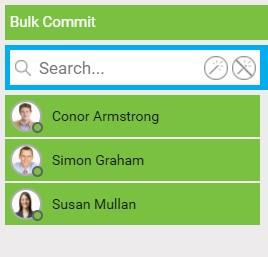
Use the Search field to filter the list of resources.
-
Select the Start Date field, then select a start date from the calendar.
-
Select the Start Time field, then either enter a start time or use the arrows to select a time.

-
Select the End Date field, then select an end date from the calendar.
-
Select the End Time field, then either enter an end time or use the arrows to select a time.

-
Select Commit.
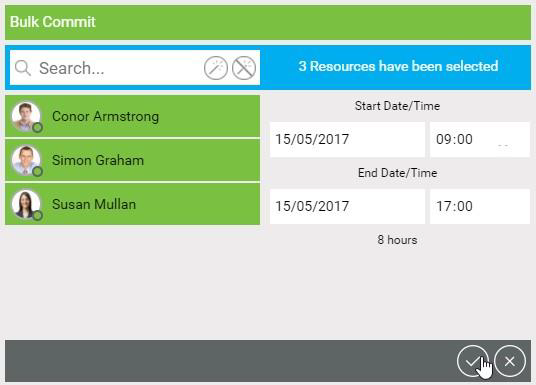
The jobs for the resources and times you selected are committed. Mendel continues to dynamically schedule other non-committed jobs as usual.