Install the Mendel Service
The final stage of the Mendel installation is to set up the processing engine to use the web services on the web server.
-
On the Mendel processing server and using a command prompt, navigate to the setup folder in section Install Optimise Enterprise Mendel Engine and Generate Optimise Credentials.
-
Run the install.cmd with the appropriate URL to set up the web services. Note the command syntax changes depending on the Totalmobile build being installed:
Install.cmd <Protocol>://<url>/<instance>/Mendel/api/ key secret
-
Protocol: HTTPs typically but can be HTTP if internal only.
-
Key: The Key generated in Configure Worlds in the Mendel Database.
-
Secret: The Secret generated in Configure Worlds in the Mendel Database.
-
URL: The main URL of the site, from settings.xml.
-
Instance: The instance of the site, from settings.xml.

You need the trailing ‘/’ on the URL.
-
-
Press Enter to run the script.
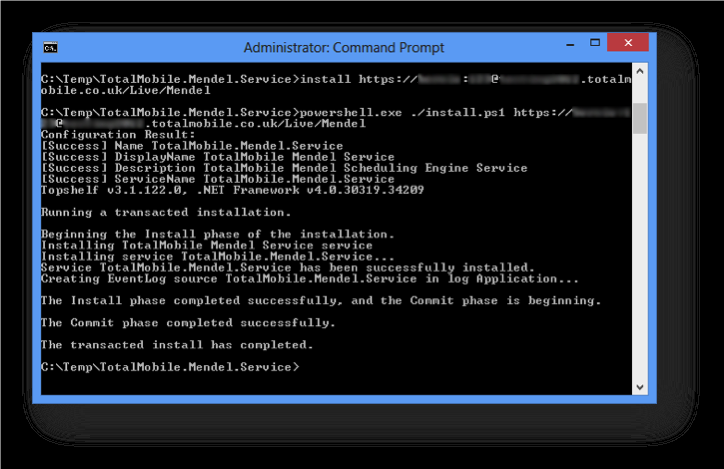
The output should all be similar to the above. If there are any errors, check all the details are correct.
-
There should be a service in Services called Totalmobile Mendel Service. Start the service.
-
Once started, check the event log and there should be two entries stating the service is starting and that it started. Any other warnings or errors should be investigated.
Perflib and SQL.lite errors can be ignored.