View and Update Job Description
The job description contains information about a job that is useful for the allocated resource. For example:
-
A job description that comes from Referral Management might include patient information such as their NHS number and any health issues relevant to the appointment.
-
A job description that comes from Job Management (Connect) is based on a configurable description field template, and might include order, job, and customer data as well as activity-level custom field data that enables schedule planners to see relevant activity details alongside the standard job information.
To update the description for a job:
-
In the Job Details dialog, select Update Description
 .
. -
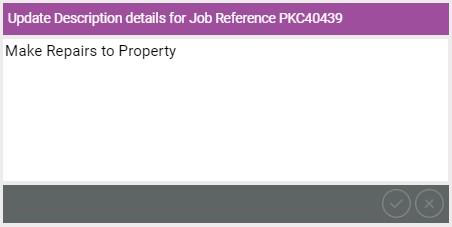
In the Update Description details dialog, edit the text as required. You can enter up to 2048 characters.
-
Select Save Description
