Update Loan of Resources to Other Worlds
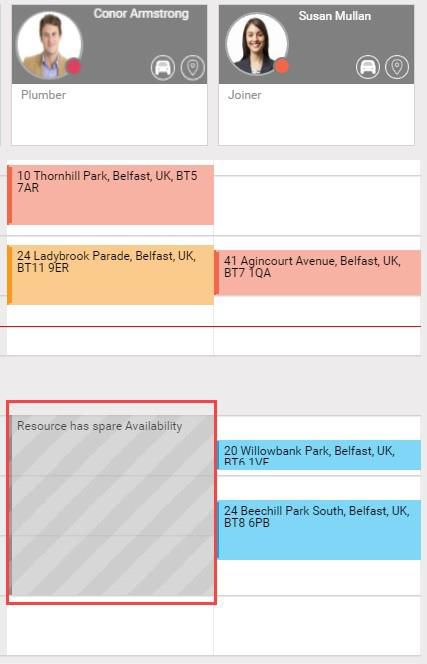
The following example shows a WebAdmin administrator of a North Belfast World updating the loan description and times of a resource loaned to a South Belfast World.
You cannot update the World of a loaned resource.
-
In WebAdmin select Optimise Schedule.
The Worlds page appears.
-
Select a World to which you loaned a resource.

The Optimise Schedule page appears.
-
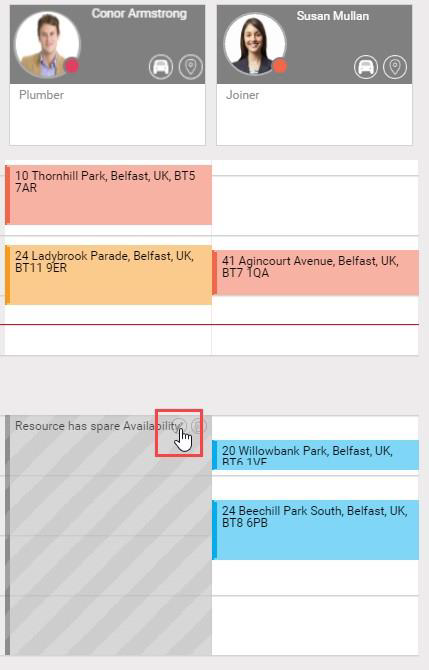
Select Edit on a period of Unavailability for a loaned resource.
-
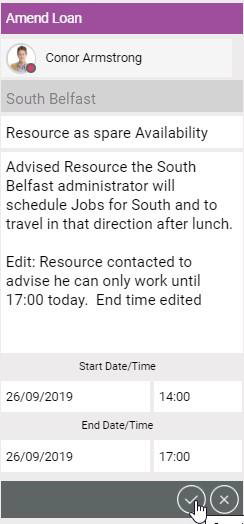
The Update Loan Details dialog appears:
-
To update the Reason, select the Reason field and select a Reason from the dropdown.
-
To update the Description, select the Description field and type.
-
To update the Start Date/Time, select the fields and type.
-
To update the End Date/Time, select the fields and type.
-
Select Save Loan Details.
-
The North Belfast World Optimise Schedule window updates and shows the changed unavailability of the resource within the World: