View Linked Jobs
You can view a summary of any linked jobs from the Job Details dialog.
To view linked jobs:
-
In WebAdmin, select Optimise Schedule.
The Worlds page appears.
-
Select a World.
The Optimise Schedule page appears.
-
Select a job in the Job List or in a resource's Diary.
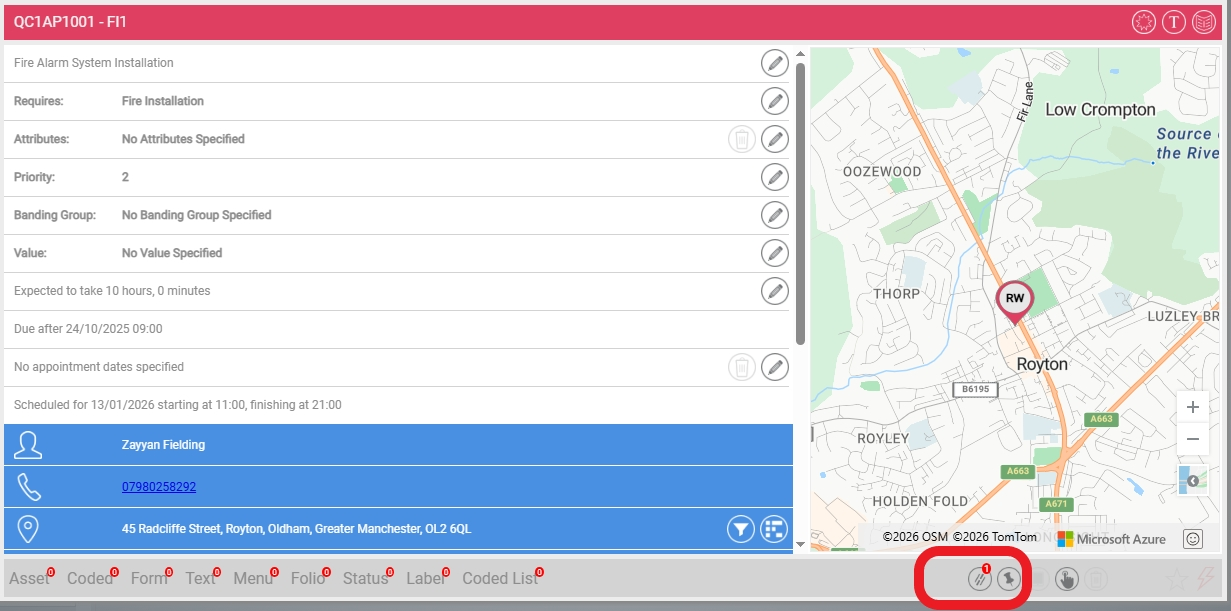
The Job Details dialog appears.
If the job has any linked jobs, the Linked Jobs indicator displays the number of jobs connected to this one.
-
Select the Linked Jobs indicator.
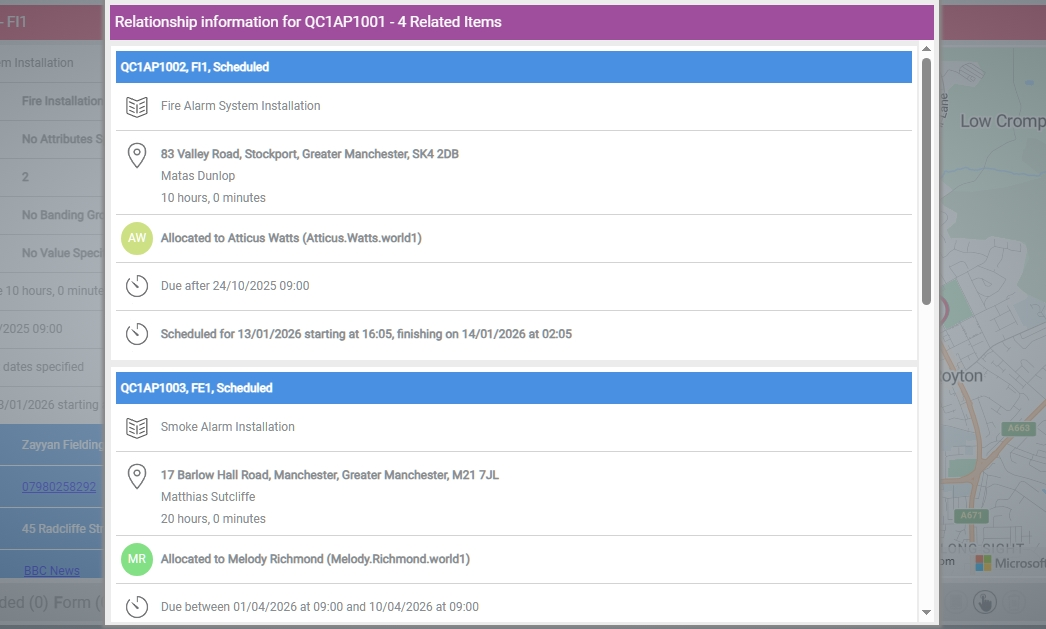
A summary dialog for all linked jobs appears. This contains for each job:
-
Linked job header - includes the reference for the job. Select the reference to display the Job Details dialog for the linked job.
-
Work type - if defined for the linked job.
-
Current status - for example Not Scheduled, Scheduled, Dispatched, Completed or Deleted.
-
Job summary - may include the following:
-
Job description.
-
Job location, contact and duration information.
-
Allocation information, if relevant.
-
Target date information, consisting of the appointment date or due date information, if available.
-
-
Schedule information - if available.
-