Catalogue App Control
The Catalogue App control enables you to configure integration between the catalogue and an external system, for example Parts Arena. By defining Parts Arena as an external mapping source, mobile users can access the Parts Arena app from within the Totalmobile app to select and retrieve the parts they require. This allows users to access a comprehensive component library and select parts specific to the assets they need to repair.
The Parts Arena integration is only available for Android devices.
Configure the Catalogue App Control
To configure the Catalogue App control:
-
In WebAdmin, select Forms.
-
Navigate to an existing element within your form or select Insert a new Element
 .
. -
Select Maintain element settings
 .
. -
In the Update Element Details dialog:
-
Select the Catalogue App control.
-
Select the Text field, and enter a description for the new control.
-
Optionally, enter the Minimum number of parts that can be selected from the retrieved parts list. This does not restrict the quantity of each part that can be selected.
-
Optionally, enter the Maximum number of parts that can be selected from the retrieved parts list. This does not restrict the quantity of each part that can be selected.
-
Select the App Name field, and enter the name of the external application to retrieve catalogue data from, for example PartsArena.
The name entered in this field must match the registered app identifier in the system.
-
If the form includes elements intended to pass values into the catalogue app, enter the following:
-
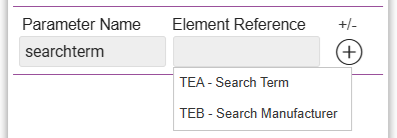
Parameter Name - enter a suitable name.
-
Element Reference - select the reference for an existing form element from the dropdown.
For example, if the form includes Text controls for Search Term and Search Manufacturer, you can add these to the Catalogue App control so users can define search criteria that will narrow down the parts to pick in Parts Arena.
-
Select Add
 to add the parameter.
-
-
Select Save.
-
-
Save
 and Publish
  the form.
 -
Ensure the form is assigned to an application or a visit task within a solution.
Use the Catalogue App Control
To use the control:
-
You must add and download one or more catalogues in Parts Arena in order to search parts.
-
The mobile user must have the Parts Arena app and a valid Parts Arena login account.
-
On the Android device, navigate to the Form.
-
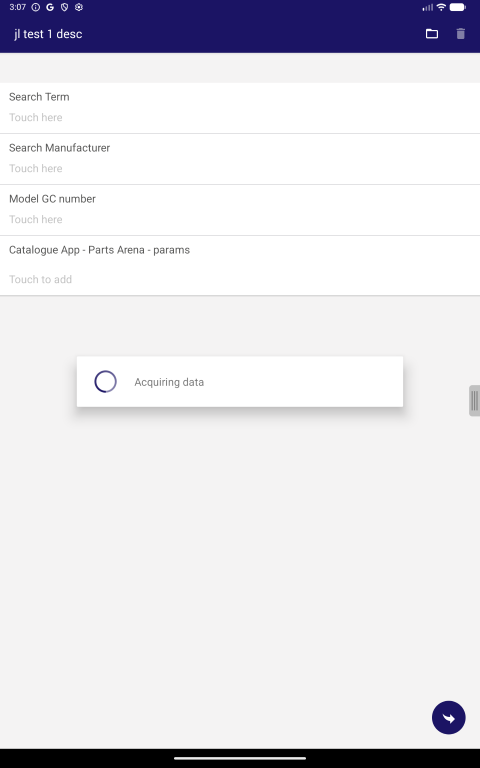
Optionally, specify any parameters that will be passed to the catalogue app, for example search criteria.
-
Under Catalogue App, select Touch to add to launch the Parts Arena parts picking app.
-
Pick the required parts in the Parts Arena app, and share them:
-
Select Share.
-
Select TOTALMOBILE from the list, then select OK.
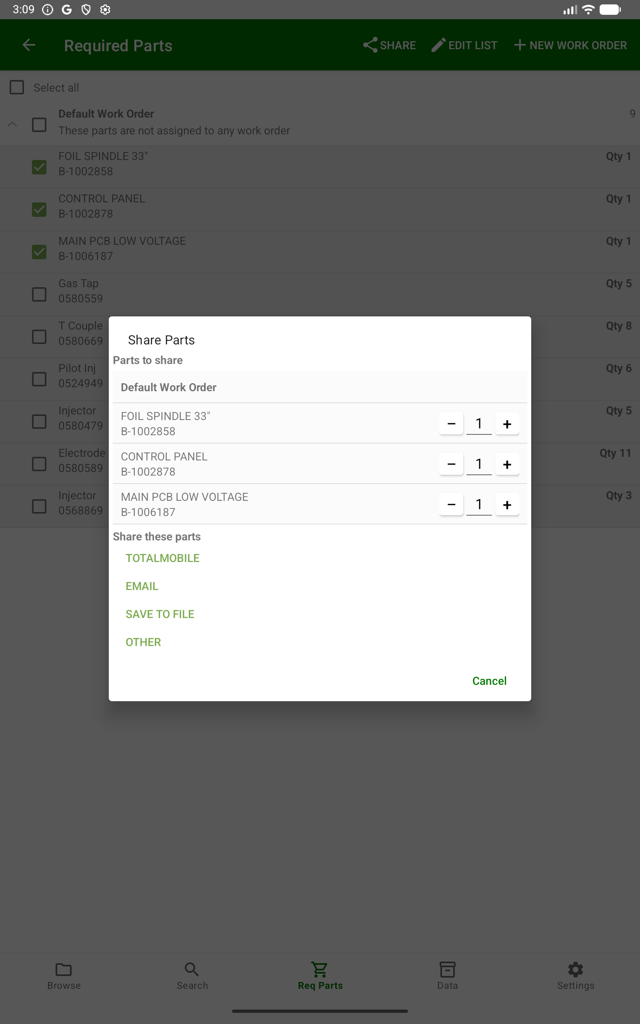
The selected parts are listed in the form.
A waiting screen may appear for a few seconds while the data is transferring from Parts Arena to Totalmobile.
-
-
Optionally, increase or decrease the number of selected parts, subject to any minimum or maximum rules if configured.
-
Select Submit.