Scan Barcode into List Control
You can scan barcodes and QR codes to populate values into List controls in forms, for example when you record a boiler type during an inspection. You scan the barcode on the boiler into the List control. The value scanned into the List control matches a list item, which populates the form control.
Prerequisites
-
Totalmobile server 6.1 and Totalmobile 6.1 for Android or Totalmobile 6.2 for iOS.
-
Code-128 linear, Code-2of5Interleaved linear, or QR Code barcodes. Linear barcodes must have a minimum of 6 digits.
-
A list, which contains items with references that match barcode values.
Create a Barcodes List
-
Create a new list as described in Add a List.
-
In the new list, select Add New List Item.
-
In the Add List Item dialog:
-
Select the Reference* field and enter a list item. This must be a value which will be scanned in from a barcode unless you plan to create sub-items.
-
Select the Description* field and enter an item description.
-
Optionally, select the Score field and enter a score for the list item. This is not required for this example.
-
Select Confirm.
If you create hierarchical lists with sub-items, only the lowest level sub-items can be populated into the List control via scanning a barcode. For example, if you create a list which has a Steel boiler list item with sub-items such as Fire-tube boiler and Water-tube boiler, only the sub-items can scan into the list control via a barcode.
-
-
To add a sub-item to the new list item:
-
Select Add
 .
-
In the Add dialog, enter the Reference*, Description* and Score as required. The Reference must be a value which will be scanned in from a barcode unless you plan to create further sub-items.
-
Select Confirm.
The sub-item appears within the top-level list item. You can add as many hierarchical list items as required.
-
-
Repeat to add list items on each level.
Scanning Barcodes into List Controls
This example demonstrates scanning a numeric value from a Code-128 linear barcode into a List control in a visit form task. The list item is a second level sub-item with a Reference of 000002.
This example uses the following Code-128 linear barcode, which converts to a numeric value of 000002: 
The following section and controls define the example form:
|
Control/Section |
Reference |
Description |
Notes |
|---|---|---|---|
|
Section |
SA |
Add boiler or inspection |
|
|
Text |
TEA |
Tenant name |
Part of the SA section |
|
Text |
TEB |
Tenant address |
Part of the SA section |
|
List |
TEC |
Scan boiler barcode |
Part of the SA section.
|
 Scanning Barcodes into List Controls on Android
-
Select the form task within the visit.
-
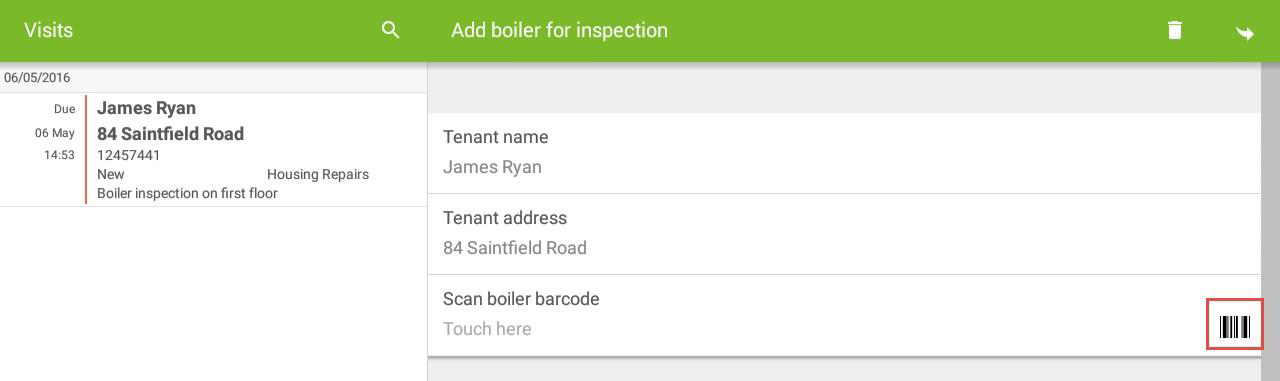
Select the barcode icon to the right of the List control.
-
Scan the barcode.
-
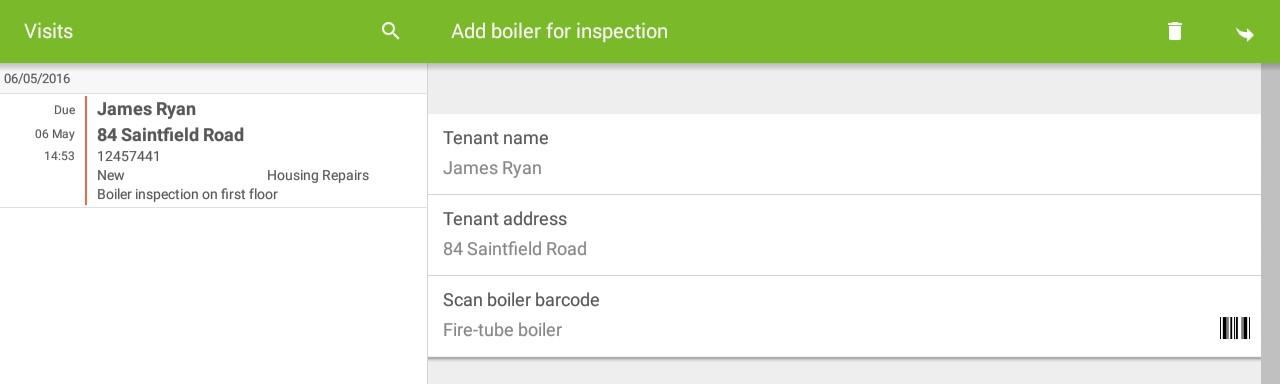
The list item populates the List control.
Scanning Barcodes into List Controls on iOS
-
Select the form task within the visit.
-
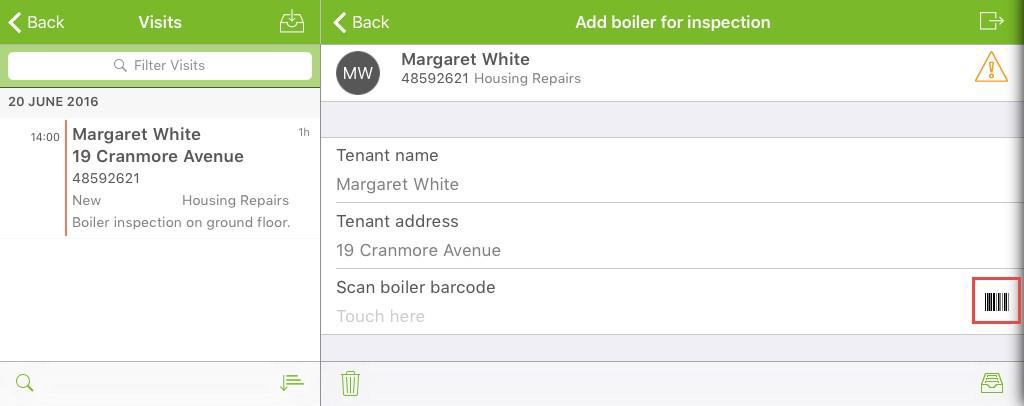
Select the barcode icon to the right of the List control.
-
Scan the barcode.
-
The list item populates the List control.