Score Control Example
The sections below provide an example of the Score control for a mobile user.
 Android
-
On the device, navigate to the form.
-
Select the Work to be Carried Out Repeatable Section.
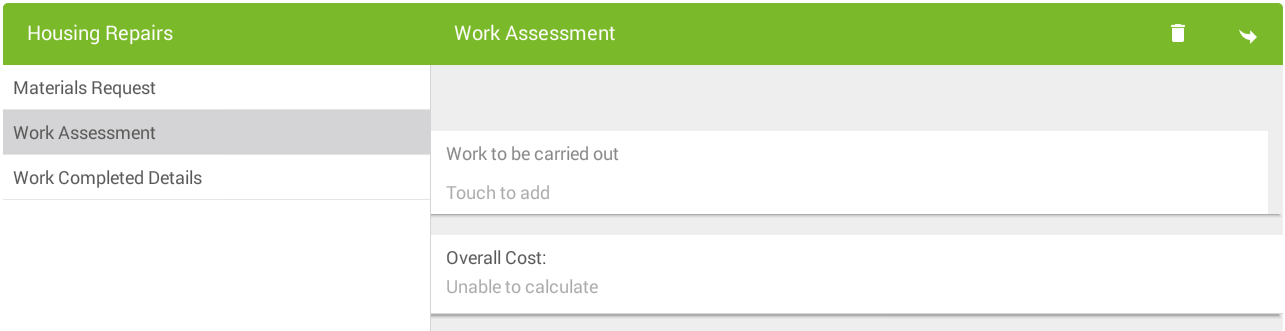
-
Select the Location List control.
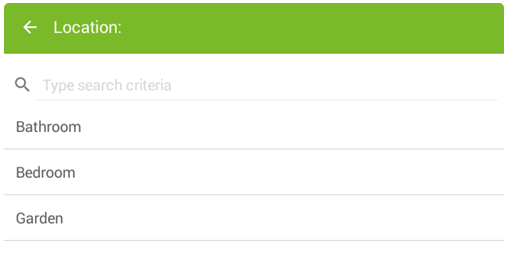
The List screen appears. Type to filter list items and/or touch to select.
-
Select the Edit Work List Repeatable Section.
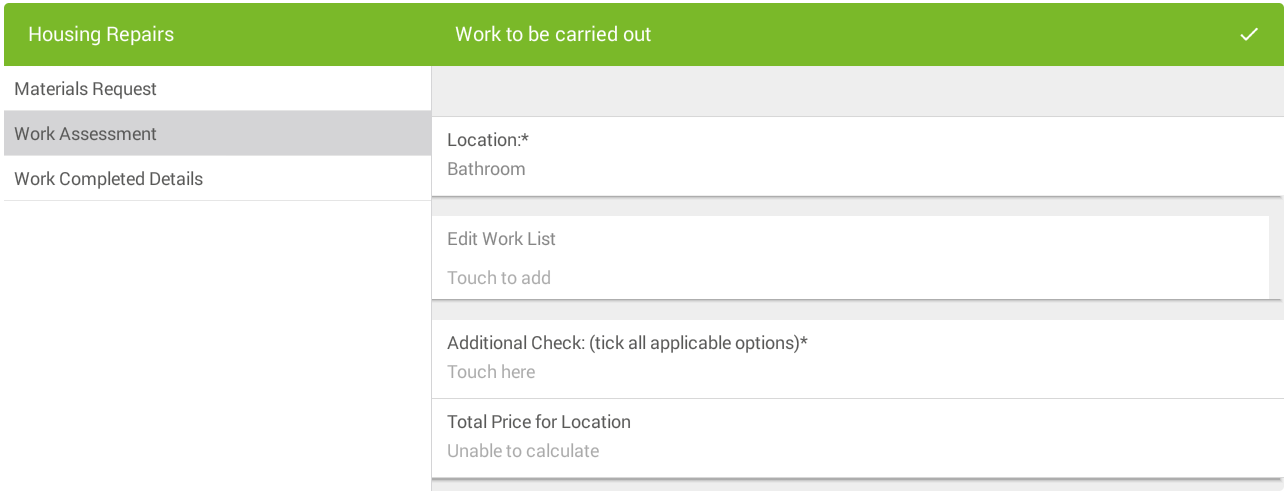
-
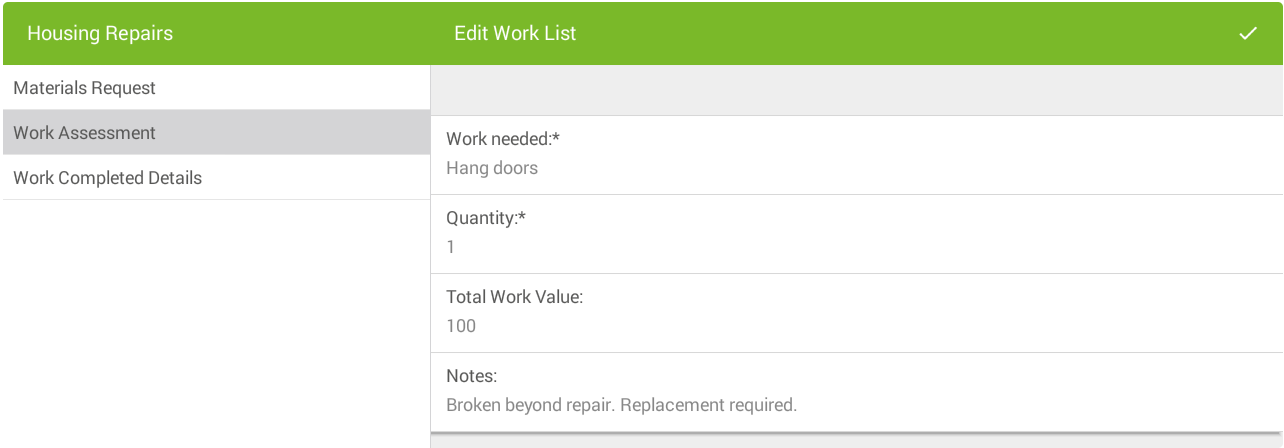
In the Edit Work List section:
-
Select Work needed to select a list item.
-
Select Quantity and type to enter.
-
The Total Work Value field is calculated automatically.
-
Select Notes and type to enter text if required.
-
Select the tick icon.
-
-
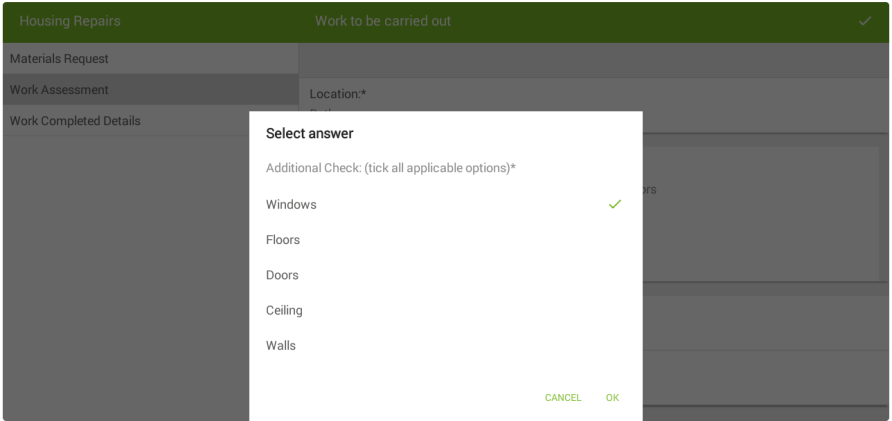
In the second level of the form, select Additional Check.
-
In the Select answer screen:
-
Select answers as required.
-
Select OK to return to the form.
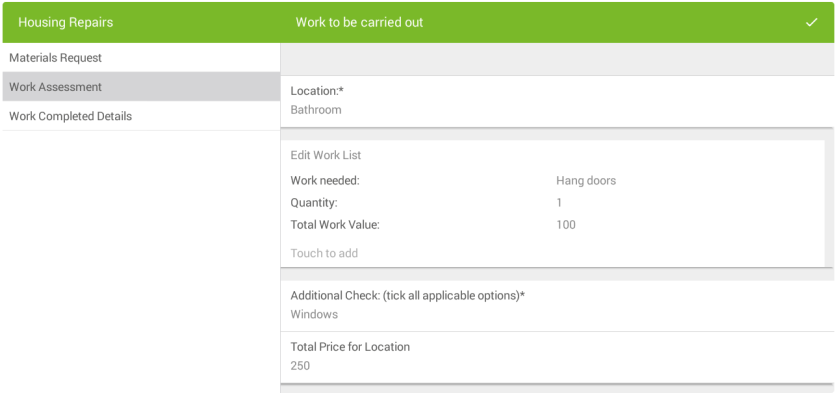
The Total Price for Location updates reflecting the defined scoring calculation:
-
-
Select the tick icon.
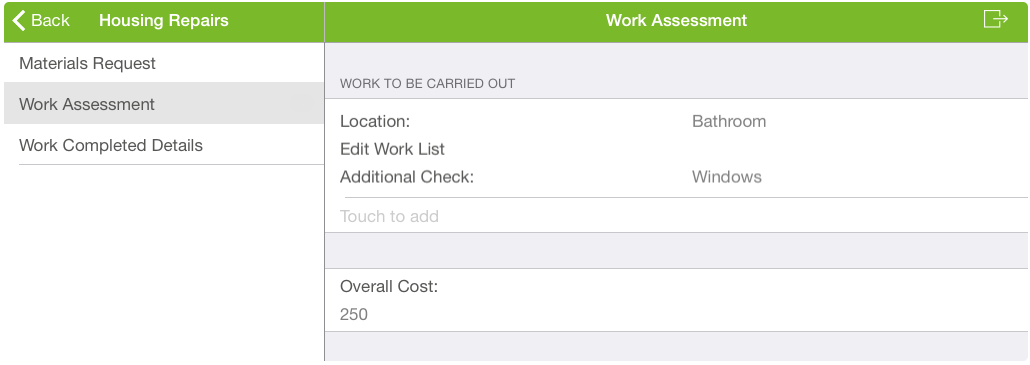
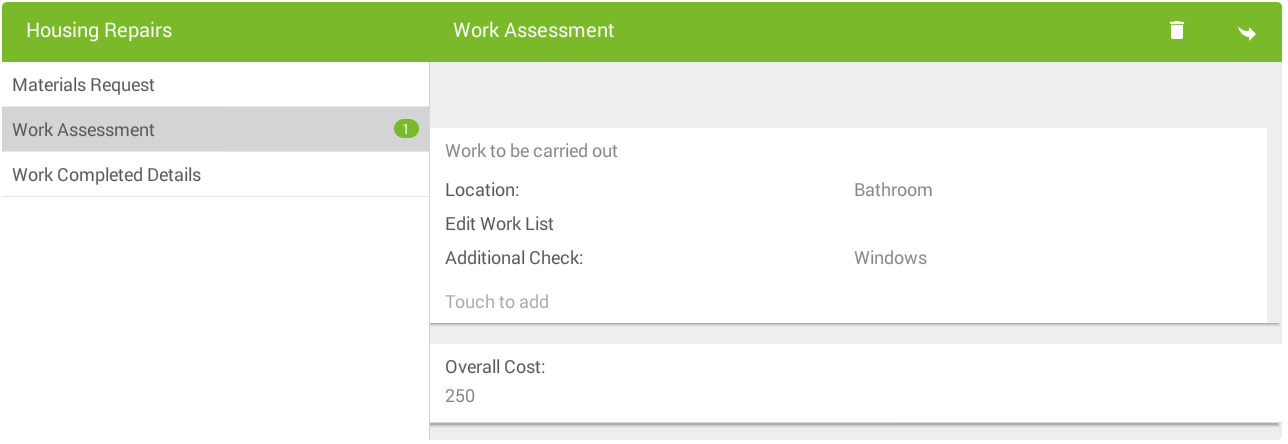
The top level of the form appears. The Overall Cost field updates reflecting the defined scoring calculation:
iOS
-
On the device, navigate to the form.
-
Select the Work to be Carried Out Repeatable Section.
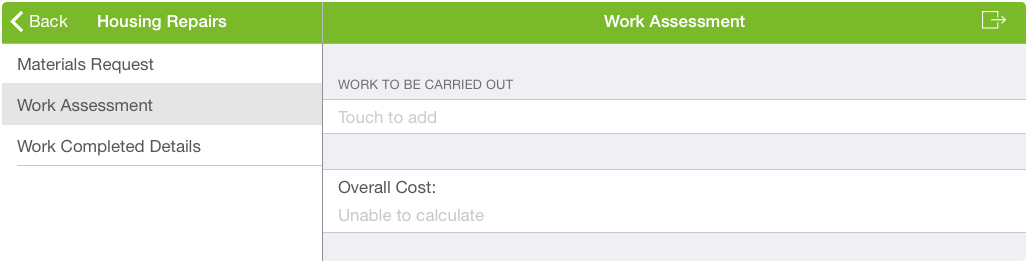
-
Select the Location List control.
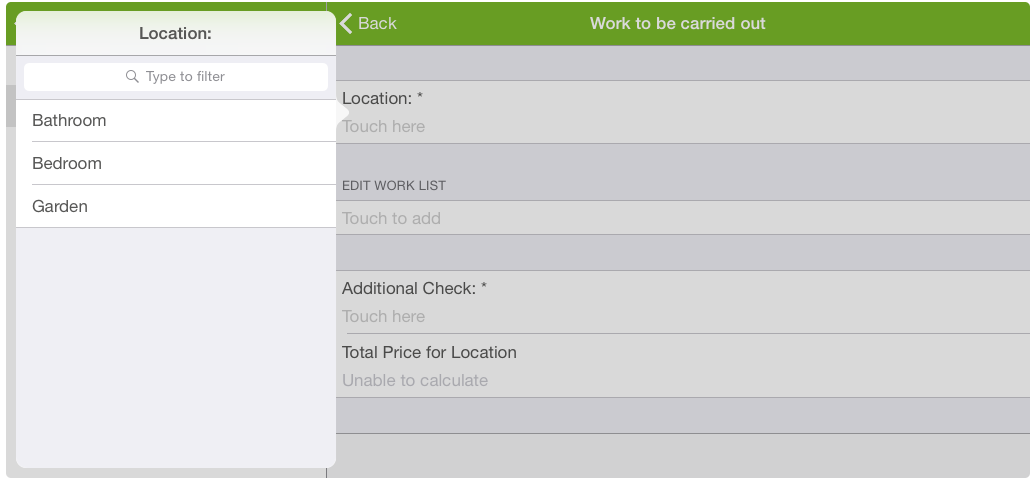
The List screen appears. Type to filter list items and/or touch to select.
-
Select the Edit Work List Repeatable Section.
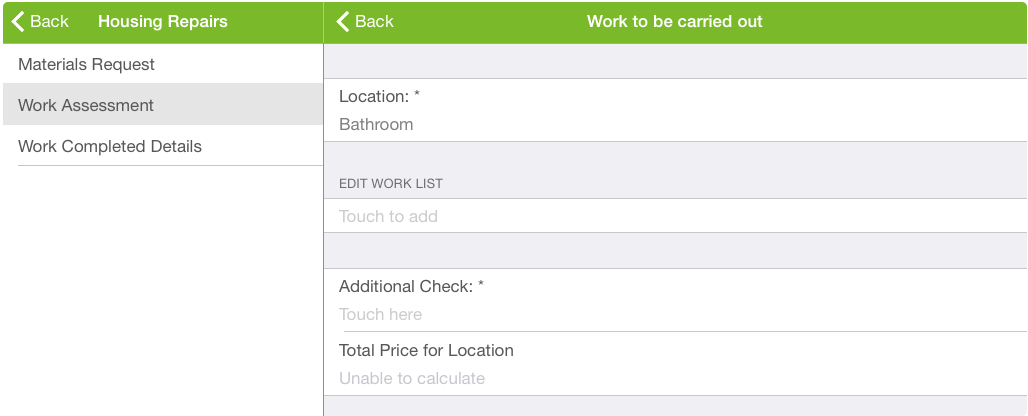
-
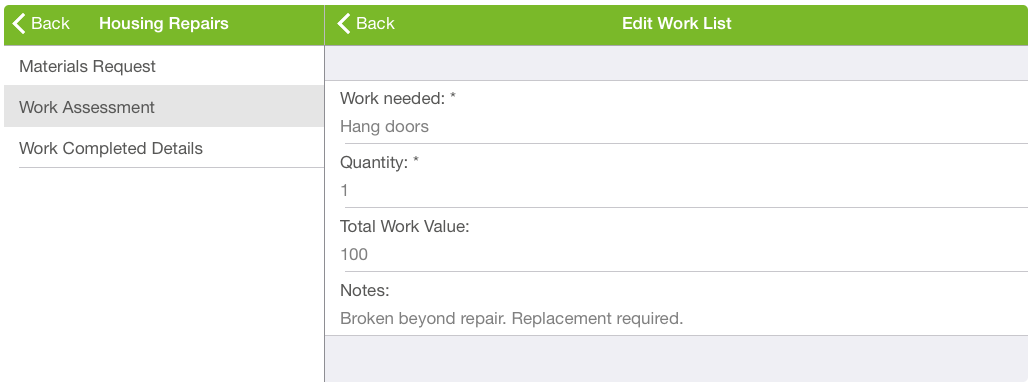
In the Edit Work List section:
-
Select Work needed to select a list item.
-
Select Quantity and type to enter.
-
The Total Work Value field is calculated automatically.
-
Select Notes and type to enter text if required.
-
Select Back.
-
-
In the second level of the Form, select Additional Check.
-
In the Select answer screen:
-
Select answers as required.
-
Select anywhere off the window return to the form.
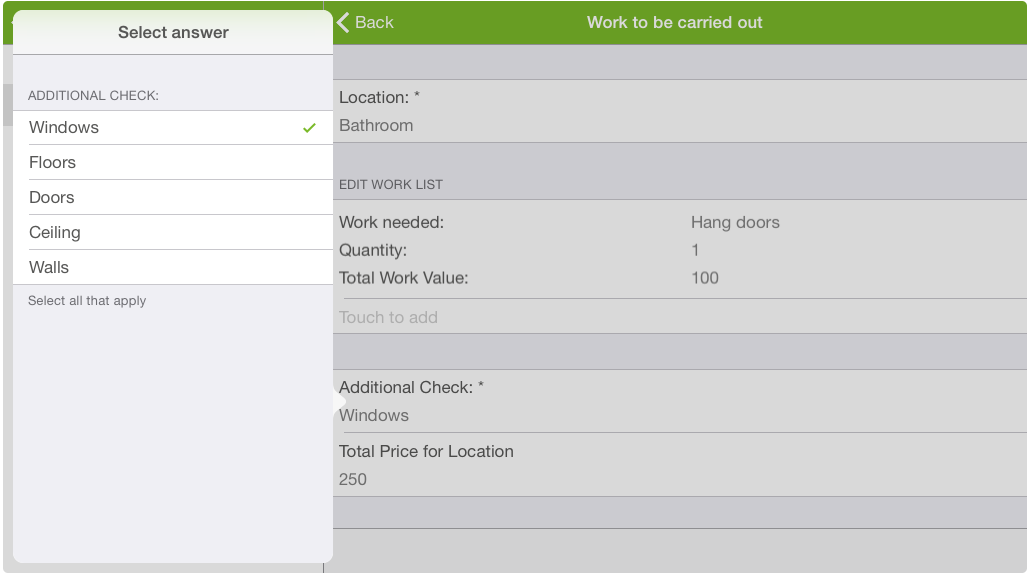
The Total Price for Location updates reflecting the defined scoring calculation:
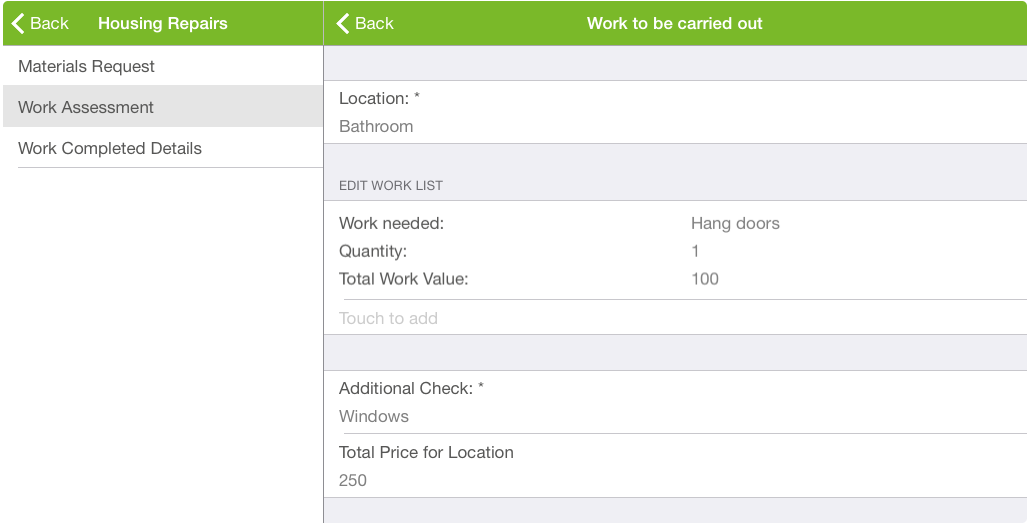
-
-
Select Back.
The top level of the form appears. The Overall Cost field updates reflecting the defined scoring calculation: