Change Your Password
Choose to change the password you use when logging in to WORKSuite.
-
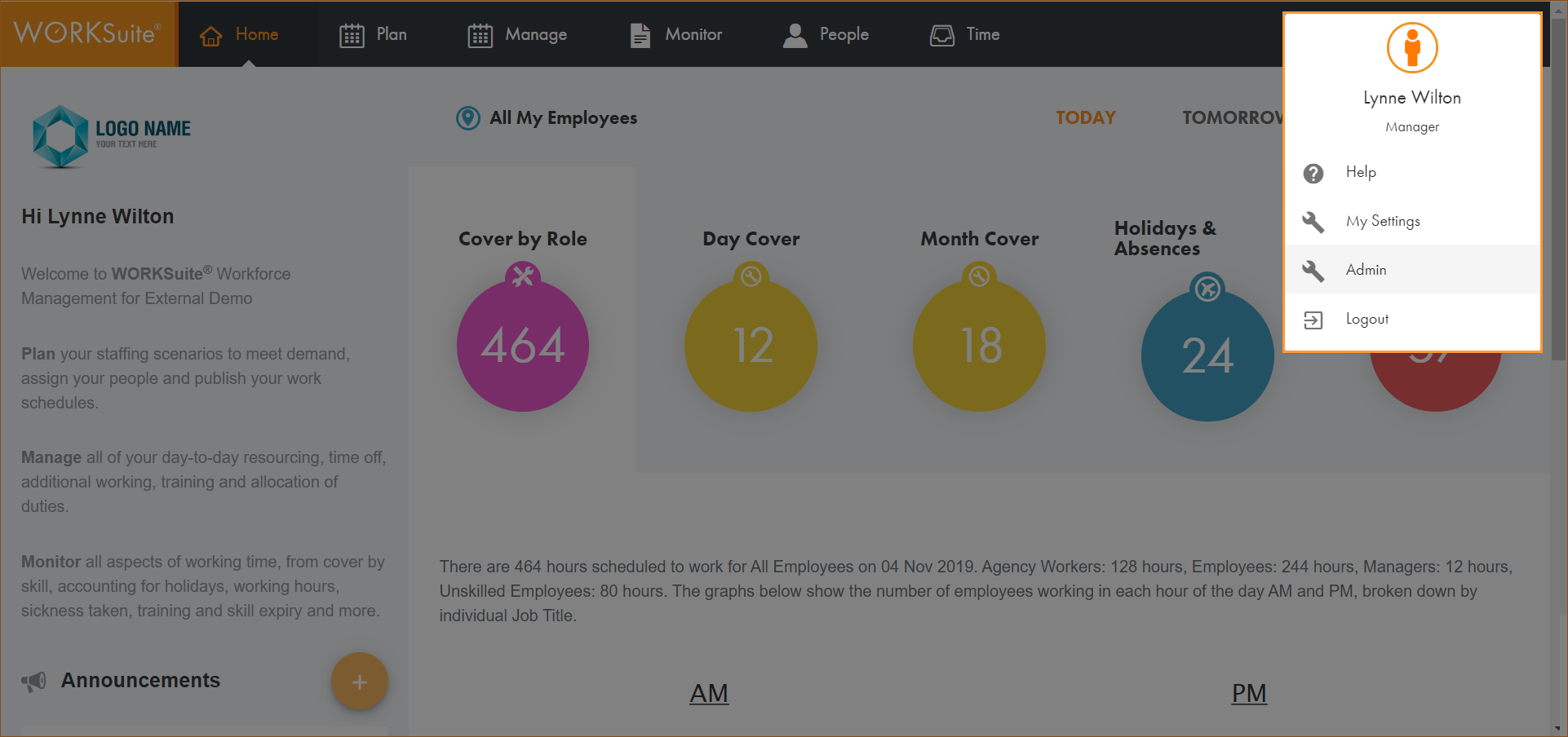
Click on your avatar in the top right of any screen in WORKSuite and select My Settings:
-
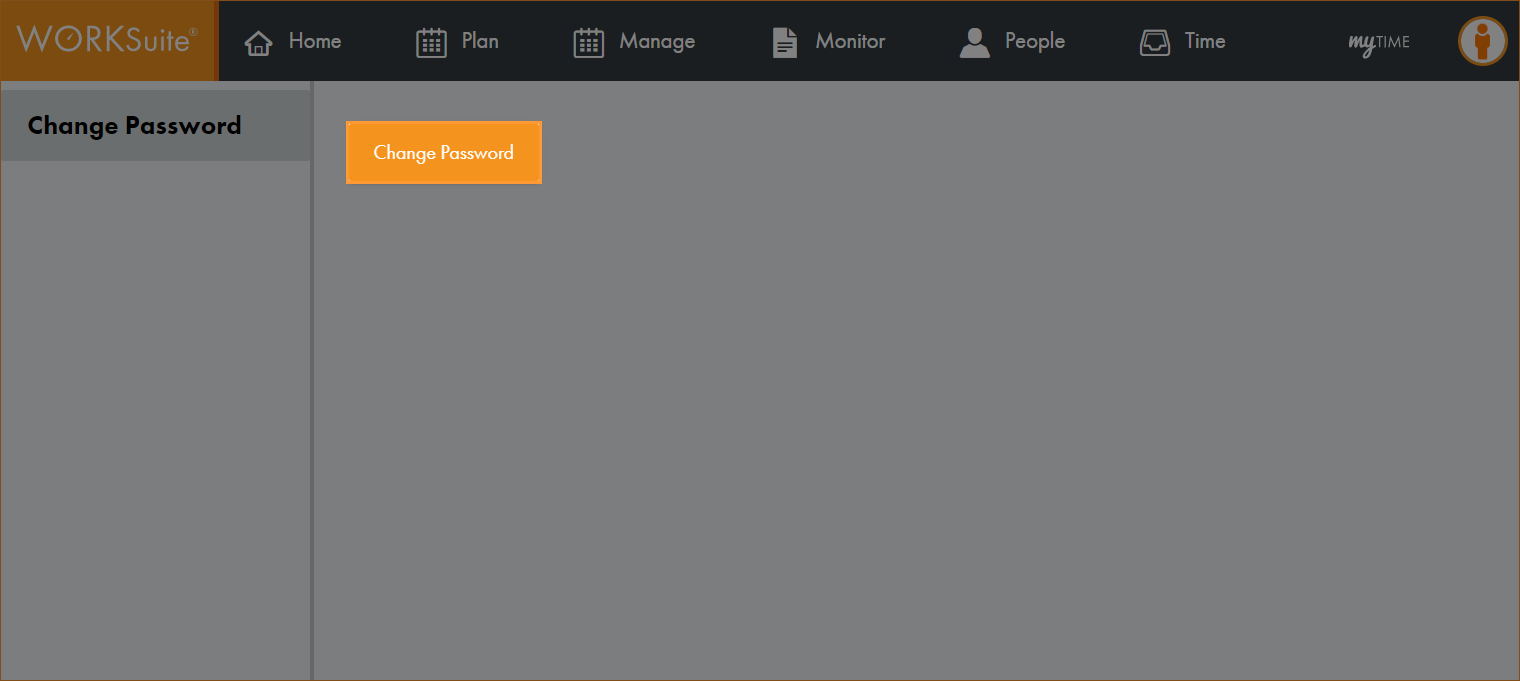
Click Change Password in the screen displayed:
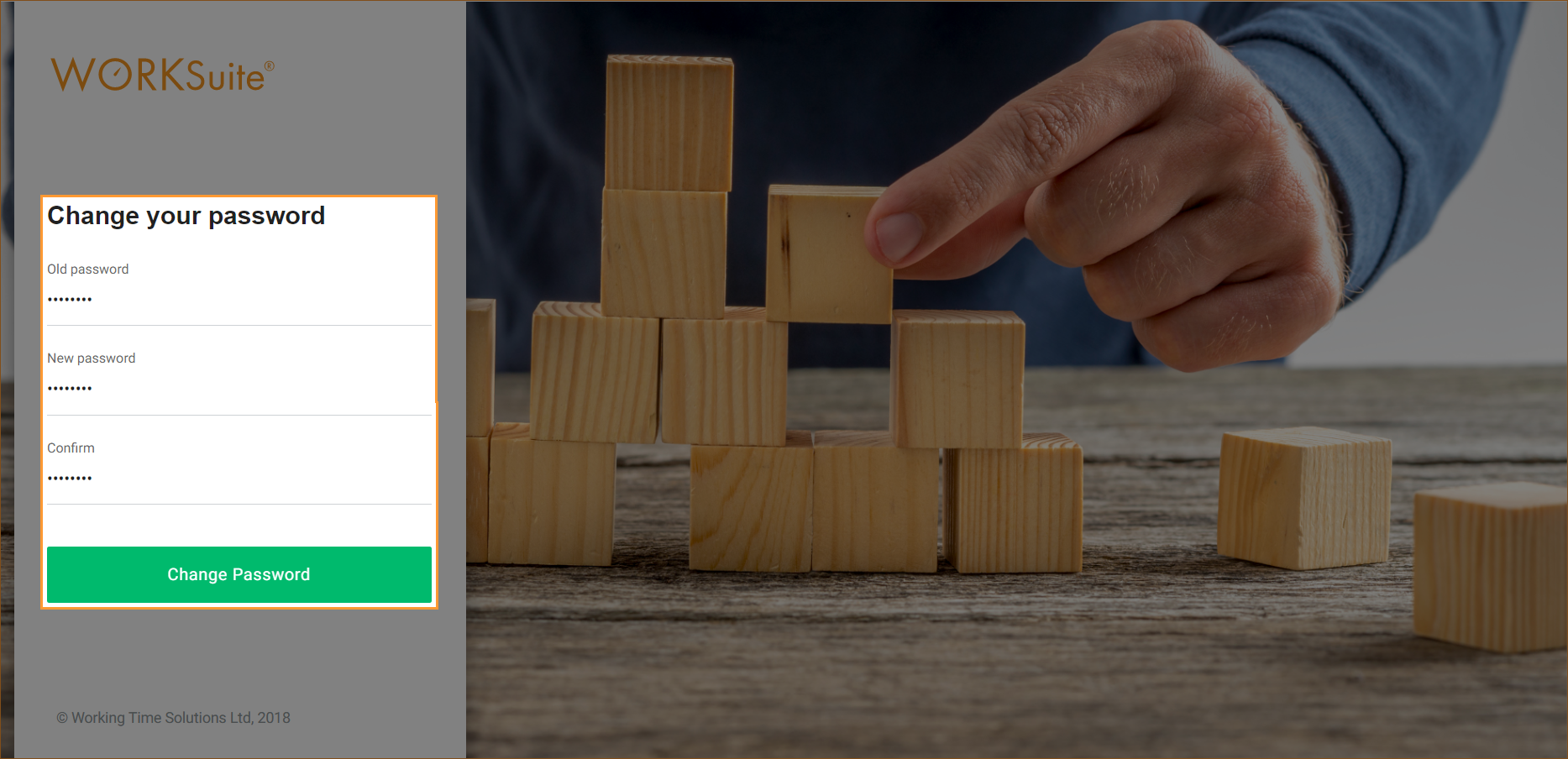
The Change your password screen is displayed:
-
In the fields displayed:
-
Enter your Old password.
-
Enter your New password.
-
Confirm your new password.
-
-
Click Change Password.
A confirmation screen is displayed:

-
Click Continue to start using WORKSuite.