Contact an employee
Use the People tab to look up an employee’s contact details. You can contact an employee directly from WORKSuite.
-
Open the People tab.
-
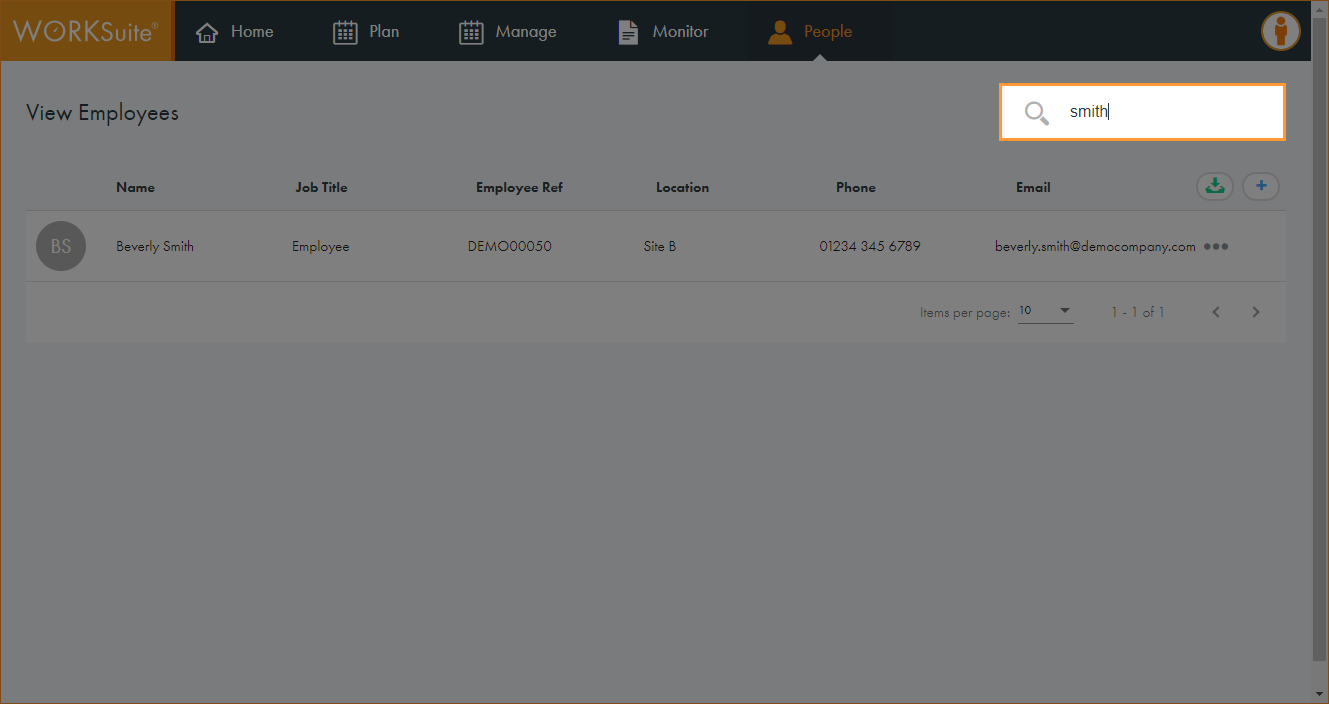
Use the Search field to locate the record that you want to work with. Enter any term shown under the column headers:
-
The records filter automatically.
-
Click in any of the column headers to sort the records as required.
-
Click … in the record that you want to work with and select View Employee.
-
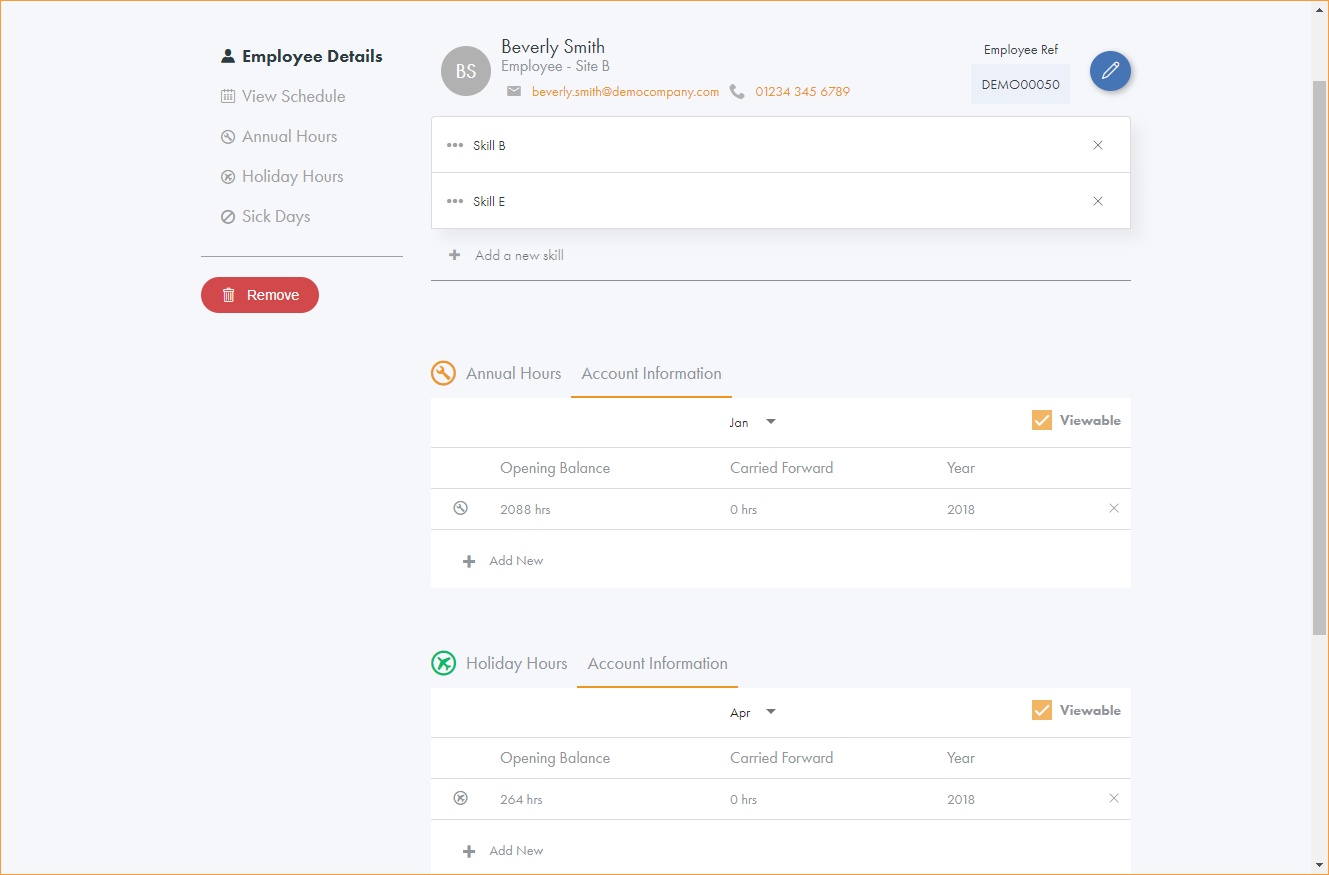
The Employee Details screen is displayed:
-
The employee’s email address and phone number are shown at the top of the screen.
-
Choose to:
-
Send an email to the contact. Click on the email address to contact the employee via your email service provider, such as Outlook.
-
Call the contact. Click on the number to dial the number from your preferred telecoms software, such as Skype.
-