Using the Calendar tab
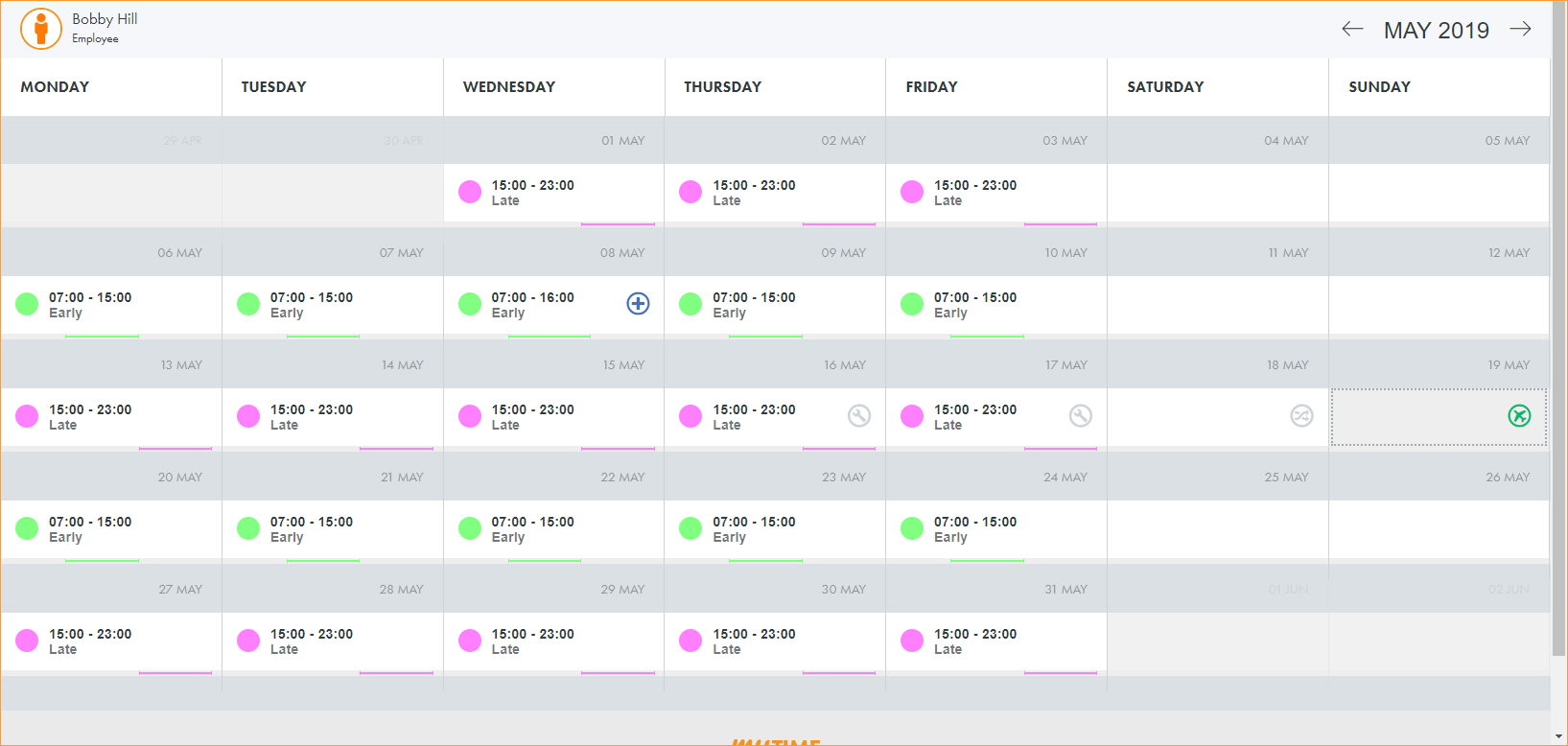
Use the Calendar tab to view your shift plan for any selected month. All of your planned shifts and approved requests are shown in the calendar. Requests awaiting approval are also displayed but are greyed out:
-
Use the arrows in the top right of the screen to scroll to another month. You can also click on the month name to display a dropdown calendar and select any month.
-
Click on the employee name in the top left of the screen to select another employee calendar view. This is useful if you intend on requesting a shift swap with a colleague and want to check their shifts first.
The availability of this function is dependent on your position in the organisation.
-
Choose to either:
-
 Request a change
-
Click on a date to request a change.
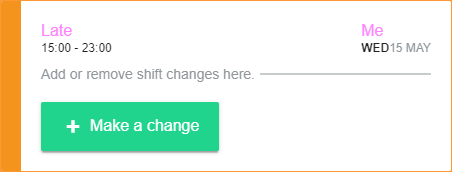
The shift details are displayed in the top left of the window. Any current requests for the selected date are also displayed in this window. In this example, you are scheduled to work the Late shift from 15:00 - 23:00 on Wednesday 15 May.
-
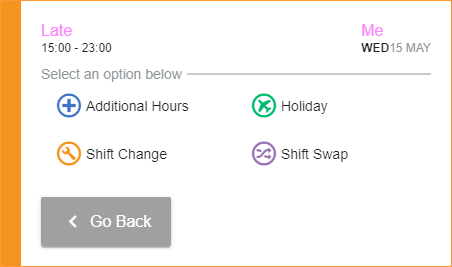
Click Make a change to display the request categories:
-
Select a request category.
-
More detailed request reasons are listed once you make your selection. For example, ‘Flex Up’ and 'Overtime' are listed under ‘Additional Hours’.
-
Each request category can have a single reason or multiple reasons listed.
-
-
Select a request reason, if the window is displayed:
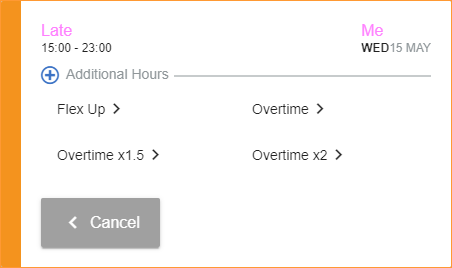
Where there is only a single request reason for a category this window is not displayed. You are taken straight to the request information screen.
-
Complete the request information screen, this differs depending on the type of request you are making:
-
 Additional Hours
-
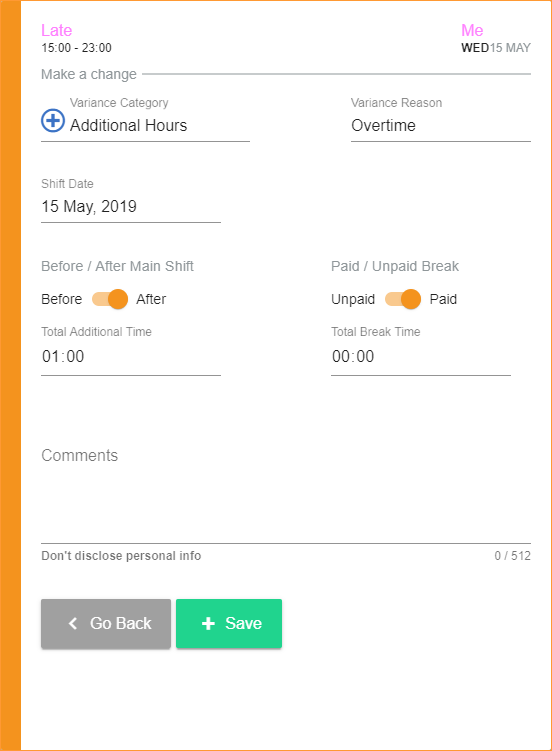
Select whether the additional hours are to be worked Before or After the Main Shift and enter the number of additional hours/minutes to be worked:
-
Select whether you want an Unpaid or Paid Break and enter the total hours/minutes for the break.
-
Enter any relevant comments.
-
Click Save.
-
-
 Holiday
-
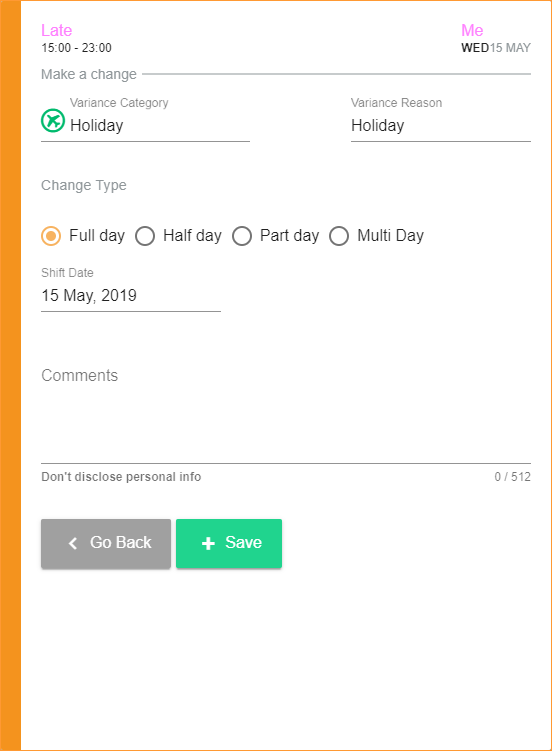
Mark the request as a Full day, Half day, Part day or Multi day and adjust the times and dates accordingly:
-
Enter any relevant comments.
-
Click Save.
-
-
 Shift Change
-
In the Until Shift Date field, click
 and select the end date for the shift change: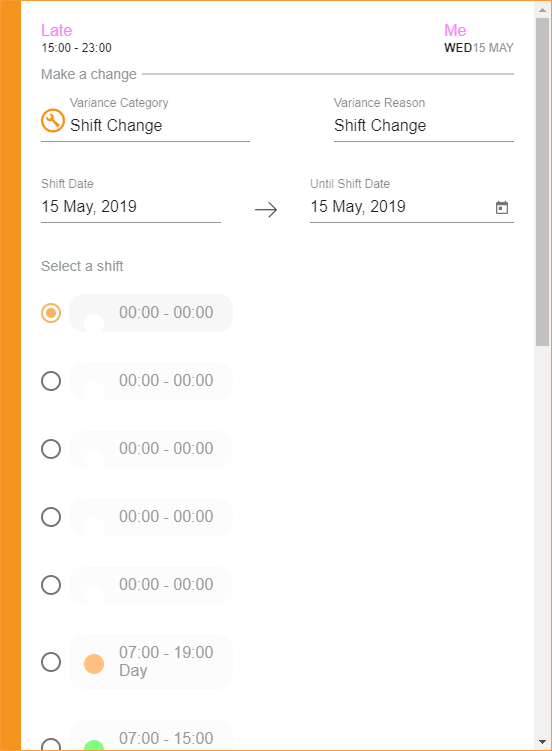
-
Select the shift that you want to change to. The original shift is displayed in the top left of the window.
-
Enter any relevant comments.
-
Click Save at the bottom of the window.
-
-
 Shift Swap
-
Select the Shift Swap Type:
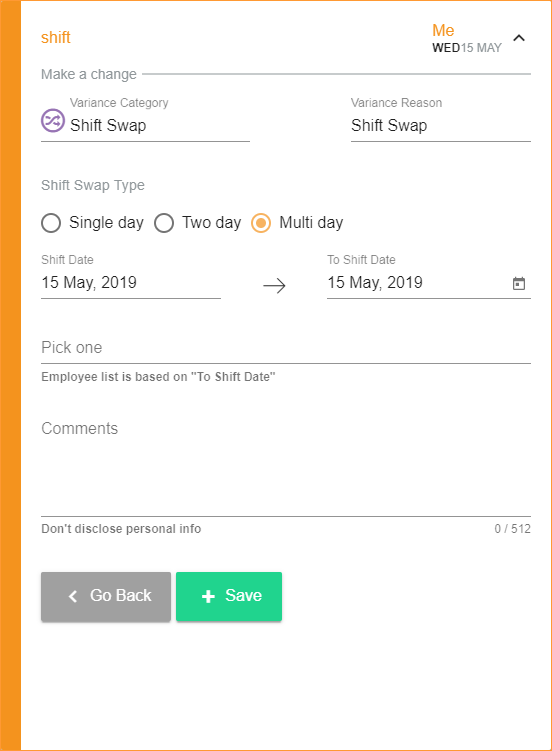
Two day and Multi day requests are viewed as a single item in the Requests tab. Authorisers and other employees can select the swap with a single click.
-
In the To Shift Date field, click
and select an end date for the shift swap. By choosing a date in the future you are selecting multiple shifts to swap that fall on consecutive days, between the Shift Date and the To Shift Date. -
Click Pick one and start typing the name of the employee who you want to swap the shift with.
-
Select an employee from the list displayed.
-
Enter any relevant comments.
-
Click Save.
-
An email is sent to the employee that you have selected to swap with.
-
Your shift swap request is listed under Swap Requests in the Requests tab.
-
-
-
The request is displayed in grey on your shift, awaiting approval.
-
Your request is listed under My Requests in the Requests tab.
-
An email is sent to your authoriser to ask for approval of your request.
-
You will receive an email detailing the request you have made.
-
You will receive an email update once your request is approved or declined.
or
-
-
Cancel a request
Add or remove holiday requests without having to go through your mamager.
-
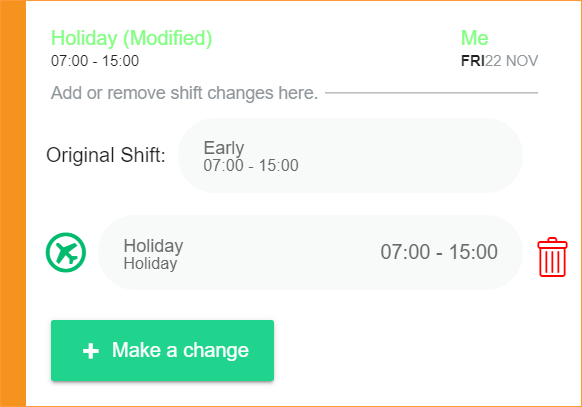
Click on the holiday request that you want to cancel:
-
A popup window is displayed:
-
Click
 .
. -
The request is removed if it is not yet approved. Previously approved requests must be approved by a manager.
-
-