Classifications
The Asset Details > Classifications tab lets you manage the UNICLASS classification codes for your asset.
This is available only for assets originating from portfolios assigned to the TM ALM 1.0 data model.
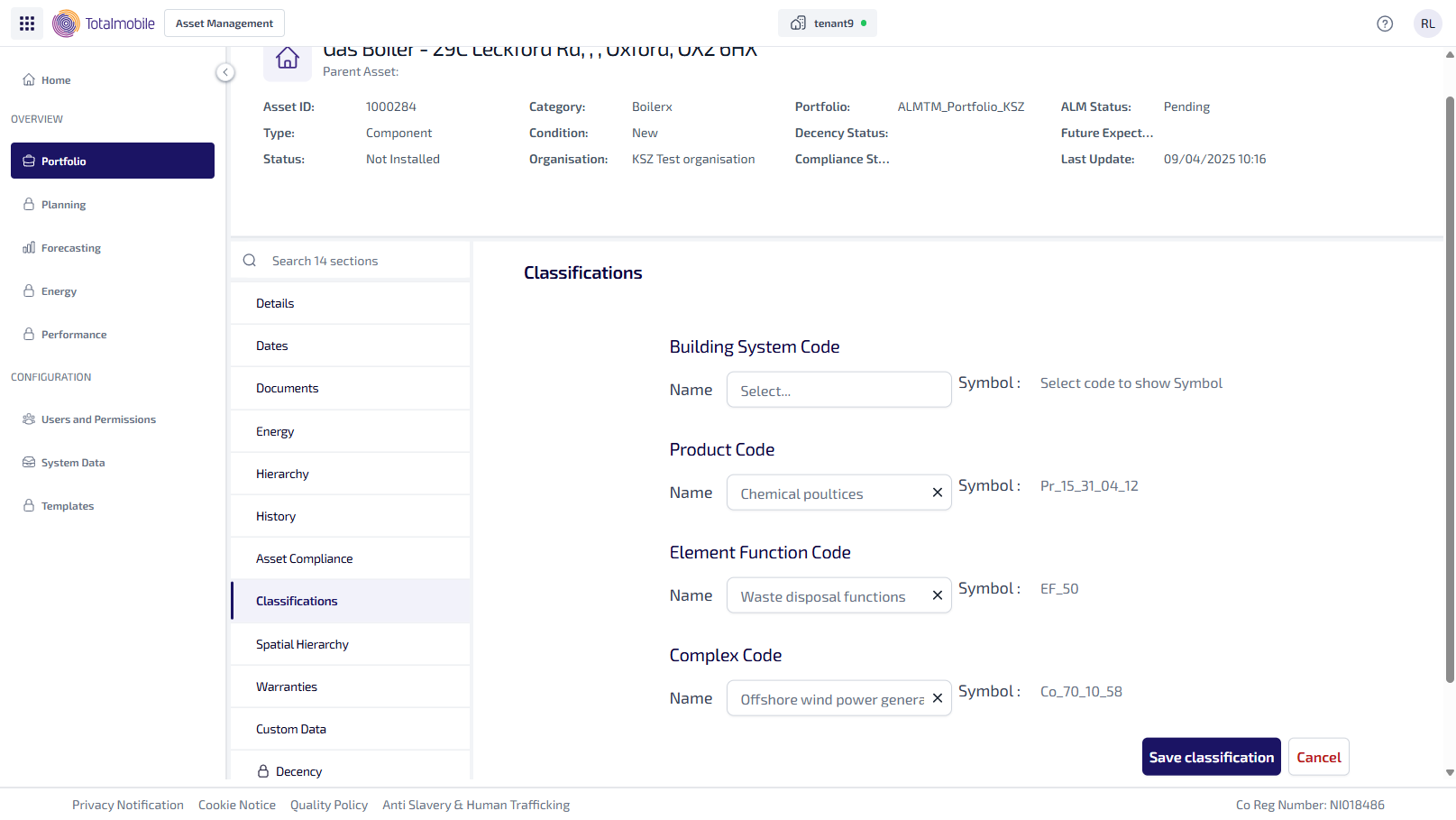
When an asset is uploaded to a portfolio in Asset Management, with the TM ALM 1.0 data model, you can assign Uniclass classification codes to the asset in the Classifications tab. These codes come from the Uniclass data model and are organised into the following sections:
-
Building System Code
-
Product Code
-
Element Function Code
-
Complex Code
Each section contains of two fields, Name and Symbol.
To add or edit the classification codes for an asset:
-
From the Portfolio page, select the asset in the Asset Register.
-
Select View Asset.
-
The Asset Details page is shown, select the Classification tab.
-
In the Name field start typing, the list updates with the matching results. Select the required code.
-
The Symbol field updates automatically with the corresponding symbol.
-
Make all necessary changes.
-
Select Save Classification.