Create Programme
To create a programme of work:
-
In the Navigation menu, in the Overview section, select Planning.
-
In the Overview tab, select Create Programme.
-
The Create Programme dialog appears.
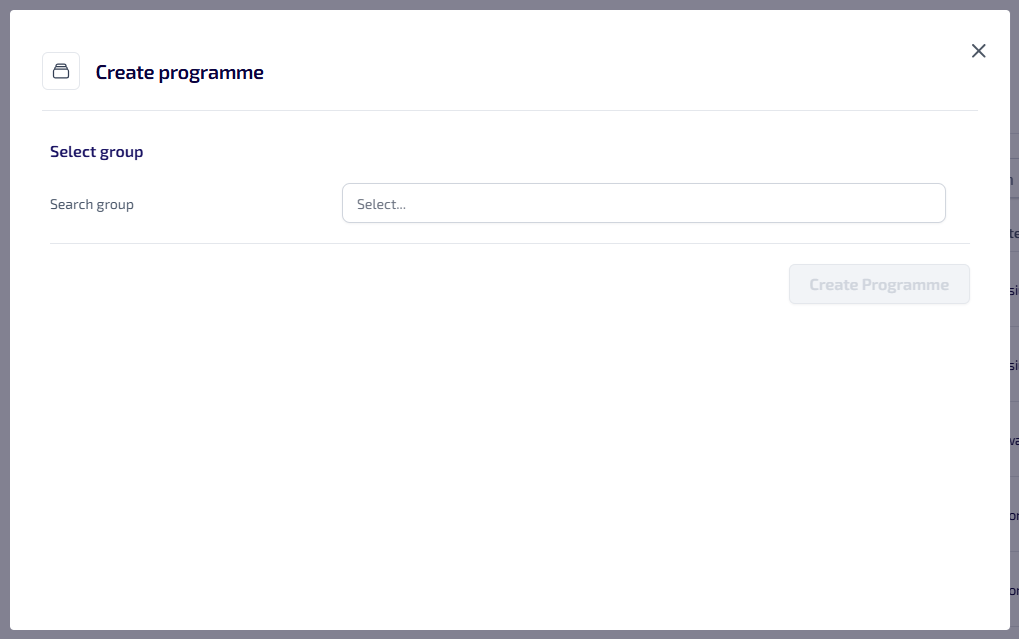
Select the Search Group field and start typing the name of the Group to create the programme from, all matching results are listed, select the required group.
Once the programme is created the selected group is removed from Groups, and is no longer available for use in other areas of Asset Management.
-
The Programme Information section appears.
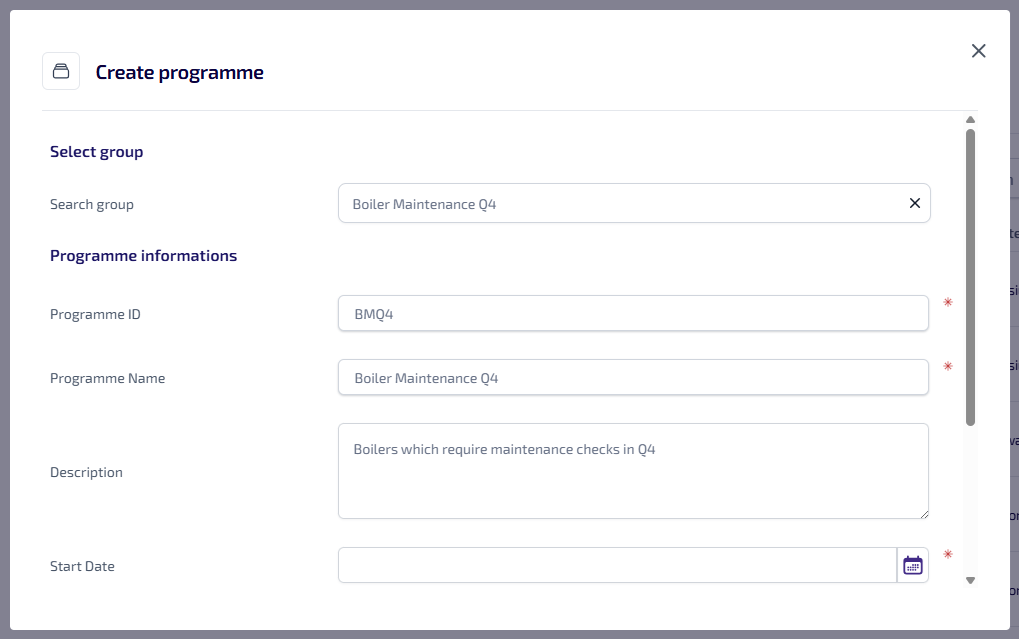
The Programme ID*, Programme Name* and Description are prepopulated with the selected group details, but these can be updated as required. Complete the following:
-
Select the Start Date* field, then select the date the work is due to start from the calendar.
-
Select the Status* dropdown list, then select the applicable status from:
-
Provisional - the programme of work is provisional, and has yet to be confirmed.
-
Confirmed - the programme of work has been confirmed.
-
Published - the programme of work has been published Job Management (Connect) and work orders have been created for the assets in the group.
-
In Progress - the programme of work is in progress.
-
Complete - the programme of work is complete.
-
-
Enter the Budget*.
-
*These are required fields.
-
Select Create Programme.