EPCs
The Asset Details > Energy tab > EPCs sub-tab shows you all the assets available Energy Performance Certificates (EPCs) and provides you a way to manage issued certificates.
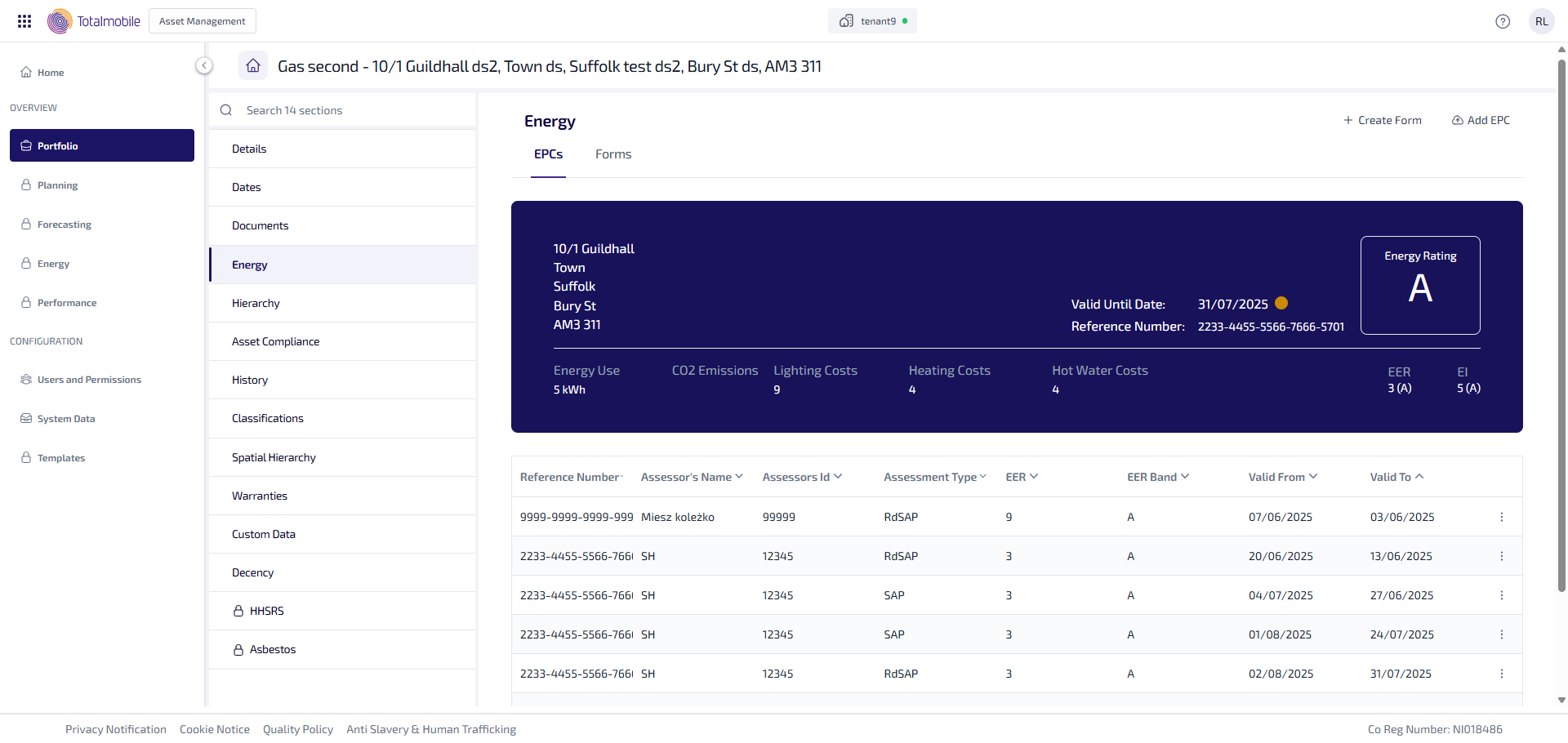
An overview of the most recent EPC is shown above the EPC table.
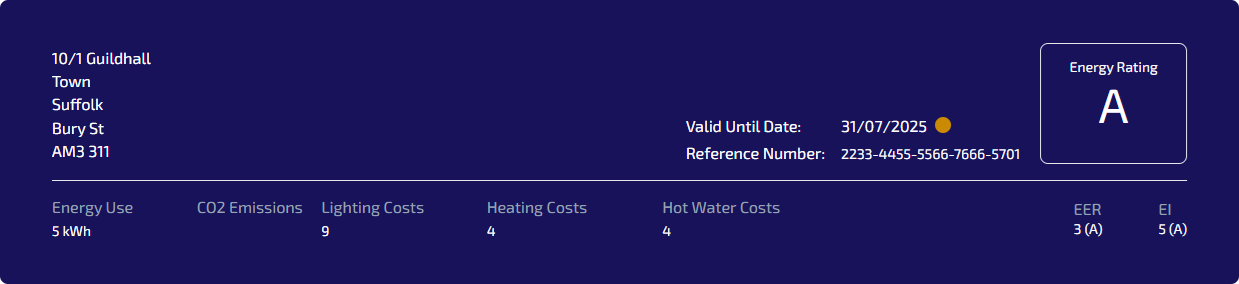
The overview shows the following information:
The address of the property.
Valid Until Date - the date which the certificate is valid until. The circle next to the date provides a visual indication of the certificate status:
If there is no date - the circle does not appear.
If the date is in the past - the circle is Red.
If the date is within the next 3 months - the circle is Orange.
If the date is more than 3 months in the future - the circle is Green.
Reference Number - the unique certificate reference number.
Energy Rating - the overall property energy rating.
Energy Use - the energy use per year.
CO2 Emissions - the calculated CO2 decimal value.
Lighting Costs - the cost of lighting for the year.
Heating Costs - the cost of heating for the year.
Hot Water Costs - the cost of hot water for the year.
EER (Energy Efficiency Rating) - the EER rating and band.
EI (Environmental Impact) - the EI rating and band.
The EPC table lists all of the available EPCs for the property. The table can be sorted by selecting a column heading, by default the table is sorted by Valid To in descending order.
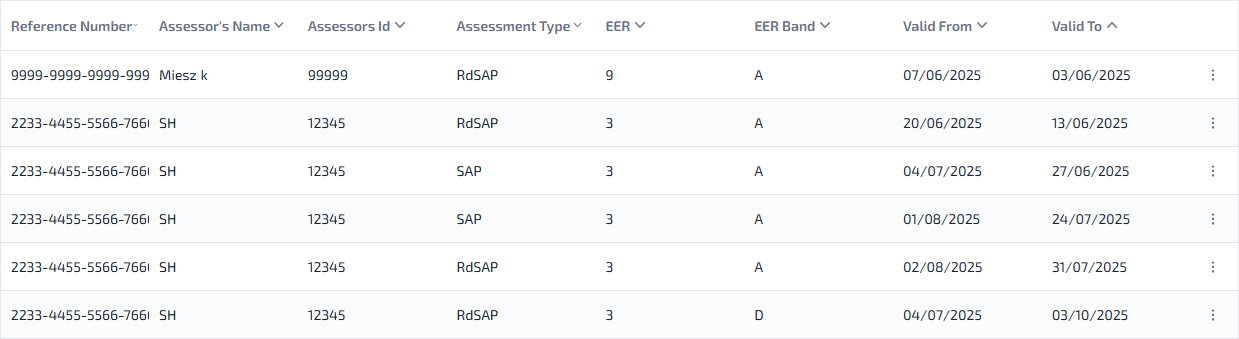
The EPC table shows the following information:
Reference Number - the unique certificate reference number.
Assessor’s Name - the name of the person who performed the assessment.
Assessor’s ID - the membership/accreditation number for the assessor.
Assessment Type - the type of energy assessment carried out.
EER (Energy Efficiency Rating) - the EER rating
EER Band (Energy Efficiency Rating) - the EER band.
Valid From - date the EPC becomes valid.
Valid To - date the EPC expires.
 More options - select for the following options:
View - select to open the EPC.