Forms
The Asset Details > Energy tab > Forms sub-tab shows you all the calculation forms for external assessments and provides you a way to manage the forms.
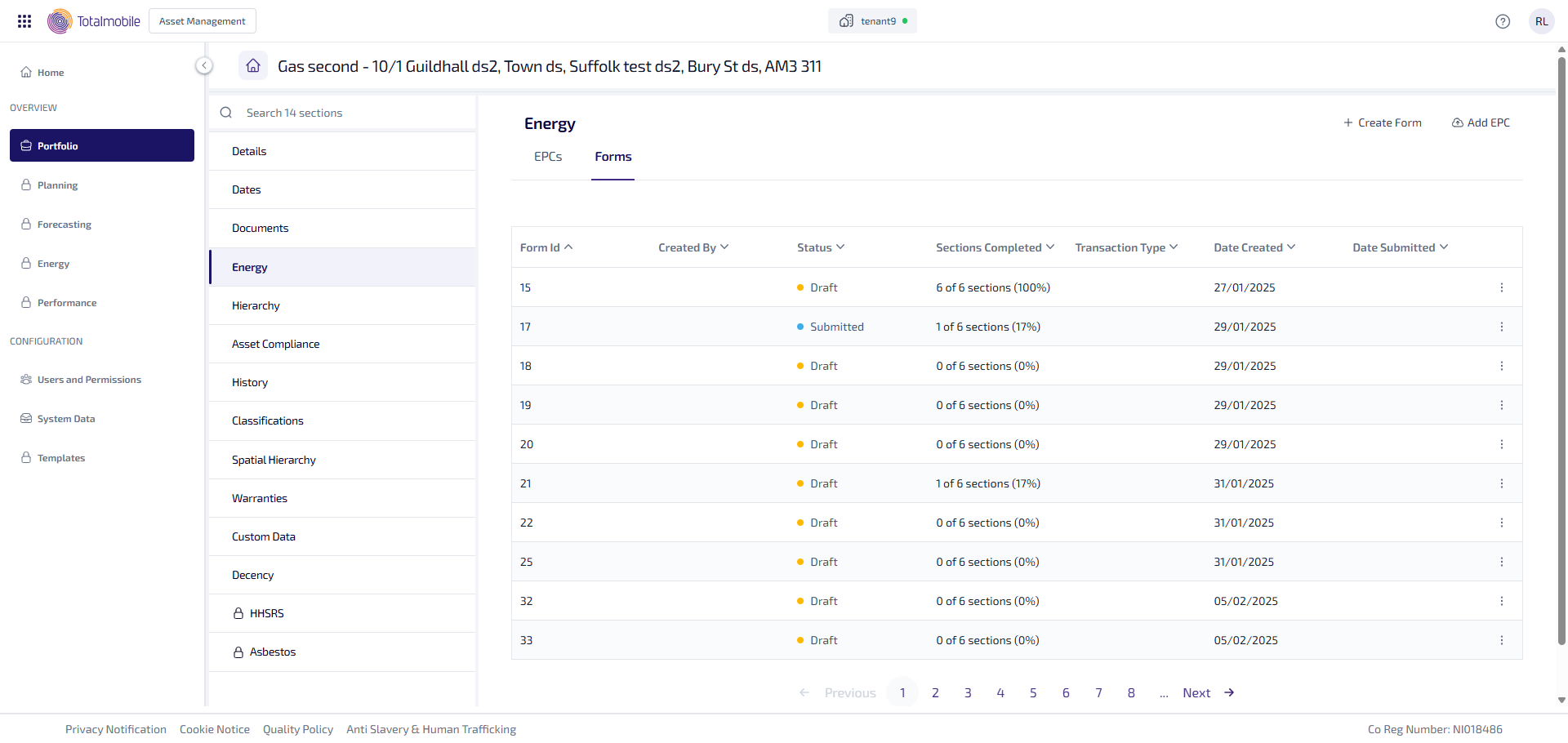
The Forms sub-tab shows you a table listing all the forms created for the asset. The table can be sorted by selecting a column heading, by default the table is sorted by Form ID in descending order.
The table shows the following information:
-
Form ID - unique identifier for the form.
-
Created By - name of the user who created the form.
-
Status - current status of the form:
-
Draft - the form is being prepared, and you can edit or delete it.
-
Submitted - the form has been sent for calculation. The form also becomes locked, and can no longer be edited or deleted.
-
Received Answer - the 3rd party system (SAVA) has returned the results for the submitted form.
-
-
Sections Completed - number of sections completed out of 6.
-
Transaction Type - type of transaction, taken from the form. This could be one of the following:
-
MarketedSale
-
NonMarketedSale
-
Rental
-
StockConditionSurvey
-
AssetmentForGreenDeal
-
FollowingGreenDeal
-
FitApplication
-
RhiApplication
-
EcoAssessment
-
None
-
-
Date Created - date the form was created.
-
Date Submitted - date the form was submitted.
-
 More options - select for the following options:
-
Edit - select to edit the form when at a status of Draft.
-
Submit - select to update the status to show the form has been submitted.
-
Delete - select to delete the form when at a status of Draft.
-
Once a form is at a status of Submitted or Received Answer, it can no longer be edited or deleted.