Home - Overview
The Overview tab on the Home page provides a general overview of the assets based on the widgets configured for you, and the Recent Activity (coming soon).
Widgets are created by an administrator, who then shares the widget with you. Click Widgets for more information on widgets and configuring them.
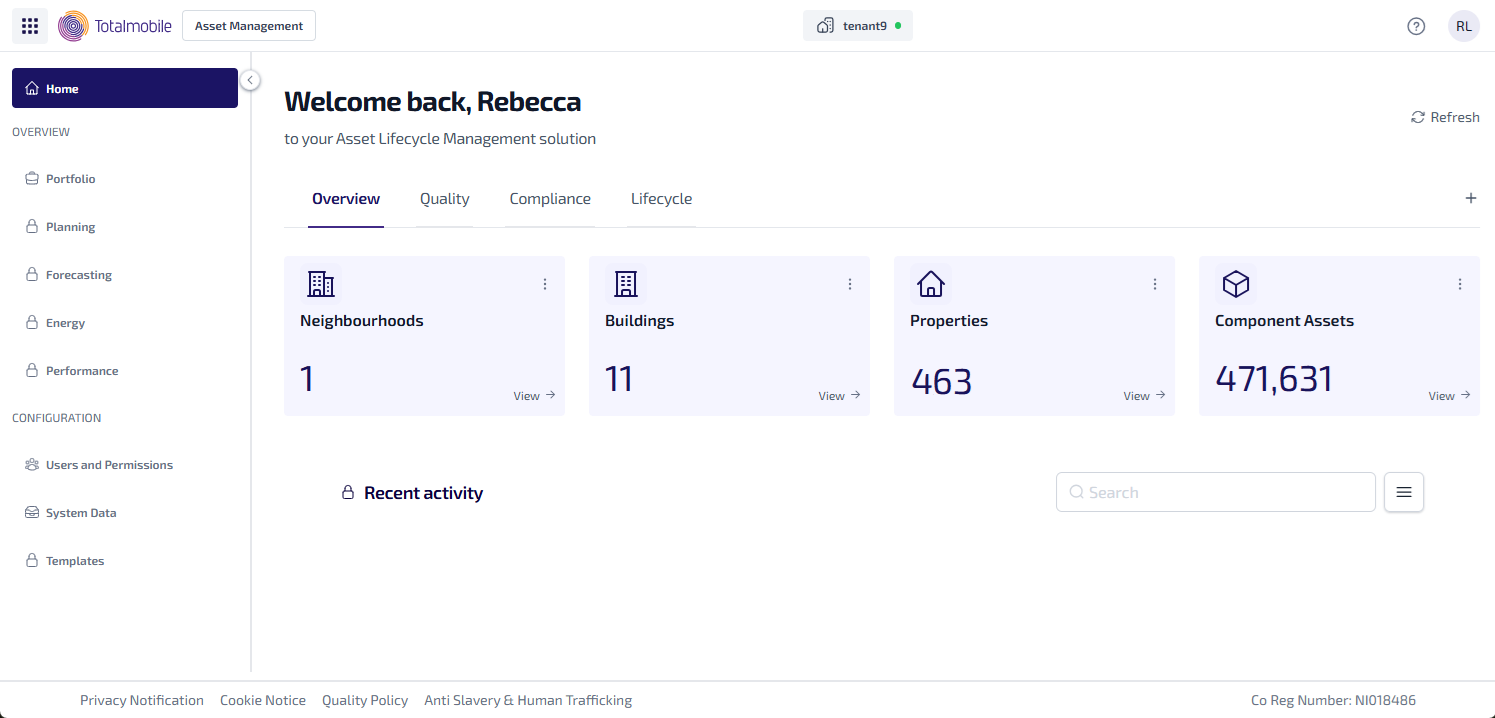
Here is an example of the types of widgets which could be used on the Overview tab:
-
Neighbourhoods - the number of assets within neighbourhoods.
-
Buildings - the number of assets within buildings.
-
Properties - the number of properties.
-
Component Assets - the number of assets with a type of component.
To see the assets related to each widget, select View. The Asset Register is shown, with the filters used to configure the widget applied, and listing all the matching results for the widget.