Distance Settings
You can define the type of estimate Dynamic Scheduling uses when it requests travel time from Google or Azure. For example, you can set the traffic model to Pessimistic for Google, which means Dynamic Scheduling estimates travel times that are generally longer than the real-life travel times. This would take into account the possibility of unexpected circumstances which could affect your resources meeting service level agreements. You can also set the hour of day that you want the traffic calculation to be based on for both Google and Azure.
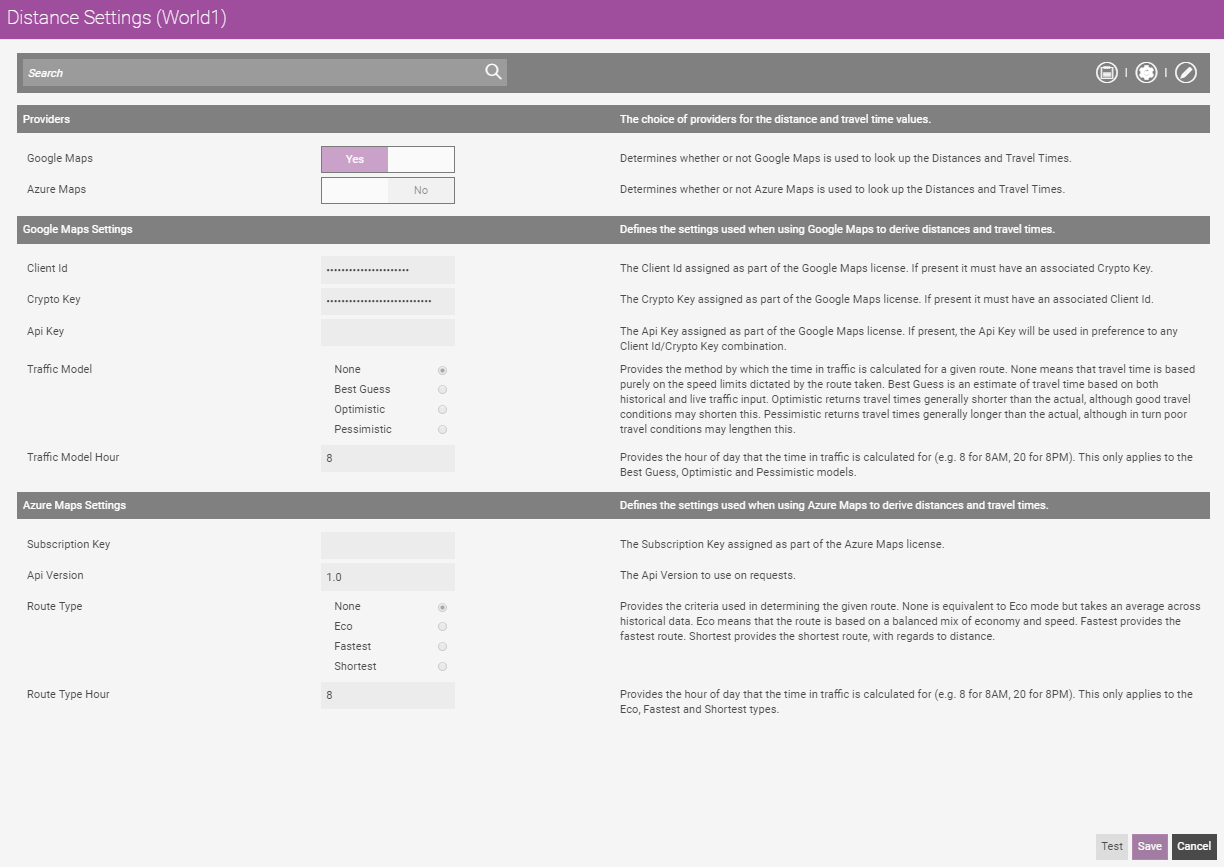
By default, Google Maps is selected as the mapping provider. The default Google Maps Settings Traffic Model is None and Traffic Hour is 08 (8 am). The default Azure Maps Settings Api Version is 1.0, Route Type is None and Route Type Hour is 08 (8 am).
The distance settings you define apply only to the selected World and its associated instance of Mendel.
-
Select WebAdmin > Optimise Admin.
The Optimise Admin window appears.
-
Select a World.
The World Settings and Permissions window appears.
-
Select Distance Settings.
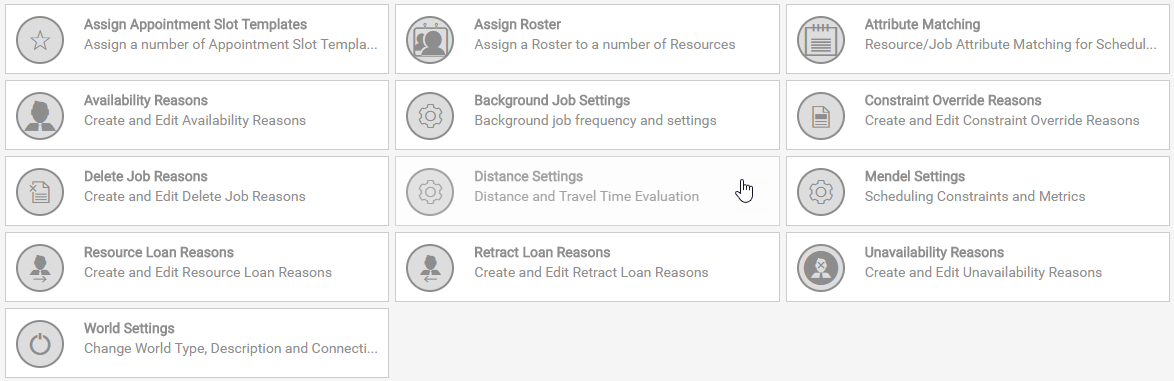
The Distance Settings window appears.
-
Select Edit Settings
 .
. -
Under Providers, select either Google Maps or Azure Maps to use for looking up distances and travel times.
-
If using Google Maps, edit the following under Google Maps Settings as required:
-
Enter an API Key. The API key is assigned as part of the Google Maps license.
Do not enter any content in the Client ID or Crypto Key fields. From the end of May 2026, Google are dropping support for the Client ID in favour of the API key in Google Maps Platform services. For details on generating an API key, refer to Generate a Google Maps API Key.
-
Select a Traffic Model.
-
None - travel time is solely based on speed limits and route taken.
-
Best Guess - travel time is an estimate based on historical and live traffic input.
-
Optimistic - travel time estimate is generally shorter than the actual real-life travel time. However, good real-life travel conditions correspond with the Optimistic estimate.
-
Pessimistic - travel time estimate is generally longer than the actual real-life travel time. However, poor real-life travel conditions correspond with the Pessimistic estimate.
-
-
Enter a Traffic Model Hour , for example 8 for 8 am or 17 for 5 pm. The Traffic Model Hour is the hour of the day the estimate is based on.
-
-
If using Azure Maps, edit the following under Azure Maps Settings as required:
-
Enter the Subscription Key.
The Subscription Key is assigned as part of the Azure Maps license.
-
Enter the API Version. The default version is 1.0.
-
Select a Route Type.
-
None - equivalent to Eco mode but takes an average across historical data.
-
Eco - based on a balanced mix of economy and speed.
-
Fastest - provides the fastest route.
-
-
Enter a Route Type Hour , for example 8 for 8 am or 17 for 5 pm. The Route Type Hour is the hour of the day that the time in traffic is calculated for.
-
-
Select Save.