People & Access
The AI Hub > People & Access page provides you with complete oversight of who can access and manage the platform. Integrating directly with your organisation’s Zitadel directory, it displays a unified view of users, their account statuses, and their administrative tiers, alongside intuitive search and filtering tools to easily review high-level seat distribution.
You can grant, update, or remove access across four structured roles: Admin, Customer Admin, Super User, and User. Built-in safeguards, like anti-lockout protection, prevent accidental privilege loss. By decoupling AI Hub access rights from day-to-day skill permissions (for more details refer to Groups), it ensures robust, auditable control over tenant operations.
The People & Access page is only available to users with either the Admin or Customer Admin roles.
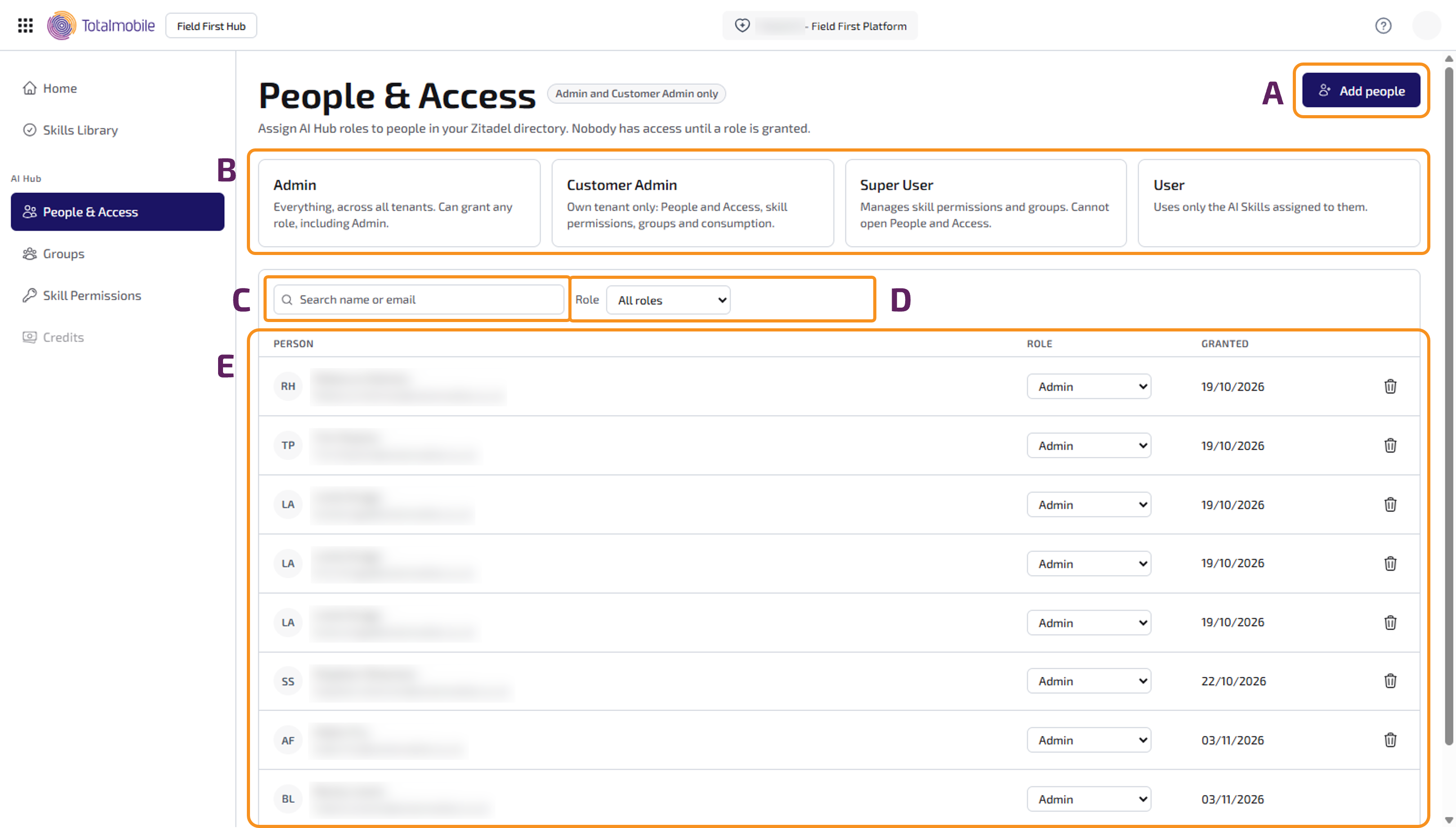
The People & Access page contains the following:
A: Add people - Add a new user to the AI Hub, or to use AI Skills.
B: Roles - Shows the roles available to users.
C: Search - Start entering a name or email into the Search field and all matching results appear in the user table.
D: Role filter - Select the dropdown and select a role to show all matching results in the user table.
E: User table - Lists all the users who can use the AI Hub or AI Skills. The following displays for each user:
-
Person: Name and email address of the user.
-
Role: Role currently assigned, and select to update the users role.
-
Granted: Date and administrator who granted access to the AI Hub.
-
 Remove all access: Select to remove the user.
Add New Users
To add new users:
-
In the Navigation menu, in the AI Hub section, select People & Access.
-
On the People & Access page, select Add people.
-
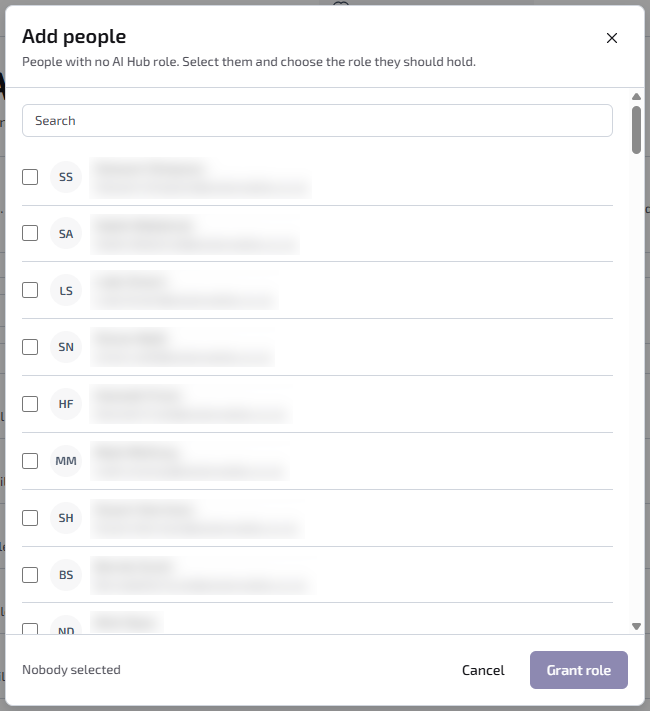
The Add people dialog opens.
-
Either scroll through the list of users, or start to enter the name or email of the user into the search field, and select the user.
-
Scroll to the bottom of the dialog, select the Role To Grant dropdown, then select the role to be assigned to the users.
You can select multiple users to be added.
-
Select Grant role.
Update Users Role
To update a users role:
-
In the Navigation menu, in the AI Hub section, select People & Access.
-
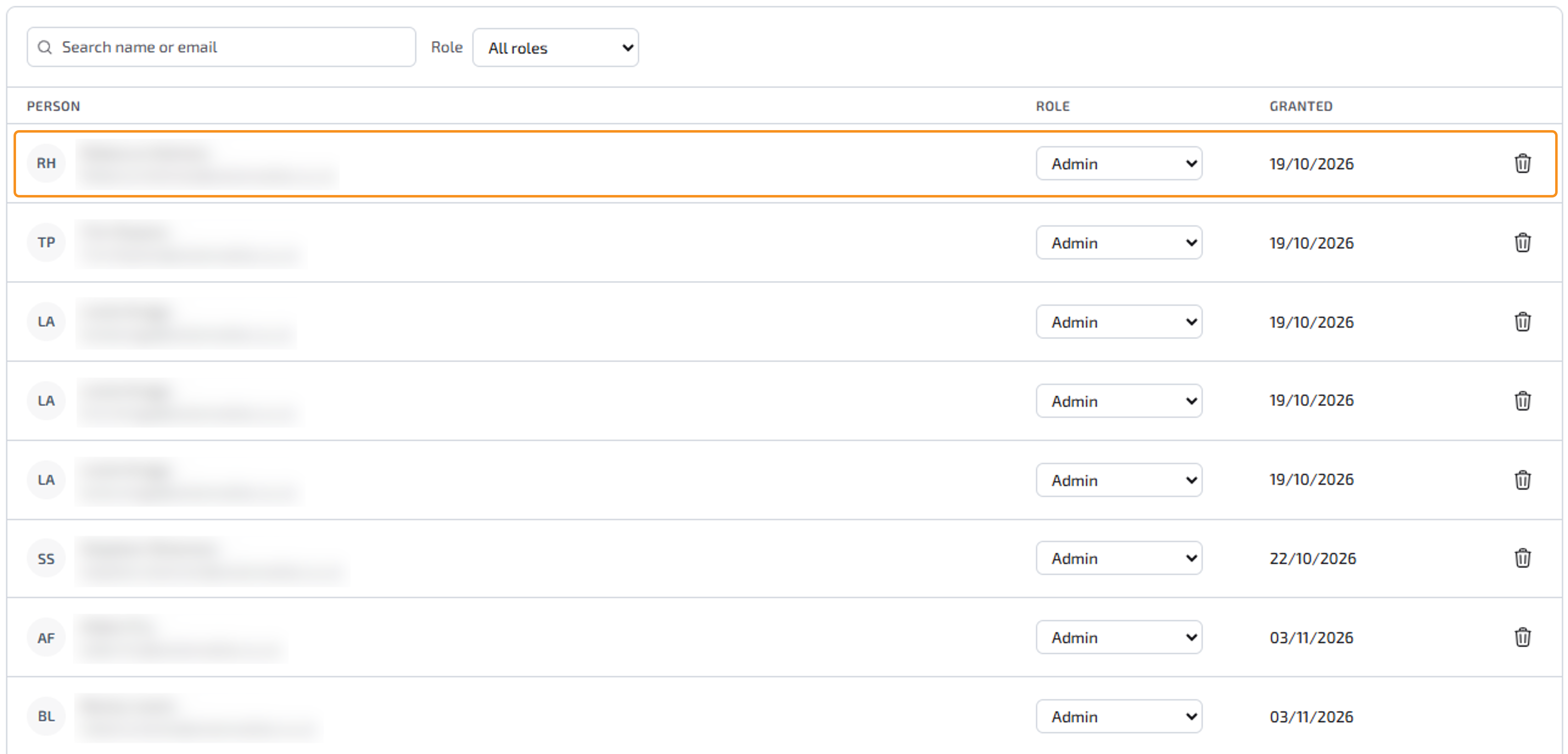
On the People & Access page, in the User table, find the user.
-
Select the Role dropdown for the user, then select a role.
Remove User
To remove a user:
-
In the Navigation menu, in the AI Hub section, select People & Access.
-
On the People & Access page, in the User table, find the user.
-
Select
Remove all access. -
The Remove all access dialog opens.
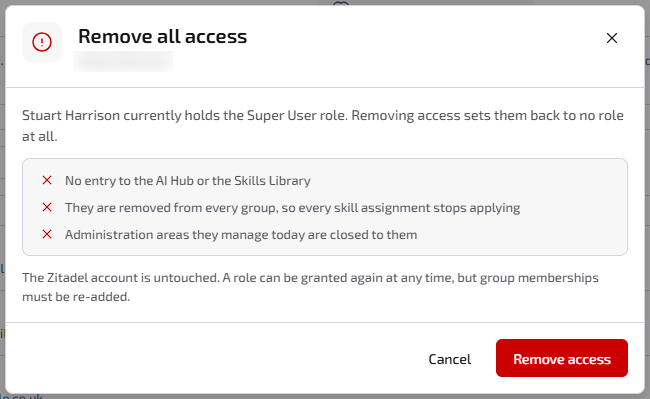
This details the access to be removed from the user.
-
Select Remove access.