Roles
Create roles in Field First to control what your users are able to do, such as whether they can create users or roles, and what applications they can access from the Field First Hub.
Roles do not control the functionality and permissions your users have within each application, they are controlled within each individual application.
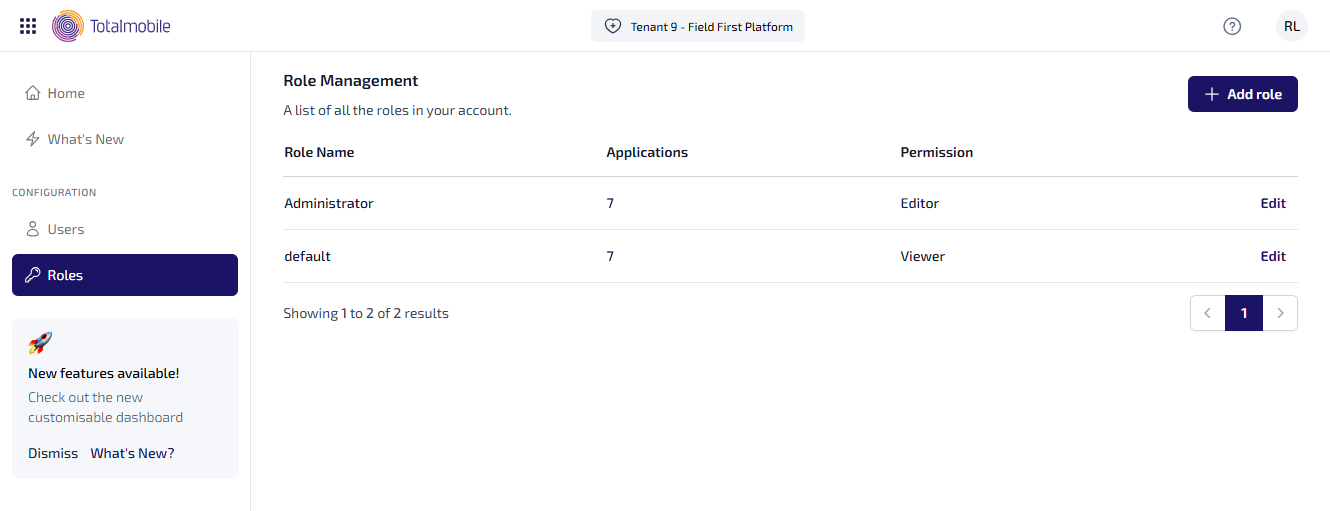
The Role Management page lists all the roles currently setup within Field First. For each role it shows you the:
-
Role Name - the name provided for the role.
-
Applications - the number of applications assigned to the role.
-
Permission - the permission assigned to the role.
-
Viewer - view only access to Field First and the applications assigned to the role.
-
Editor - view and edit access to configuration options.
-
New roles can be added, and existing roles can be updated.
Add Role
To add a role:
-
On the Role Management page select Add Role.
-
The Add Role dialog appears.
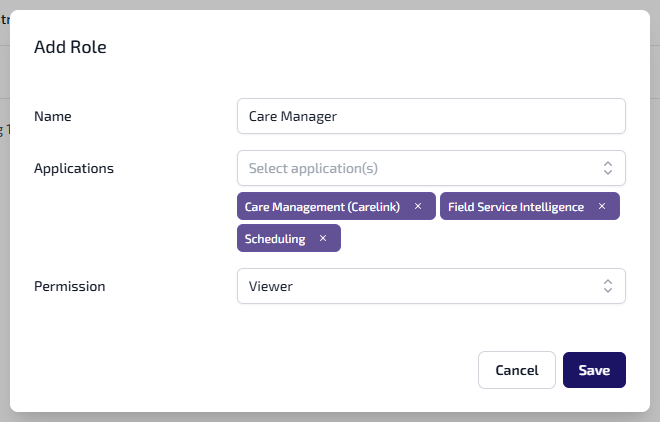
Enter the role details:
-
Name - the name entered must be unique.
-
Applications - from the dropdown list, select each application to be included. Each selected application will have a tick next to it. This is a predefined list and only displays the applications purchased by your company.
-
Permission - this field appears once you select the applications to be included in the role. Select either:
-
Viewer - provides view only access to Field First and the applications assigned to the role.
-
Editor - provides view and edit access to configuration options.
-
-
-
Select Save.
Edit Role
To edit a role:
-
On the Role Management page select Edit against the role to be updated.
-
The Edit Role dialog appears.
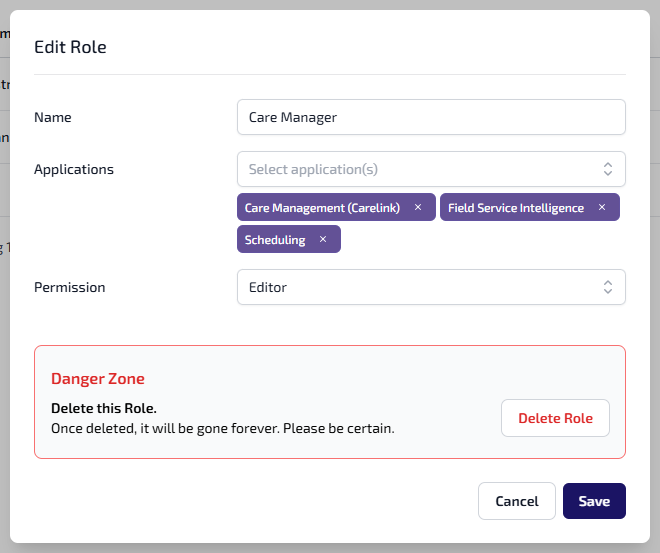
Edit any of the following role details:
-
Name
-
Applications - select the x to remove a specific application, or select each application to be included from the dropdown list.
-
Permission - select either:
-
Viewer - provides view only access to Field First and the applications assigned to the role.
-
Editor - provides view and edit access to configuration options.
-
-
-
Select Save.
Delete Role
If necessary a new role with the same name can be created again, for example if the role was deleted in error.
The default role cannot be deleted.
To delete a role:
-
On the Role Management page select Edit against the role to be deleted.
-
The Edit Role dialog appears.
-
In the Danger Zone section select Delete Role.
-
You are shown a message asking if you are sure, and confirming this action cannot be undone. To continue select Permanently Delete.