Assign a Layout to Users
Once you have published a layout, you can assign it to mobile users. You can also remove layout assignments from users.
This feature is only currently supported for Android devices. For other device types, you can assign a mobile layout to a single user in WebAdmin. For more details refer to Assign a Layout to a User in the Administrator Guide.
-
In Solution Manager select Layouts.
-
Locate the published layout you want to assign, and select Assign.
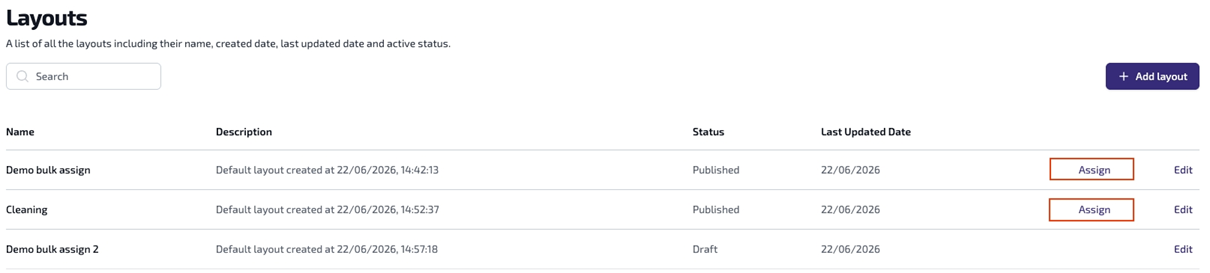
Use the Search field to filter the list of layouts.
The Assign Layout dialog appears.
-
To assign the layout, on the Available users tab, select one or more users.
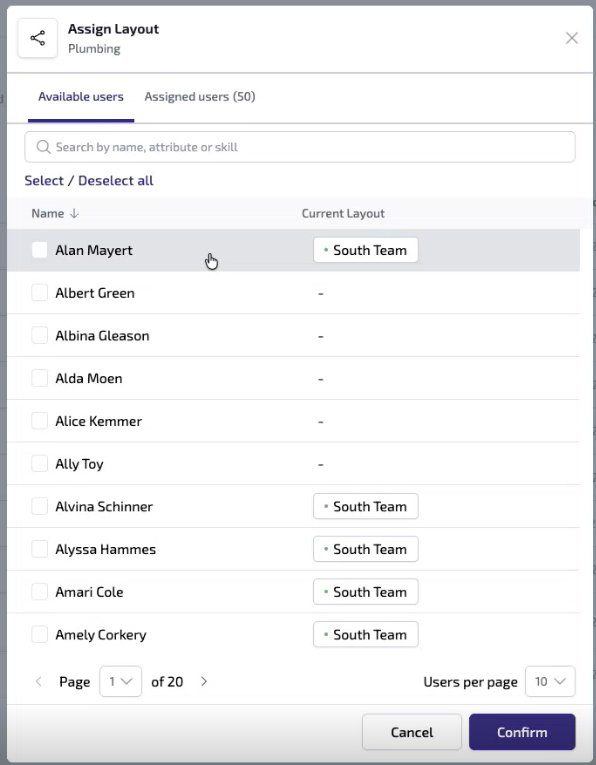
Use the Search field to filter on user names, attributes, or skills. For example, enter attribute:plumbing to filter the list down to only those users with the Plumbing attribute.
The number of selected users is displayed at the bottom of the dialog.
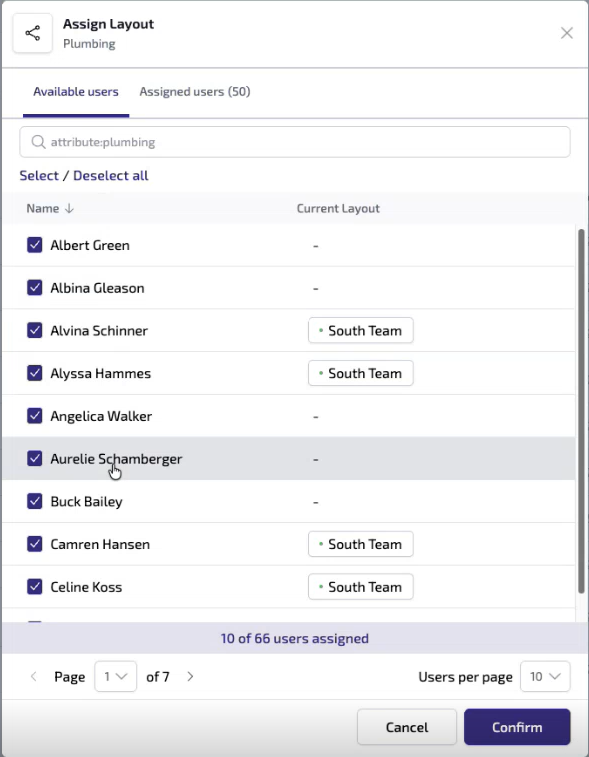
If a selected user has a previously-assigned layout, as displayed in the Current Layout column, their device will be updated to use the newly-selected layout.
-
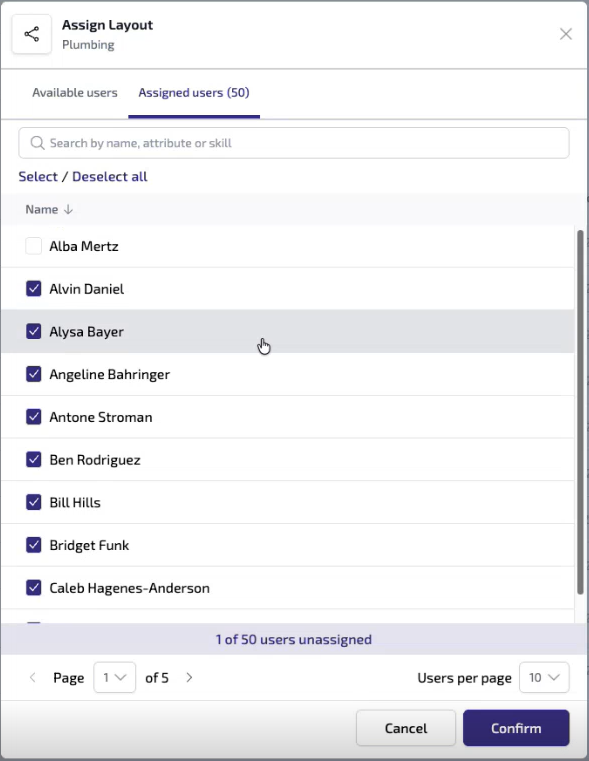
To remove the layout assignment from users:
-
Select the Assigned users tab.
-
Clear the checkboxes of the users you want to remove from this layout.
-
-
Select Confirm.
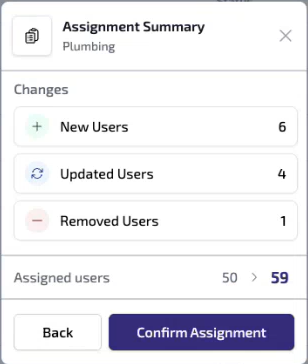
The Assignment Summary dialog appears, summarising the changes you have made to this layout assignment.
-
Select Confirm Assignment.
When the selected users' devices next synchronise, their assigned layouts will be updated.