Reset a User's Password
You need the Password Reset permission to reset another user’s password. For more details refer to Permissions.
When you reset a password and provide it to a user, the next time that user logs into the Totalmobile app or WebAdmin, they will be forced to change the password again straight away even if the Password Never Expires setting is set to Yes. For more details on this setting, refer to Users.
-
In WebAdmin select Password Reset.
-
Select a User.
Use the Search field to filter the list of users.
-
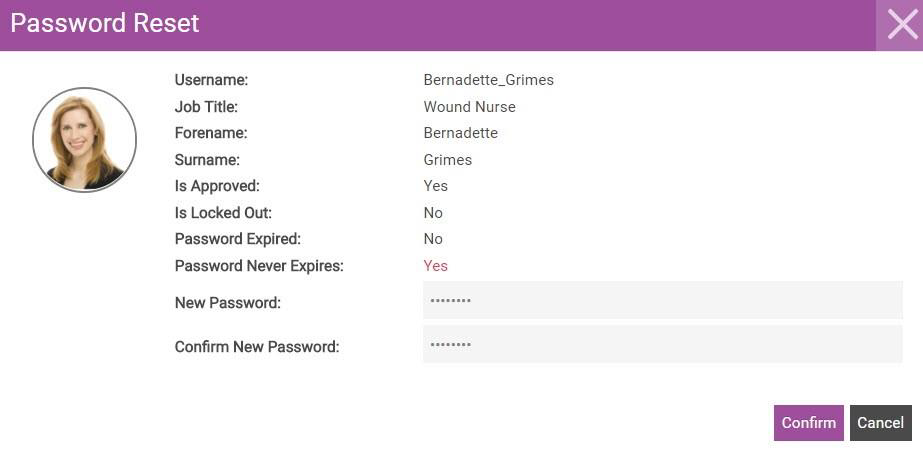
In the Password Reset dialog:
-
Select the New Password field and enter a new password.
The password should contain 12-16 characters, including at least one uppercase letter, one lowercase letter, one number, and one symbol.
-
Select the Confirm New Password field and re-enter the password.
-
Select Confirm.
-
If the user is signed in on the device when the password is changed they will get a Not authorised to sync message upon attempting to sync. The user must sign out and log in with the new password to restore full functionality.