Scan Barcode into Numeric Control
You can scan barcodes and QR codes to populate numeric values into Numeric controls in forms.
Example: To verify an inspection of a boiler at a tenant's home, you scan a barcode located on the boiler into the Numeric Control. The value scanned from the barcode on the boiler is used as part of a Score Control calculation. The calculation divides the scanned value from a value mapped in with the visit as an additional property, and the expected result is used for verification.
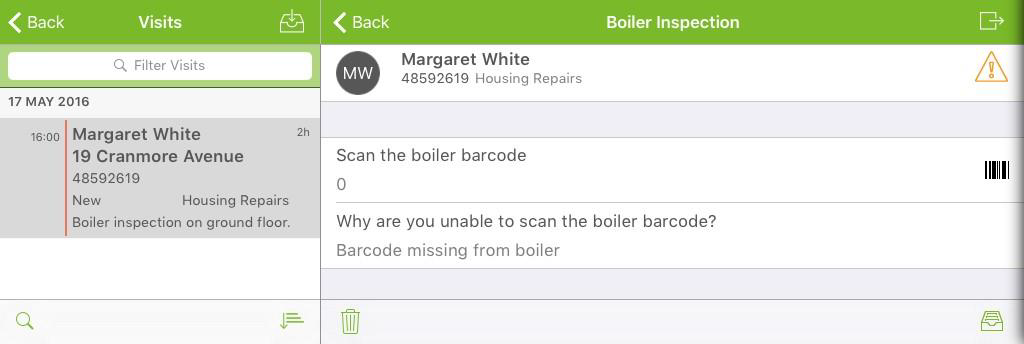
If you cannot scan the value, then the form conditions direct you to a Conditional Section where you must enter a reason why. If you can capture the required value from the barcode, the form directs you to a different Conditional section which displays a Label Control of 'Boiler verified'.
Prerequisites
-
Totalmobile server 6.1 and Totalmobile 6.1 for Android or Totalmobile 6.2 for iOS.
-
Code-128 linear, Code-2of5Interleaved linear, or QR Code barcodes. Linear barcodes must have a minimum of 6 digits. Note that numeric values with leading zeros will be shortened, for example 00123 will be shortened to 123.
Scan a QR Code into a Numeric Control
This example demonstrates scanning a numeric value from a QR code into a Numeric control in a form. The numeric value is divided by an additional property value from a different Numeric control by a subsequent verification Score control. Conditions are applied to the Score control:
-
If the score is greater than 1 skip to the 'Boiler not verified' section
-
If the score is less than 1 skip to the 'Boiler not verified' section
-
If the score is equal to 1 skip to the 'Boiler verified' section
The following sections and controls define the example form:
|
Control/Section |
Reference |
Description |
Notes |
|---|---|---|---|
|
Section |
SA |
Boiler inspection verification |
|
|
Numeric |
TEA |
Scan the boiler barcode |
Part of the SA section.
|
|
Numeric |
TEB |
Additional property value |
Part of the SA section.
|
|
Score |
TEC |
Calculation |
Part of the SA section.
|
|
Conditional section |
TED |
Boiler not verified |
|
|
Text |
TEE |
Why are you unable to scan the boiler barcode? |
Part of the TED section. |
|
Conditional section |
TEF |
Boiler verified |
|
|
Label |
TEG |
Boiler verified |
|
 Scenario A: Capture Numeric Value from a QR Code on Android
-
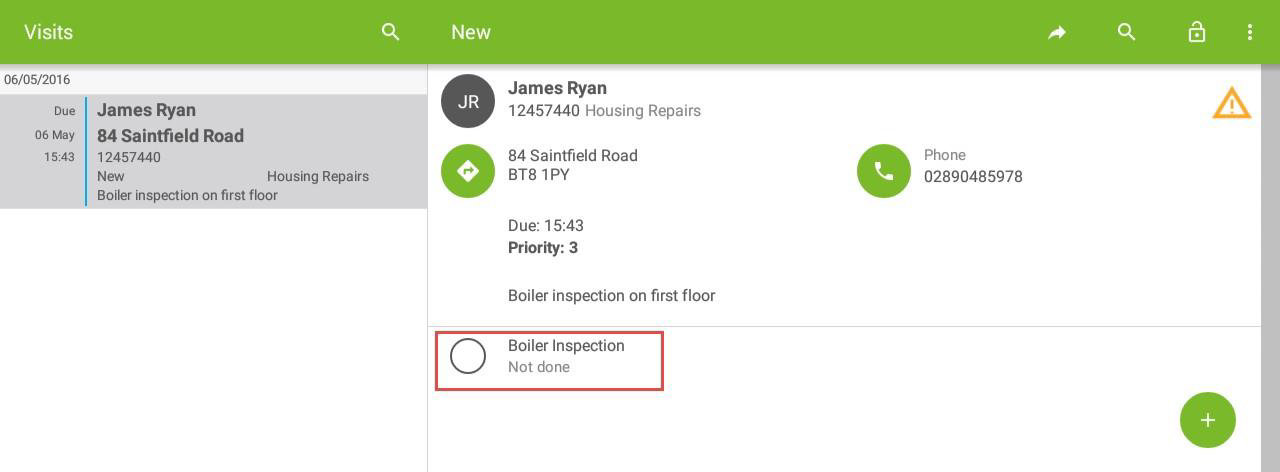
Select the form task within the visit.
-
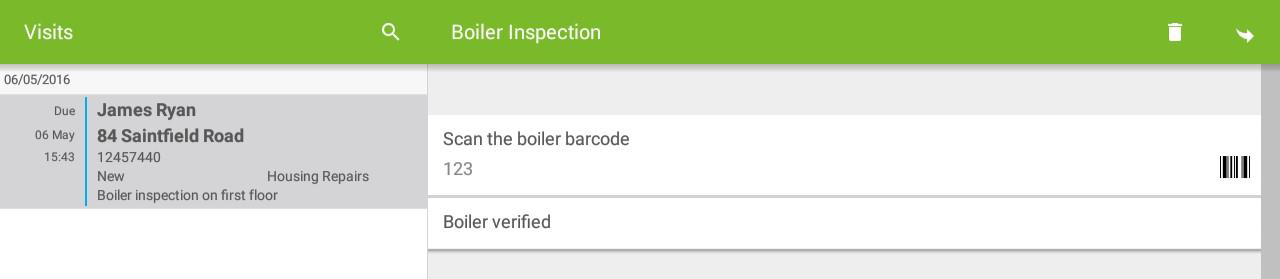
Select the barcode icon to the right of the Numeric control, or select the Numeric control.
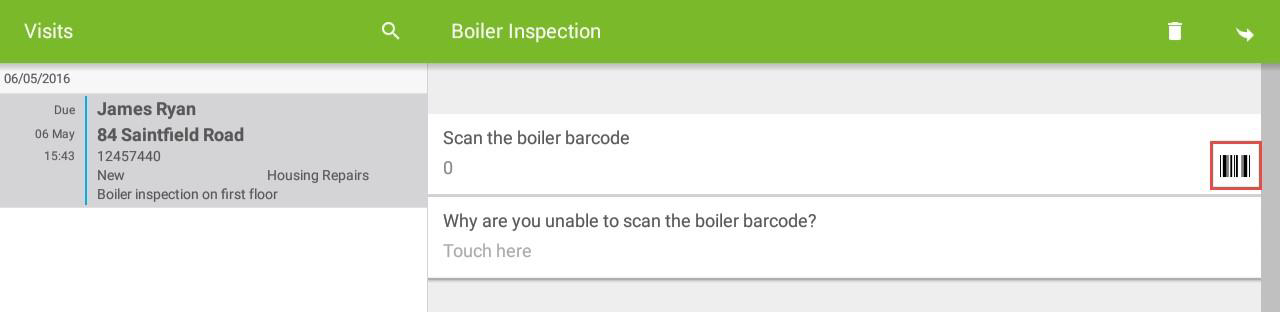
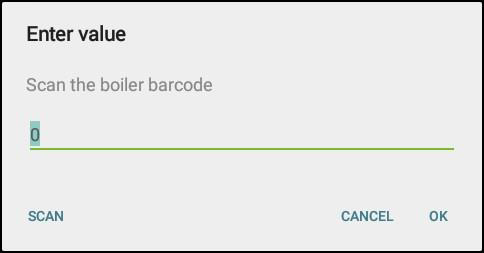
If you select the Numeric control, the Enter Value screen appears. Select SCAN.
-
Scan the QR code
 .
-
The 'Boiler verified' label displays.
Scenario A: Capture Numeric Value from a QR Code on iOS
-
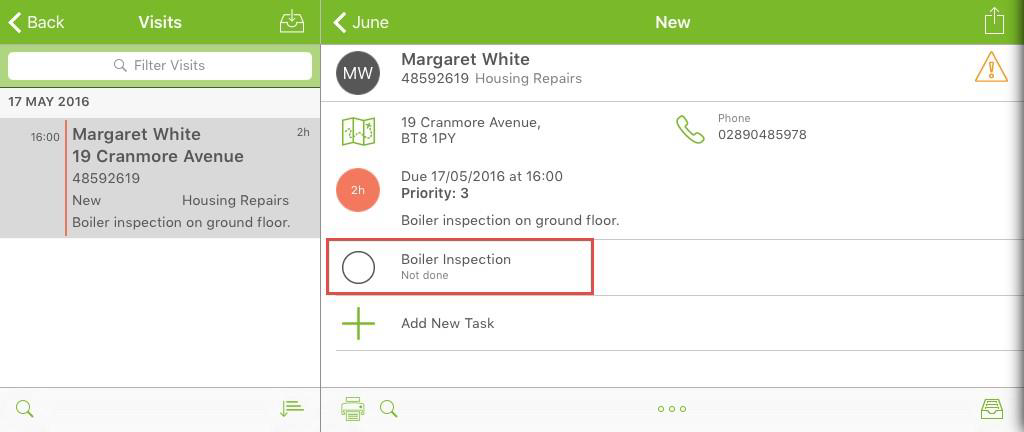
Select the form task within the visit.
-
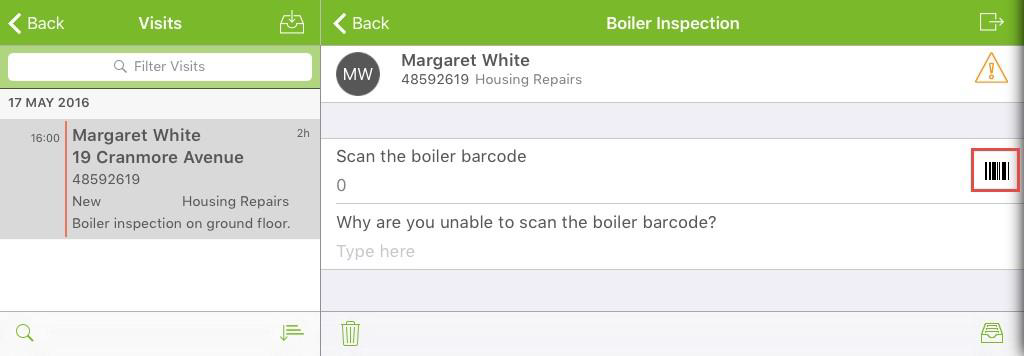
Select the barcode icon to the right of the Numeric control.
-
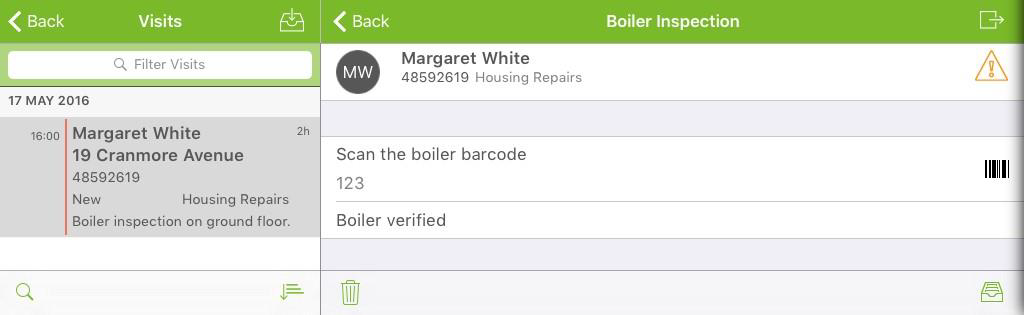
Scan the QR code
. -
The Boiler verified label displays.
Scenario B: Unable to Scan Barcode on Android
-
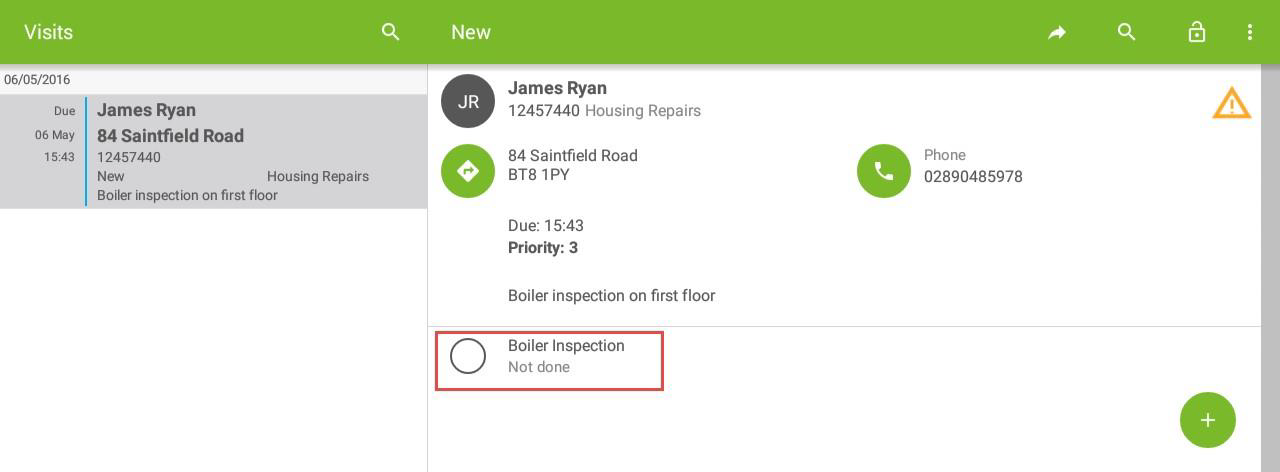
Select the form task within the visit.
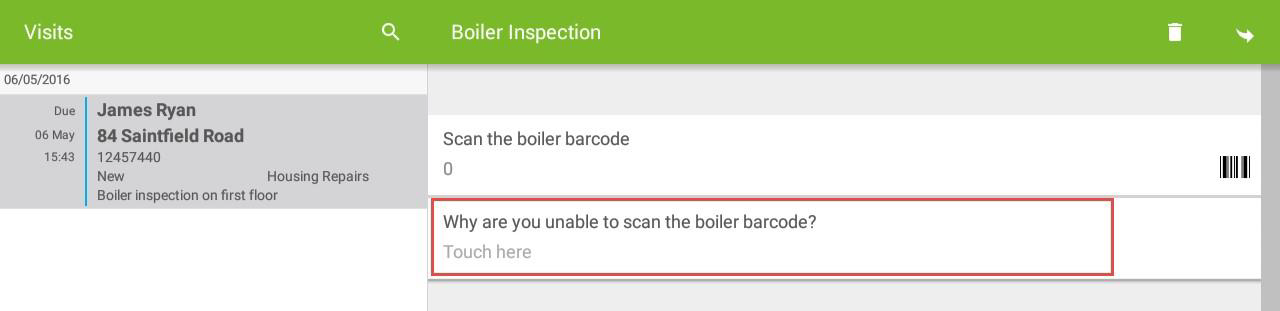
There is no barcode for you to scan. Select the text control below the Numeric control.
-
In the new form, select the answer field.
-
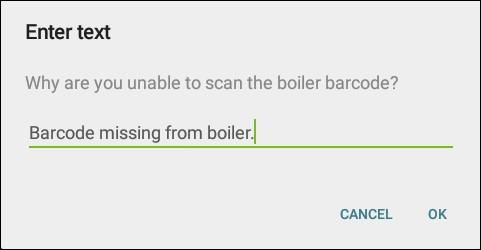
In the Enter Text screen, enter a reason.
-
Select OK.
-
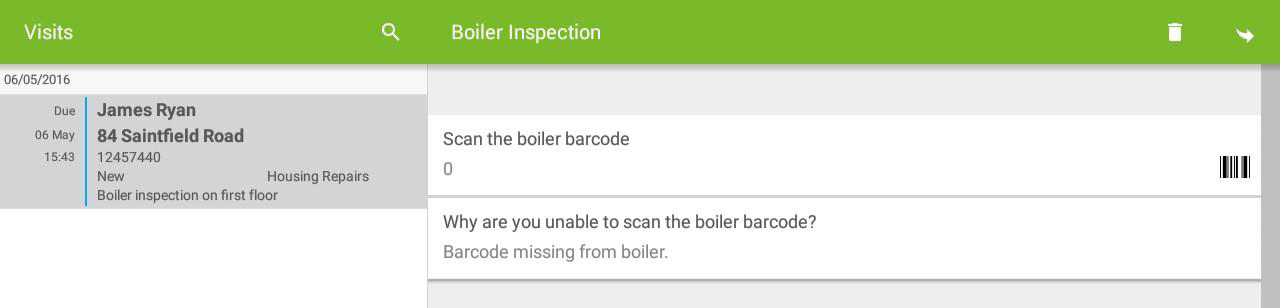
The Boiler not verified section remains, and the Boiler verified section does not display.
Scenario B: Unable to Scan Barcode on iOS
-
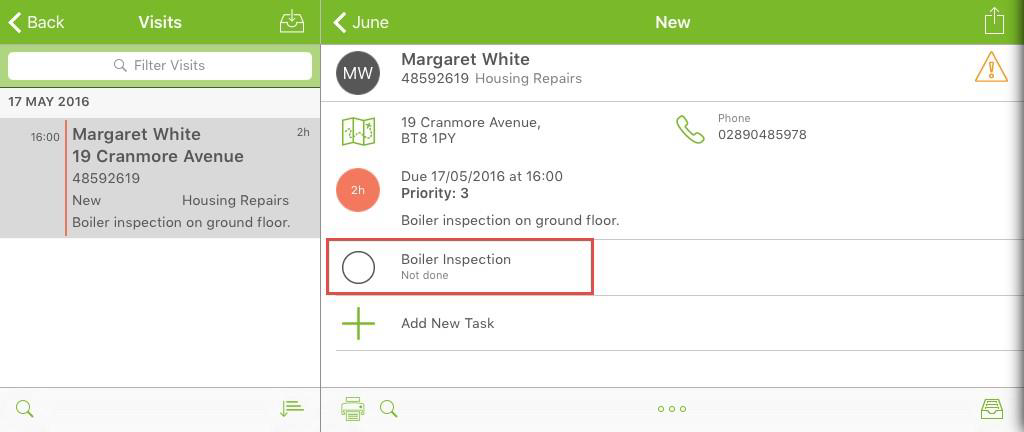
Select the form task within the visit.
There is no barcode for you to scan. Select the text control below the Numeric control.
-
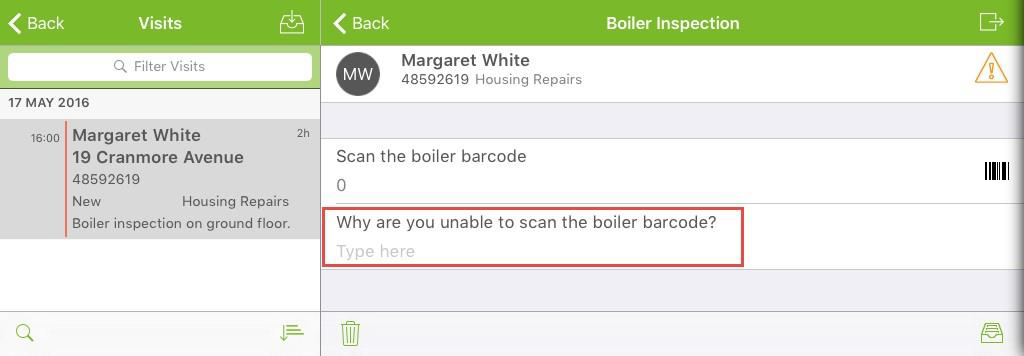
In the new form, select the answer field.
-
Enter a reason.
The Boiler not verified section remains, and the Boiler verified section does not display.