Manage Referral Details
Referrer
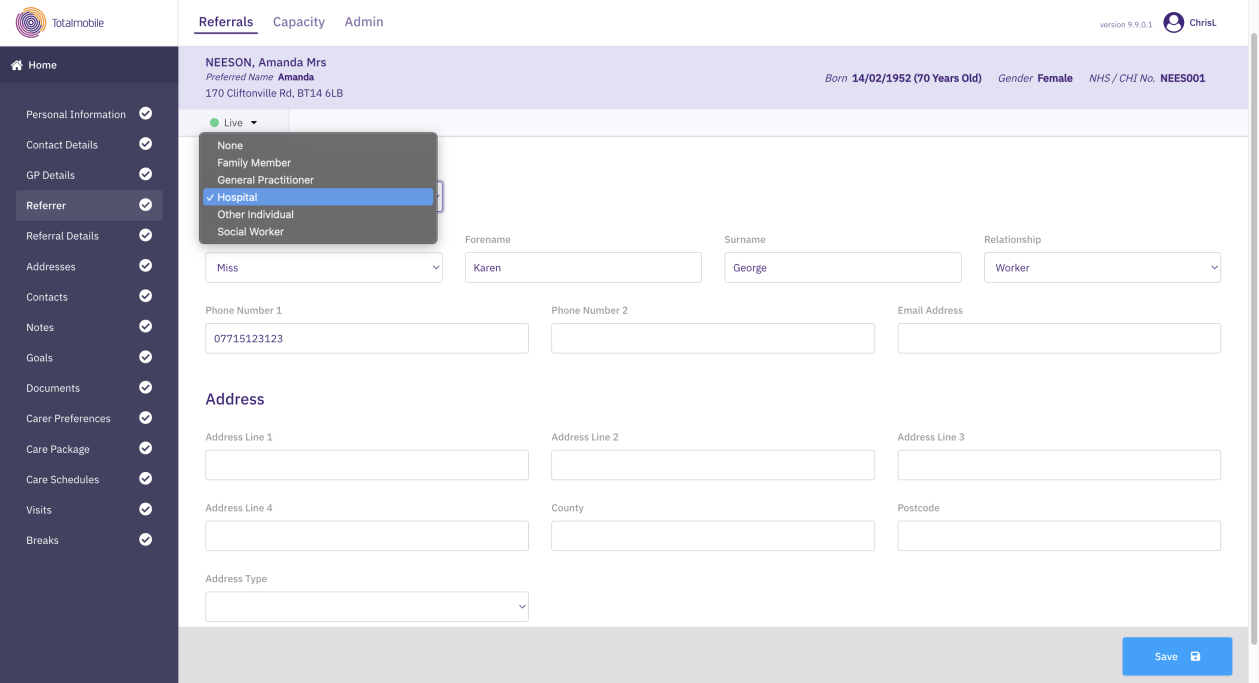
You can record details about the person or entity who referred the service user.
-
On the Referrals tab, select a referral for the required service user.
-
In the Referral Summary panel, select Edit.
-
On the referral's navigation menu, select Referrer.
-
Select a Referral Source from the list.
-
For any referral source except None, enter the following details as required:
-
Title, Forename, Surname
-
Relationship
-
Phone Number 1, Phone Number 2, Email Address
-
Address Line 1, Address Line 2, Address Line 3, County and Postcode
-
Referrer details are not mandatory.
Referral Details
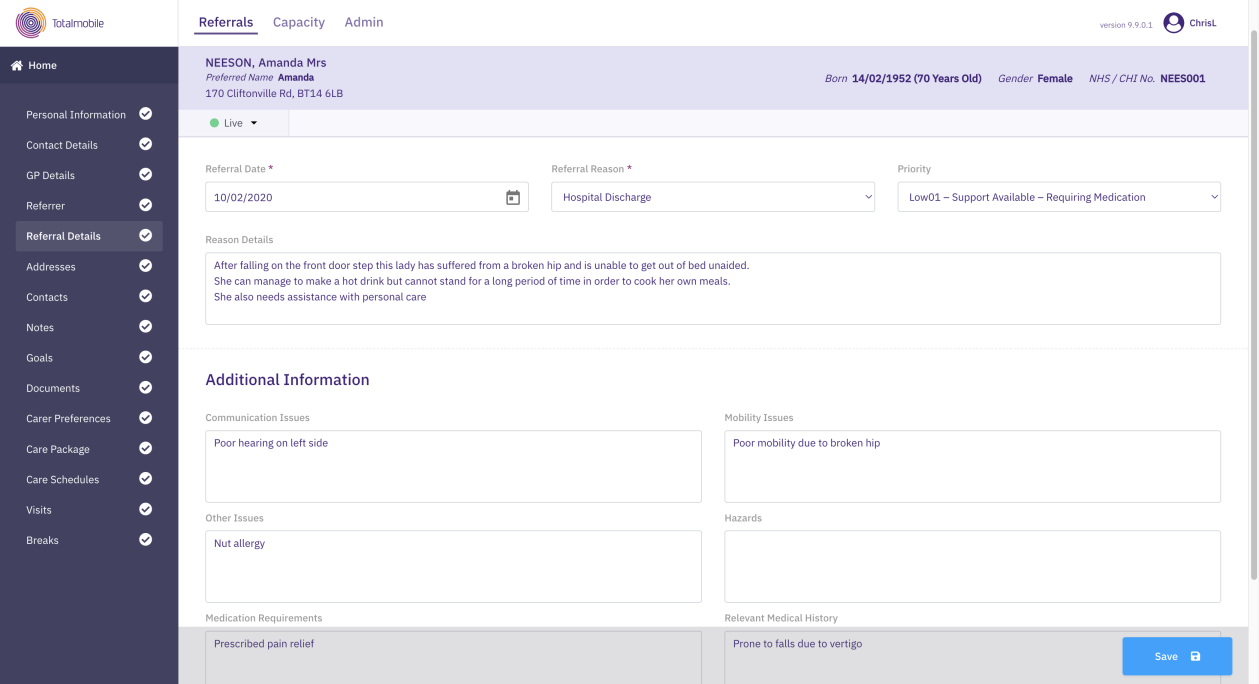
You can record information pertaining to this specific referral for the service user.
A service user can have multiple referrals but only one can be opened based on the referral date. If the service user already exists in the system and a new referral is opened for them, this means the only information to complete is the referral details.
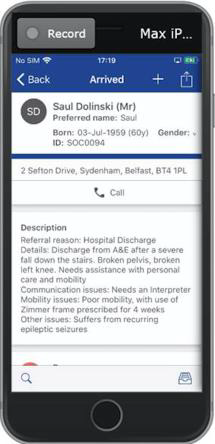
The information recorded in this section, except the medical history and medication requirements, forms part of the visit description, giving the care worker visibility of the referral information on their device.
To enter referral details:
-
On the Referrals tab, select a referral for the required service user.
-
In the Referral Summary panel, select Edit.
-
On the referral's navigation menu, select Referral Details.
-
Enter information in the following fields as required:
-
Referral Reason*
-
Priority**
-
Reason Details
-
Communication Issues
-
Mobility issues
-
Other issues
- Hazards
-
Medication Requirements
- Relevant Medical History
* Required field.
** Required field if specified on the Admin > Manage Referrals page. For more details refer to Manage Referrals.
-
-
Select Save.