Add Attributes
When you add attributes to a job, the following attributes are available for selection:
-
Attributes of jobs in the World you are scheduling in.
-
Attributes of resources assigned to rosters in the World you are scheduling in.
-
Attributes of resources loaned to the World you are scheduling in.
For more details of loaned resources, refer to Record Loan. For more details of assigning attributes to resources, refer to Add and Edit Resource Details in the Administrator Guide.
To add attributes to a job:
-
In the Job Details dialog, select Update Attributes
 .
. -
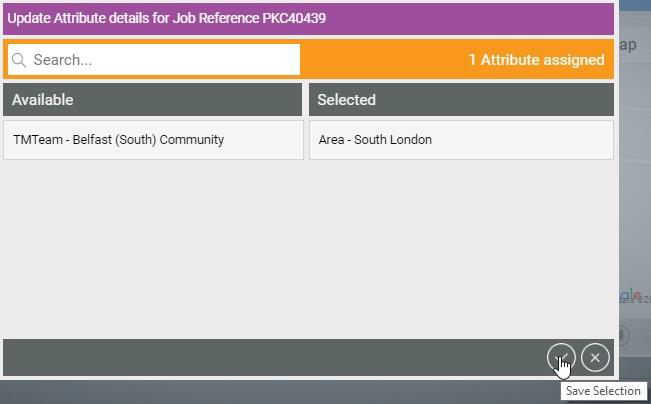
In the Update Attribute Details for Job dialog, select attributes to move them between the Available and Selected lists.
Use the Search field to filter the list of attributes.
-
Select Save Selection
 .
.