Attribute Filtering
Attribute filtering defines which attributes are available in the Optimise Schedule filters. For example, you might want to filter only on location-related attributes.
For more details on adding attributes, refer to Add and Edit Attributes.
For more details on filtering in Optimise Schedule, refer to Apply Filters in the Schedule User Guide.
You need the Attribute Filtering permission to access this feature. For more details refer to Permissions.
Add an Attribute Filter
-
In WebAdmin select Optimise Admin.
The Universal Settings and Worlds page appears.
-
Select a World.
The World Settings and Permissions page appears.
-
In the Settings section, select Attribute Filtering.
The Attribute Filter page appears.
If no attributes are selected on this page, all attributes are available for filtering in Optimise Schedule.
-
Select Add New Attribute Filter
 .
-
On the Add Attribute Filter dialog, select an attribute.
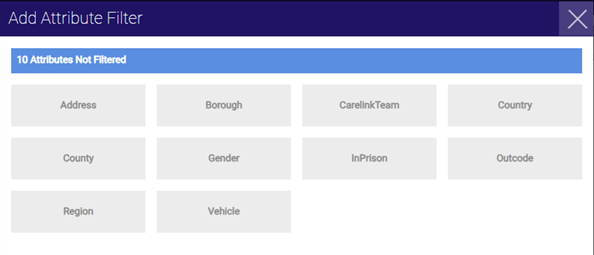
The attribute is removed from the dialog and appears on the Attribute Filter page.
-
Click outside the dialog to close it.
Remove an Attribute Filter
-
On the Attribute Filter page, position your cursor over an attribute.
-
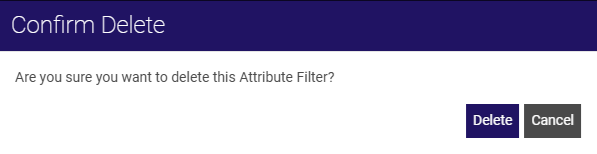
Select the Delete icon.

The Confirm Delete dialog appears.
-
Select Delete.