Create an Optimise World
You need the Optimise Worlds permission to create new Optimise Worlds. For more details refer to Permissions.
Create a World
-
In WebAdmin select Optimise Worlds.
The Worlds page appears.
-
Select Add New World
 .
. The Add World dialog appears.
-
Select the Reference field and enter a suitable reference name for the World.
-
Select the Type field and select the World type you want from the dropdown.
Note the warning which appears if you select Enterprise or Cloud. You must synchronise the Scheduler and Mendel databases. For more details refer to Synchronise the Scheduler and Mendel Database Tables.
-
If you have configured multiple time zones and you want this World to use a different time zone from the default, select the Timezone field and select the required time zone from the dropdown.
The Timezone field appears only if you have a default time zone configured. For more details refer to Time Zone Mapping.
-
If you are creating an Essentials World, select the Description field and enter a suitable description.
-
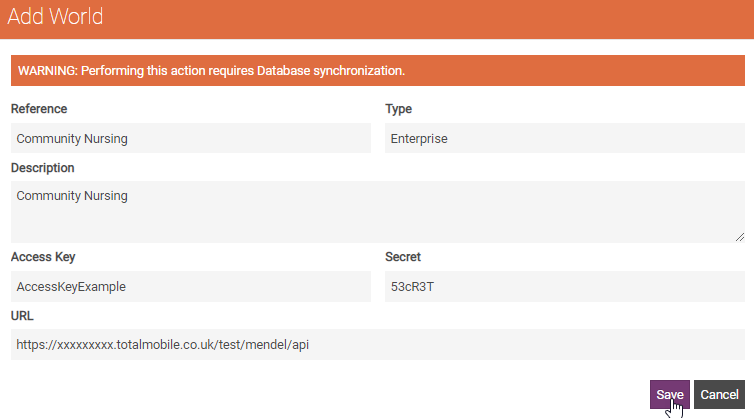
If you are creating an Enterprise World:
-
Select the Description field and enter a suitable description.
-
Select the Access Key field and enter the key generated when you installed the Mendel engine.
-
Select the Secret field and enter the secret value generated when you installed the Mendel engine.
-
Select the URL field and enter your Mendel URL.
-
-
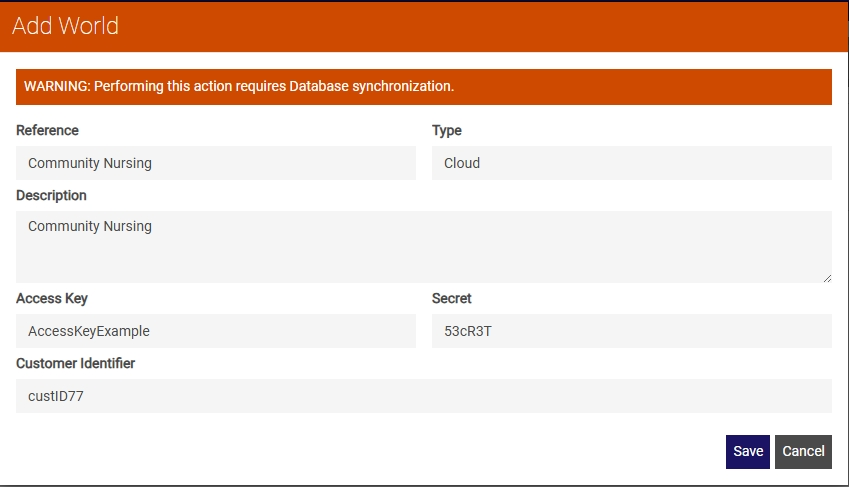
If you are creating a Cloud World:
-
Select the Description field and enter a suitable description.
-
Select the Access Key field and enter your Mendel access key.
-
Select the Secret field and enter your Mendel secret.
-
Select the Customer Identifier field and enter your unique customer ID. This is supplied by Totalmobile
-
-
Select Save.
The World is available on the WebAdmin > Optimise Admin page and on the WebAdmin > Optimise Schedule page for users with the appropriate World permissions. For more details refer to Assign Users Permissions for New Worlds.